🎃 Halloween Sale — Scary Good Deals, Up to 20% OFF! Don't be spooked by these prices — grab them before they disappear at midnight.
Turn your WooCommerce product collection into a convenient downloadable PDF catalog. This extension helps store owners create product catalogs that customers can view, save, print, or share offline. It can be especially useful for wholesale businesses, distributors, B2B stores, retailers, sales teams, and businesses that provide product brochures to customers. Store administrators can choose which product information appears in the catalog and customize the presentation to match their brand.
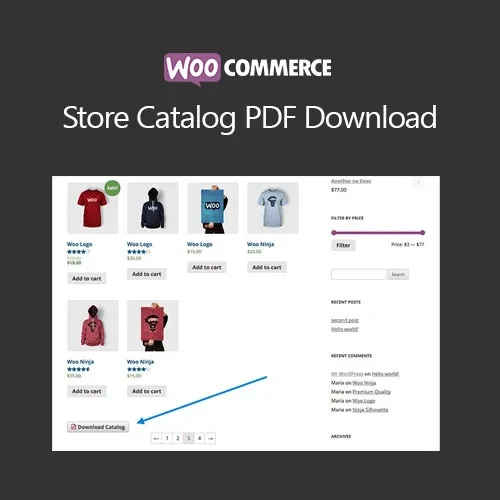
WooCommerce Store Catalog PDF Download (GPL) Turn your WooCommerce product collection into a convenient downloadable PDF catalog. This extension helps store owners create product catalogs that customers can view, save, print, or share offline. It can be especially useful for wholesale businesses, distributors, B2B stores, retailers, sales teams, and businesses that provide product brochures to customers. Store administrators can choose which product information appears in the catalog and customize the presentation to match their brand. Distributed by 5ivecode.com under GPL terms. Check the current package information for details about updates and support. Not affiliated with the original developer. Feature Highlights 📄 Generate PDF Product Catalogs – Create downloadable PDF documents containing products from your WooCommerce store. 📥 Customer Catalog Downloads – Give visitors an easy way to download product information for offline reference. 🎨 Custom Catalog Design – Adjust available layout, formatting, and branding options to create catalogs that fit your business identity. 💰 Flexible Product Information – Choose whether supported catalog fields such as prices, SKUs, descriptions, and other product details should appear. 📦 Bulk Catalog Creation – Generate catalogs for selected product categories or larger portions of your store. 🔄 Product Data Synchronization – Keep generated catalog information aligned with changes made to WooCommerce products where supported. 🏢 Useful for B2B & Wholesale – Suitable for distributors, wholesalers, retailers, sales representatives, and businesses that rely on printed or downloadable catalogs. 🚀 GPL Distribution – Distributed under applicable GPL terms through 5ivecode.com. Detailed Overview WooCommerce Store Catalog PDF Download provides a practical way to transform WooCommerce product information into downloadable PDF catalogs. Creating a product brochure manually can require considerable design and maintenance work, particularly when a store contains hundreds or thousands of products. This extension can automate much of that process by using product information already stored in WooCommerce. Store administrators can create catalogs containing selected products, categories, or broader product collections. Depending on the available configuration, the catalog can include information such as product images, names, descriptions, prices, SKUs, and other product details. The PDF format is particularly useful when customers need to print product information, share catalogs with purchasing departments, review products offline, or distribute product information to sales prospects. For wholesale and B2B businesses, you can also configure catalogs to present products without prices when a sales representative or customer requires a quotation-based purchasing process. Comparison Table Feature Store Catalog PDF Download Default WooCommerce PDF Product Catalog ✔️ Supported ❌ Not included by default Downloadable Product Brochure ✔️ Available ❌ Requires additional functionality Product Selection ✔️ Supports selected products/categories where configured ❌ Not available Catalog Branding ✔️ Customization options ❌ Not included Price & SKU Controls ✔️ Configurable where supported ❌ No native PDF catalog controls Bulk Catalog Generation ✔️ Supported ❌ Not available Offline Product Browsing ✔️ PDF format ❌ Web-based by default GPL Distribution ✔️ GPL-based distribution N/A Installation Guide Download the WooCommerce Store Catalog PDF Download (GPL) ZIP package from your 5ivecode.com account. Log in to your WordPress Dashboard. Navigate to Plugins → Add New Plugin → Upload Plugin. Select the downloaded ZIP file. Click Install Now. After installation is completed, click Activate. Confirm that WooCommerce is installed and active. Open the available PDF Catalog settings. Configure the catalog layout, branding, product information, and other available options. Choose the products or categories you want to include. Enable catalog download options on the appropriate store or product pages. Generate and test a sample PDF before publishing it to customers.
Get Support
Please Sign In to contact our support.