Exclusive Coupon — Use Code SAVE10 for Instant Savings! Apply at checkout for your special discount. Limited uses — grab it while you can.
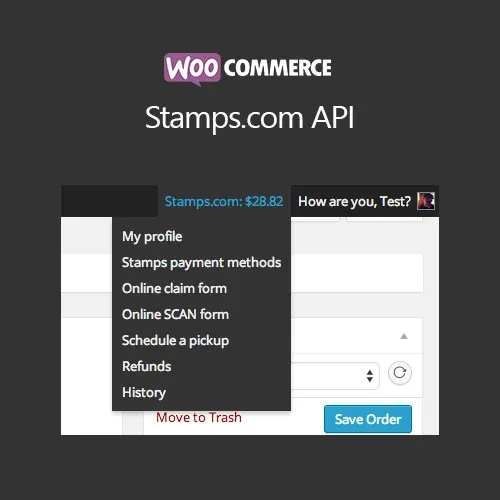
WooCommerce Stamps.com API connects your WooCommerce store with Stamps.com, giving you a convenient way to purchase postage and generate USPS shipping labels directly from your WordPress dashboard. Instead of switching between different shipping platforms, you can manage essential USPS shipping tasks alongside your WooCommerce orders. The integration can help streamline label creation, tracking updates, address verification, and bulk shipping workflows.
WooCommerce Stamps.com API – USPS Shipping Labels & Tracking
WooCommerce Stamps.com API connects your WooCommerce store with Stamps.com, giving you a convenient way to purchase postage and generate USPS shipping labels directly from your WordPress dashboard.
Instead of switching between different shipping platforms, you can manage essential USPS shipping tasks alongside your WooCommerce orders. The integration can help streamline label creation, tracking updates, address verification, and bulk shipping workflows.
USPS Shipping Integration — Connect WooCommerce with Stamps.com for USPS postage and label creation.
Live Shipping Rates — Retrieve applicable postage rates through the Stamps.com service.
Bulk Label Processing — Handle multiple orders and generate shipping labels in batches.
Automatic Tracking Updates — Add USPS tracking information to the corresponding WooCommerce orders.
Address Verification — Use USPS address validation to help minimize delivery errors caused by incorrect addresses.
Commercial USPS Rates — Take advantage of eligible discounted USPS rates available through Stamps.com.
WooCommerce-Based Workflow — Manage shipping-related tasks from your WordPress/WooCommerce environment.
GPL Package with Lifetime Updates — Use the plugin according to applicable GPL terms with lifetime updates included in the package.
Shipping fulfillment can require considerable time when orders have to be processed manually across multiple platforms. WooCommerce Stamps.com API is designed to bring Stamps.com shipping functionality closer to your existing WooCommerce order workflow.
Once connected to a Stamps.com account, store administrators can purchase USPS postage and create shipping labels while working with WooCommerce orders. This can reduce the need to repeatedly move order information between separate systems.
Generate USPS shipping labels from your WooCommerce workflow instead of manually entering order information into another shipping system.
The integration can retrieve available postage information through Stamps.com, helping store owners review applicable USPS shipping costs during fulfillment.
For stores handling multiple shipments, bulk processing can make fulfillment more convenient by allowing several orders to be handled together rather than individually.
After a shipment is processed, USPS tracking details can be associated with the relevant WooCommerce order, making shipment information easier to manage and share with customers.
USPS address validation helps identify address-related issues before shipment processing, potentially reducing avoidable delivery problems.
Keep your shipping workflow connected to your WooCommerce store so that order fulfillment and shipping information can be managed in a more centralized environment.
Feature | WooCommerce Stamps.com API | Manual USPS Workflow |
|---|---|---|
USPS Label Creation | ✔ Available through WooCommerce workflow | Requires separate processing |
Bulk Processing | ✔ Supports multiple orders | Typically handled individually |
Tracking Updates | ✔ Can associate tracking with orders | Manual order updates may be required |
Address Validation | ✔ USPS address verification | Separate verification process |
Stamps.com Rates | ✔ Access through Stamps.com integration | Requires separate Stamps.com workflow |
WooCommerce Integration | ✔ Designed for WooCommerce | ✘ No direct integration |
Get Support
Please Sign In to contact our support.