Exclusive Coupon — Use Code SAVE10 for Instant Savings! Apply at checkout for your special discount. Limited uses — grab it while you can.
WooCommerce Splash Popup provides a flexible way to display prominent popup messages across your online store. Use it for promotional announcements, welcome messages, age verification, important notices, and other customer-facing information. With configurable display and targeting options, you can decide where and when splash popups appear throughout your WooCommerce website. Get the GPL-licensed version from 5ivecode.com, with lifetime free updates and limited email support.
WooCommerce Splash Popup – Targeted Store Popup Plugin
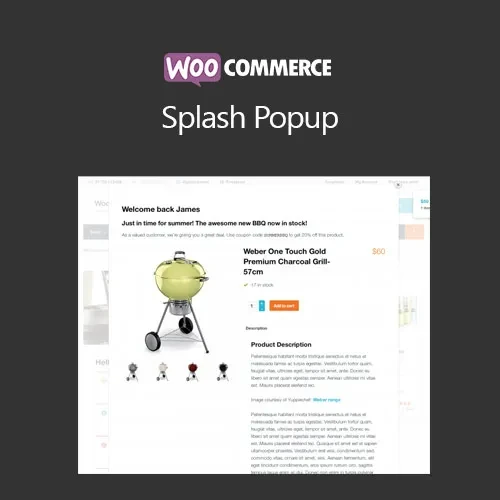
WooCommerce Splash Popup provides a flexible way to display prominent popup messages across your online store. Use it for promotional announcements, welcome messages, age verification, important notices, and other customer-facing information.
With configurable display and targeting options, you can decide where and when splash popups appear throughout your WooCommerce website.
Get the GPL-licensed version from 5ivecode.com, with lifetime free updates and limited email support.
Create customized splash popups for WooCommerce stores
Display promotions, announcements, welcome messages, and other notices
Use popups for age-verification requirements
Target specific products, categories, or pages
Configure popup visibility based on different display conditions
Control whether popups appear on first visits or subsequent visits
Responsive layouts for desktop and mobile visitors
Configure the plugin without writing custom code
Suitable for promotional and informational store messages
GPL licensing for applicable personal and client projects
Lifetime free updates included with the package
Important messages can easily be overlooked when they are displayed as ordinary page content. WooCommerce Splash Popup provides a dedicated popup-based presentation method that allows store owners to place selected messages directly in front of visitors.
You can use splash popups for a variety of WooCommerce scenarios, including promotional campaigns, special announcements, welcome messages, age confirmation, and other notices that need increased visibility.
The plugin also provides targeting controls so that popup content can be associated with particular products, categories, pages, or display conditions. This allows store owners to configure different messages for different sections of their website.
Popup frequency can also be configured according to the available display settings, helping you control when visitors encounter the popup.
Feature | WooCommerce Splash Popup | General Popup Tools |
|---|---|---|
WooCommerce-Focused Usage | ✔ Designed for WooCommerce stores | Varies by plugin |
Product Targeting | ✔ Supported | Depends on the plugin |
Category Targeting | ✔ Supported | Depends on the plugin |
Age Verification | ✔ Supported | May require additional configuration |
Display Conditions | ✔ Configurable | Varies by plugin |
Visit-Based Display | ✔ Available according to configured rules | Depends on the plugin |
Responsive Display | ✔ Designed for different screen sizes | Varies by implementation |
No-Code Configuration | ✔ Settings-based configuration | Usually available, depending on plugin |
GPL Package | ✔ GPL-licensed distribution | Depends on the product |
Download the WooCommerce Splash Popup GPL Plugin from 5ivecode.com.
Log in to your WordPress administration area.
Go to Plugins → Add New → Upload Plugin.
Select the downloaded ZIP file.
Click Install Now and wait for the installation to finish.
Activate the plugin.
Open the plugin's available WooCommerce settings.
Configure the popup content, appearance, targeting, and display conditions.
Save your settings and test the popup on the relevant storefront pages.
Get Support
Please Sign In to contact our support.