Exclusive Coupon — Use Code SAVE10 for Instant Savings! Apply at checkout for your special discount. Limited uses — grab it while you can.
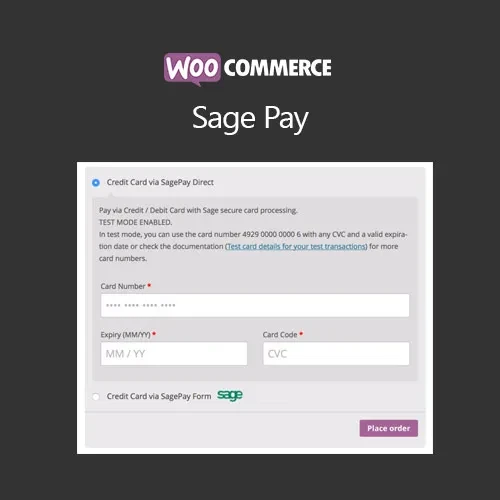
Accept card payments through SagePay (now Opayo) with the WooCommerce SagePay Form / SagePay Direct Plugin. The plugin provides two payment integration approaches, allowing store owners to use a hosted payment form or a direct on-site checkout flow according to their business and payment-processing requirements. It integrates with WooCommerce to support card payments, transaction management, refunds, and payment testing. The GPL-licensed package is available from 5ivecode.com with lifetime free updates and limited email support.
WooCommerce SagePay Form / SagePay Direct – Opayo Payment Gateway Plugin
Accept card payments through SagePay (now Opayo) with the WooCommerce SagePay Form / SagePay Direct Plugin. The plugin provides two payment integration approaches, allowing store owners to use a hosted payment form or a direct on-site checkout flow according to their business and payment-processing requirements.
It integrates with WooCommerce to support card payments, transaction management, refunds, and payment testing.
The GPL-licensed package is available from 5ivecode.com with lifetime free updates and limited email support.
Accept credit and debit card payments through SagePay/Opayo
Support both SagePay Form and SagePay Direct integration modes
Hosted payment option through the SagePay/Opayo payment environment
Direct payment workflow that keeps customers within the store checkout
WooCommerce refund and order-management integration
Payment configuration through WooCommerce settings
Sandbox/testing support for transaction testing
No custom coding required for the standard setup
Designed for WooCommerce-compatible themes
GPL licensing for personal and client projects
Lifetime free updates included with the package
Choosing the right payment workflow is an important part of operating a WooCommerce store. The WooCommerce SagePay Form / SagePay Direct Plugin provides two integration methods so store owners can configure their checkout according to their preferred payment flow.
With SagePay Form, customers are directed to the payment provider's hosted environment to complete the card transaction. This approach can reduce the amount of payment-processing functionality handled directly by the store.
With SagePay Direct, the payment experience can be integrated more closely with the WooCommerce checkout, allowing customers to complete the supported payment process without the same type of hosted-page transition.
The plugin also integrates payment activity with WooCommerce order management, including supported refund functionality. Sandbox testing can be used to verify the configuration before enabling live transactions.
Actual security and PCI DSS responsibilities depend on the selected integration method, payment provider requirements, hosting environment, and the merchant's overall implementation. Using a payment gateway plugin does not by itself make a store PCI DSS compliant.
Feature | WooCommerce SagePay Form / Direct | Other Payment Integrations |
|---|---|---|
SagePay / Opayo Support | ✔ Supported | Depends on the gateway |
Hosted Payment Option | ✔ SagePay Form | Depends on provider |
Direct Integration | ✔ SagePay Direct | Depends on provider |
WooCommerce Integration | ✔ Designed for WooCommerce | Depends on the gateway |
Refund Support | ✔ Supported functionality | Varies by gateway |
Sandbox Testing | ✔ Supported where provided by the gateway integration | Depends on provider |
Payment Configuration | ✔ WooCommerce payment settings | Varies by gateway |
PCI Considerations | Depends on integration and merchant environment | Depends on provider and implementation |
GPL Distribution | ✔ GPL-licensed package | Depends on the software |
Download the WooCommerce SagePay Form / SagePay Direct GPL Plugin from 5ivecode.com.
Log in to your WordPress administration dashboard.
Navigate to Plugins → Add New → Upload Plugin.
Select the downloaded ZIP package.
Click Install Now.
Activate the plugin.
Go to WooCommerce → Settings → Payments.
Enable the appropriate SagePay/Opayo payment method.
Enter the required account or integration credentials supplied for your payment account.
Configure the available payment settings.
Use the supported test or sandbox environment to verify transactions.
After successful testing, configure the live payment credentials and enable production processing.
Get Support
Please Sign In to contact our support.