Exclusive Coupon — Use Code SAVE10 for Instant Savings! Apply at checkout for your special discount. Limited uses — grab it while you can.
WooCommerce Sage Payments USA Gateway integrates Sage Payments with WooCommerce, allowing eligible U.S. merchants to accept credit card transactions directly through their online store. The gateway supports major card types, recurring billing, transaction refunds and voids, and verification features such as AVS and CVV where supported by the payment service. The plugin is distributed under the GNU General Public License (GPL) and includes lifetime updates with limited email support from 5ivecode.com.
WooCommerce Sage Payments USA Gateway – Credit Card Payment GPL Plugin
WooCommerce Sage Payments USA Gateway integrates Sage Payments with WooCommerce, allowing eligible U.S. merchants to accept credit card transactions directly through their online store. The gateway supports major card types, recurring billing, transaction refunds and voids, and verification features such as AVS and CVV where supported by the payment service.
The plugin is distributed under the GNU General Public License (GPL) and includes lifetime updates with limited email support from 5ivecode.com.
Credit Card Payment Integration – Accept supported cards such as Visa, Mastercard, American Express, and Discover through your WooCommerce checkout.
Direct Store Checkout – Keep customers within the WooCommerce checkout experience instead of requiring a separate payment-page redirect.
Recurring Billing Support – Supports recurring transactions when used with compatible WooCommerce Subscriptions configurations.
AVS & CVV Verification – Provides address and card-security verification features supported by the payment gateway.
Refund & Void Management – Manage supported refunds and transaction voids from the WooCommerce administration area.
Designed for U.S. Merchants – Intended for businesses using the U.S. Sage Payments service and its applicable merchant requirements.
WooCommerce Payment Integration – Adds Sage Payments as a payment method within the WooCommerce checkout and payment settings.
GPL Licensing – The GPL distribution can be installed and used across multiple WooCommerce websites according to applicable GPL terms.
The WooCommerce Sage Payments USA Gateway connects a WooCommerce store with Sage Payments for supported credit card transactions.
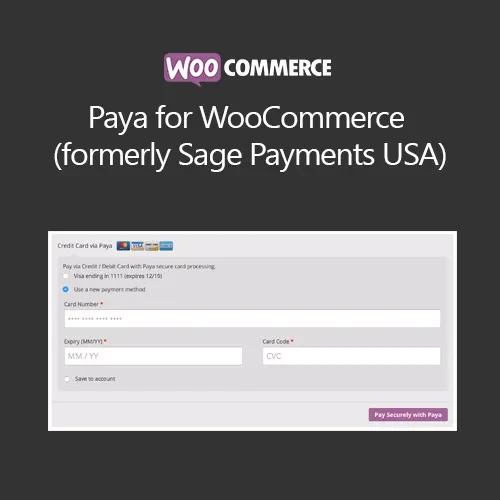
Once configured with the required merchant credentials, the gateway adds Sage Payments to the store's available payment methods. Customers can enter their supported card details during checkout while the payment request is processed through the configured Sage Payments account.
The plugin also provides transaction-management features such as refunds and voids where supported by the gateway. For stores using recurring billing, compatible WooCommerce Subscriptions configurations can be used for repeat payments.
The gateway can work with security mechanisms such as SSL/TLS, AVS, and CVV verification, depending on the payment provider and configured account features.
A payment gateway plugin by itself does not make a WooCommerce website PCI DSS compliant. PCI DSS responsibilities depend on the complete checkout implementation, hosting environment, payment-processing setup, merchant practices, and applicable Sage Payments requirements.
Feature | Sage Payments USA Gateway | Generic Gateway Setup |
|---|---|---|
WooCommerce Checkout Integration | Supported | Depends on gateway |
Direct Checkout Experience | Supported | Depends on provider |
Recurring Payments | Supported with compatible configuration | Provider dependent |
AVS Verification | Supported where available | Provider dependent |
CVV Verification | Supported where available | Provider dependent |
Refunds & Voids | Supported where available | Varies by gateway |
U.S. Merchant Focus | Designed for Sage Payments USA | Depends on provider |
GPL Distribution | Yes, according to applicable GPL terms | Depends on product license |
Obtain the WooCommerce Sage Payments USA Gateway GPL plugin from 5ivecode.com.
Log in to your WordPress administration dashboard.
Navigate to Plugins → Add New → Upload Plugin and install the plugin package.
Activate the plugin after installation.
Open WooCommerce → Settings → Payments.
Locate and enable Sage Payments USA.
Enter the required Sage Payments merchant credentials and gateway information.
Configure supported payment and verification options according to your merchant account.
Save the gateway settings.
Perform appropriate test transactions before accepting live customer payments.
Get Support
Please Sign In to contact our support.