Exclusive Coupon — Use Code SAVE10 for Instant Savings! Apply at checkout for your special discount. Limited uses — grab it while you can.
Simplify the way your WooCommerce store handles returns, warranty claims, repairs, and exchange requests with WooCommerce Returns and Warranty Requests. The plugin gives customers a structured way to submit requests online while providing store administrators with tools to configure warranty policies, review requests, and manage their status. The GPL-licensed package is available from 5ivecode.com with lifetime free updates and limited email support.
WooCommerce Returns and Warranty Requests – Returns, RMA & Warranty Management Plugin
Simplify the way your WooCommerce store handles returns, warranty claims, repairs, and exchange requests with WooCommerce Returns and Warranty Requests. The plugin gives customers a structured way to submit requests online while providing store administrators with tools to configure warranty policies, review requests, and manage their status.
The GPL-licensed package is available from 5ivecode.com with lifetime free updates and limited email support.
Allow customers to submit return and warranty requests online
Support requests related to product returns, warranties, and repairs
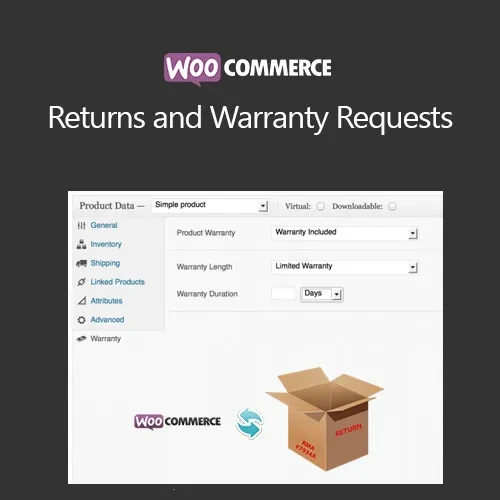
Configure fixed-duration, lifetime, or no-warranty options
Define warranty policies for individual products
Built-in Return Merchandise Authorization (RMA) functionality
Track submitted return and warranty requests
Admin controls for reviewing, approving, or rejecting requests
Automated email notifications for request updates
GPL licensing for personal and client projects
Lifetime free updates included with the package
Managing returns and warranty claims manually can involve multiple emails, spreadsheets, and support conversations. WooCommerce Returns and Warranty Requests provides a more structured workflow by bringing return and warranty requests into the WooCommerce environment.
Customers can submit eligible requests directly through their account area, giving them a dedicated process for communicating return, warranty, or repair requirements.
Store administrators can configure warranty rules according to their product offerings. Warranty availability can be set as a fixed period, lifetime coverage, or no warranty, while individual products can have their own warranty policies.
The integrated RMA system provides a central way to organize and track submitted requests. Administrators can review requests, make approval or rejection decisions, and manage the relevant request information from the store administration area.
Automated email notifications can also keep customers informed when their request status changes.
Feature | WooCommerce Returns & Warranty Requests | Manual Support Process |
|---|---|---|
Customer Requests | ✔ Online request submission | Typically handled through email or support |
Warranty Options | ✔ Fixed, lifetime, or no warranty | Requires manual tracking |
Product-Specific Policies | ✔ Supported | Requires separate documentation |
RMA Management | ✔ Built-in RMA functionality | Usually requires a separate manual process |
Request Tracking | ✔ Centralized request management | Can become distributed across support channels |
Approval & Rejection | ✔ Admin management controls | Manually communicated |
Email Notifications | ✔ Automated notifications | Often handled manually |
GPL Licensing | ✔ GPL-distributed package | Depends on the software used |
Download the WooCommerce Returns and Warranty Requests GPL Plugin from 5ivecode.com.
Log in to your WordPress administration dashboard.
Navigate to Plugins → Add New → Upload Plugin.
Select the plugin ZIP file.
Click Install Now and wait for installation to finish.
Activate the plugin.
Open the plugin's warranty-related settings under the available WooCommerce configuration area.
Configure your warranty options and product-specific policies.
Enable and configure the customer return request functionality.
Test the request workflow from a customer account before making it available to shoppers.
Get Support
Please Sign In to contact our support.