Exclusive Coupon — Use Code SAVE10 for Instant Savings! Apply at checkout for your special discount. Limited uses — grab it while you can.
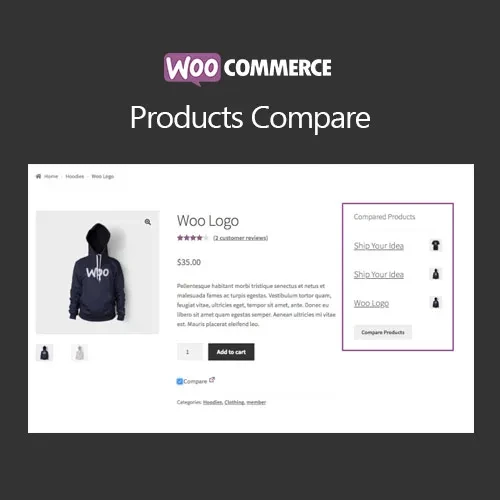
WooCommerce Products Compare adds a convenient product comparison experience to your online store, allowing shoppers to select multiple products and review their details side by side. Customers can compare important attributes, prices, and product information from a single comparison view, making it easier to evaluate similar products before purchasing. The GPL-licensed version is available from 5ivecode.com with lifetime free updates and limited email support.
WooCommerce Products Compare – Product Comparison Plugin
WooCommerce Products Compare adds a convenient product comparison experience to your online store, allowing shoppers to select multiple products and review their details side by side. Customers can compare important attributes, prices, and product information from a single comparison view, making it easier to evaluate similar products before purchasing.
The GPL-licensed version is available from 5ivecode.com with lifetime free updates and limited email support.
Add a Compare option to individual product pages and shop/catalog listings
Let customers compare multiple products in a structured side-by-side table
Display product attributes, pricing, and relevant comparison information
Use an AJAX-powered comparison popup or a dedicated comparison page
Customize the appearance and layout of the comparison table
Support both simple and variable WooCommerce products
Provide a responsive comparison interface for mobile, tablet, and desktop users
Designed to work with WooCommerce-compatible themes
Use the GPL-licensed plugin across personal and client websites according to applicable GPL terms
Receive lifetime free updates as included with the supplied package
When an online store offers several similar products, customers may need to open multiple product pages to identify the differences. WooCommerce Products Compare provides a centralized way to evaluate those products without repeatedly navigating between pages.
Customers can add products to their comparison list and view the selected items together in an organized comparison table. Depending on the configured layout, product information such as attributes and prices can be reviewed side by side.
The comparison interface can be presented through an AJAX-powered popup or a dedicated comparison page. Store administrators can also adjust the table presentation and comparison controls to better match their WooCommerce store design.
By placing product information in one convenient view, the plugin can make product evaluation easier and provide shoppers with a clearer purchasing experience.
Feature | With WooCommerce Products Compare | Standard Product Browsing |
|---|---|---|
Side-by-Side Product Review | ✔ Available | ❌ Not provided by default |
Product Comparison Interface | ✔ Dedicated comparison view | ❌ Requires separate page visits |
AJAX Comparison Option | ✔ Supported | ❌ Not available |
Customizable Comparison Layout | ✔ Supported | ❌ No dedicated comparison layout |
Product Attribute Comparison | ✔ Available | ❌ Requires manual comparison |
Simple Products | ✔ Supported | ✔ Supported |
Variable Products | ✔ Supported | ✔ Supported |
Responsive Comparison View | ✔ Supported | Depends on theme/store setup |
GPL Licensing | ✔ Distributed under GPL terms | — |
Download the WooCommerce Products Compare GPL Plugin from 5ivecode.com.
Sign in to your WordPress administration dashboard.
Navigate to Plugins → Add New → Upload Plugin.
Select the downloaded ZIP package.
Click Install Now and wait for the installation to complete.
Activate the plugin from the WordPress Plugins page.
Open the available WooCommerce Products Compare settings.
Configure the compare button, comparison display, and table presentation according to your store requirements.
Get Support
Please Sign In to contact our support.