Exclusive Coupon — Use Code SAVE10 for Instant Savings! Apply at checkout for your special discount. Limited uses — grab it while you can.
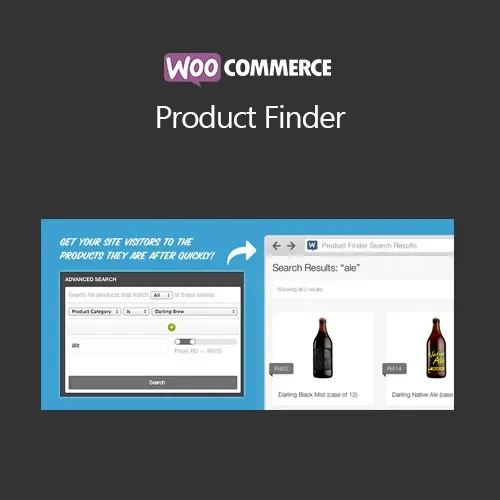
Make product discovery easier with WooCommerce Product Finder, an advanced search and filtering solution for WooCommerce stores. Customers can search using keywords and refine results with categories, tags, and product attributes, while Ajax-powered results help minimize unnecessary page reloads. The GPL-licensed package is available from 5ivecode.com with lifetime free updates and limited email support.
WooCommerce Product Finder – Advanced Product Search & Filtering Plugin
Make product discovery easier with WooCommerce Product Finder, an advanced search and filtering solution for WooCommerce stores. Customers can search using keywords and refine results with categories, tags, and product attributes, while Ajax-powered results help minimize unnecessary page reloads.
The GPL-licensed package is available from 5ivecode.com with lifetime free updates and limited email support.
Advanced product search using keywords, categories, and attributes
Ajax-powered results without requiring a complete page refresh
Add search forms to different store locations using shortcodes or widgets
Customizable filters for product categories, tags, and attributes
Designed for WooCommerce-compatible themes
Responsive interface for desktop and mobile shoppers
Helps customers narrow product catalogs more efficiently
GPL licensing for use across personal and client websites
Lifetime free updates included with the package
A large WooCommerce catalog can make product discovery challenging when shoppers have to rely only on a basic search field. WooCommerce Product Finder expands the store search experience by combining keyword searching with product filters.
Customers can enter search terms and refine the available results using categories, tags, and product attributes. Ajax-based searching allows supported results to be updated without requiring a full page reload for each interaction.
The plugin also provides options for placing search functionality in different areas of a website. Using available shortcodes or widgets, store owners can add the Product Finder to suitable pages, sidebars, or other supported locations.
This approach is useful for WooCommerce stores with larger catalogs or products that can be organized by multiple characteristics.
Feature | WooCommerce Product Finder | Standard WooCommerce Search |
|---|---|---|
Keyword Search | ✔ Supported | ✔ Supported |
Product Filters | ✔ Categories, tags, and attributes | Depends on the available setup |
Ajax Search | ✔ Supported | Depends on the search implementation |
Shortcode Placement | ✔ Supported | Depends on the available functionality |
Widget Placement | ✔ Supported | Depends on the available functionality |
Responsive Interface | ✔ Designed for mobile and desktop | Depends on theme and configuration |
WooCommerce Integration | ✔ Designed for WooCommerce | ✔ Native WooCommerce functionality |
GPL Licensing | ✔ GPL-distributed package | Depends on the specific extension |
Download the WooCommerce Product Finder GPL Plugin from 5ivecode.com.
Log in to your WordPress administration dashboard.
Navigate to Plugins → Add New → Upload Plugin.
Select the downloaded ZIP package.
Click Install Now.
Activate the plugin after installation.
Open the available plugin or WooCommerce settings and configure the search options.
Add the Product Finder to your desired store locations using the provided shortcode or widget functionality.
Configure categories, tags, and product attributes according to your catalog.
Get Support
Please Sign In to contact our support.