🎃 Halloween Sale — Scary Good Deals, Up to 20% OFF! Don't be spooked by these prices — grab them before they disappear at midnight.
WooCommerce Private Store is a comprehensive access-control solution for WooCommerce stores that need to create a private, members-only, customer-specific, or restricted shopping environment. Instead of making the entire store publicly accessible, store owners can control who can view products, categories, pricing, media, and other shopping content. Access can be managed using passwords, WordPress user roles, customer groups, IP restrictions, URLs, registration approvals, and time-based rules.
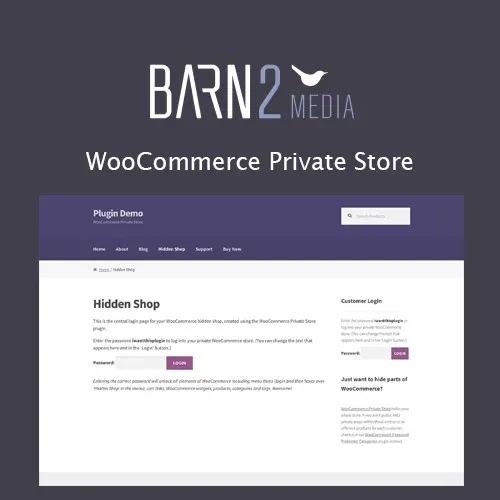
WooCommerce Private Store (GPL) WooCommerce Private Store is a comprehensive access-control solution for WooCommerce stores that need to create a private, members-only, customer-specific, or restricted shopping environment. Instead of making the entire store publicly accessible, store owners can control who can view products, categories, pricing, media, and other shopping content. Access can be managed using passwords, WordPress user roles, customer groups, IP restrictions, URLs, registration approvals, and time-based rules. This makes the plugin particularly useful for B2B stores, wholesale websites, private sales, members-only shops, internal ordering portals, client stores, invitation-only marketplaces, and businesses that need controlled product access. The plugin is available as a GPL-licensed package from 5ivecode.com, with update and support availability subject to the applicable package and distribution terms. Feature Highlights Password-protect an entire WooCommerce store Restrict access according to WordPress user roles Create a customized private-store login page Make selected product categories private Restrict individual products from public visitors Prevent private store content from being publicly discoverable through search engines Protect media associated with restricted content Import users in bulk Enable automatic or manual customer approval Create customized access-denied pages Customize registration forms Send registration and approval notifications Organize customers into groups Apply user-role restrictions Restrict content using shortcodes Create time-limited access rules Control access based on IP addresses Customize private-store branding Hide or modify selected WooCommerce elements Redirect users according to their access status or role Create private sales and exclusive shopping areas Configure group-based pricing Control access through specific URLs Support WordPress Multisite environments where compatible Support multilingual store configurations Integrate with other WordPress and WooCommerce extensions Access documentation and configuration resources Premium support availability according to the package terms Detailed Overview A standard WooCommerce store is normally designed to be publicly accessible. However, many businesses need a different type of online shopping environment. For example, a wholesaler may want only approved retailers to access its catalog. A manufacturer may create a private ordering portal for distributors. A business may organize an invitation-only sale for selected customers. WooCommerce Private Store provides tools for building these types of restricted shopping experiences. Rather than creating separate websites for every customer group, you can use access rules to determine which visitors can enter the store and which content they are allowed to see. 1. Password-Protected Store Access Create a private shopping environment by requiring visitors to enter a password before they can access the store. This can be useful for: Temporary private stores Invitation-only sales Client-specific catalogs Internal company stores Product previews Private events Distributor portals Password protection can provide a simple access method when you do not need a complete user-registration workflow. 2. User Role-Based Access Control WooCommerce Private Store can work with WordPress user roles to determine who should have access to restricted content. For example, you could configure different access levels for: Administrators Shop managers Wholesale customers Retail customers Members Approved clients Custom WordPress roles This makes the plugin suitable for stores where different customer groups require different levels of access. 3. Custom Login Page A private store should feel like part of your brand. The customizable login experience allows you to present a branded access page instead of relying exclusively on a generic WordPress login interface. You can tailor elements such as: Store branding Logo Login messaging Background/content presentation Access instructions Registration information The exact customization options depend on the installed plugin version and configuration.
Get Support
Please Sign In to contact our support.