Exclusive Coupon — Use Code SAVE10 for Instant Savings! Apply at checkout for your special discount. Limited uses — grab it while you can.
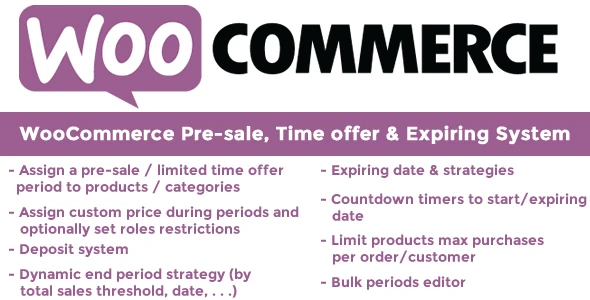
WooCommerce Pre-sale, Time Offer & Expiring System is a WooCommerce extension designed for managing scheduled pre-sales, pre-orders, limited-duration promotions, countdown campaigns, and products with defined availability periods. Instead of manually changing product settings when a campaign starts or finishes, store administrators can configure dates, pricing behavior, availability, countdown displays, customer notifications, and promotional labels from within WooCommerce.
WooCommerce Pre-sale, Time Offer & Expiring System
WooCommerce Pre-sale, Time Offer & Expiring System is a WooCommerce extension designed for managing scheduled pre-sales, pre-orders, limited-duration promotions, countdown campaigns, and products with defined availability periods.
Instead of manually changing product settings when a campaign starts or finishes, store administrators can configure dates, pricing behavior, availability, countdown displays, customer notifications, and promotional labels from within WooCommerce.
It can be particularly useful for product launches, pre-orders, flash promotions, seasonal campaigns, limited releases, promotional events, and time-sensitive offers.
Available from 5ivecode.com with GPL licensing, lifetime free updates, and limited email support.
Pre-sale & Pre-order Campaigns – Schedule products for a defined pre-sale period using start and end dates.
Time-Limited Offers – Create promotions that remain active for a specific period.
Countdown Timers – Display remaining campaign time on supported product, catalog, cart, and checkout locations.
Scheduled Price Changes – Configure promotional pricing for defined campaign periods.
Availability Management – Set supported stock or availability behavior when campaigns begin or end.
Automatic Expiration Handling – Return supported product settings to their configured state after an offer expires.
Partial or Full Pre-Payment – Configure supported pre-order payment options for individual products.
Bulk Scheduling Rules – Apply campaign rules to products through categories or tags where supported.
Email Notifications – Configure supported notifications for campaign starts, reminders, and expiration events.
Custom Badges & Labels – Display messages such as “Pre-sale,” “Pre-order,” or “Ends Soon.”
Simple & Variable Products – Designed to work with common WooCommerce product types.
WooCommerce Integration – Uses WooCommerce product, pricing, stock, and checkout functionality.
GPL Licensed – Use according to the applicable GPL terms.
Lifetime Package Updates – The package offered by 5ivecode.com includes lifetime free updates as stated by the provider.
📖 Detailed Overview
Running a pre-order or time-sensitive promotion often requires several product settings to change at the right time.
WooCommerce Pre-sale, Time Offer & Expiring System brings these campaign controls into WooCommerce so store administrators can prepare promotional schedules in advance.
For example, a merchant preparing a new product launch can configure a pre-sale period, promotional price, payment method, countdown, and customer messaging before the campaign begins.
Once the campaign reaches its configured end time, supported product settings can be restored according to the configured rules.
This makes the plugin suitable for stores that regularly run:
Product launches
Pre-orders
Flash sales
Seasonal promotions
Limited-time discounts
Early-bird offers
Limited releases
Event-based campaigns
Promotional countdowns
Scheduled product availability
The exact behavior of price, stock, payment, email, and availability transitions depends on the plugin configuration and the surrounding WooCommerce environment.
🔄 Campaign Workflow
A typical campaign can follow this process:
Create Campaign → Select Products → Set Start & End Dates → Configure Price & Payment → Add Countdown/Badge → Publish → Campaign Runs → Offer Expires → Supported Settings Revert
This allows store owners to prepare campaigns ahead of time instead of relying entirely on manual changes.
🗓️ Pre-sale & Pre-order Management
Pre-orders are useful when a product is announced before its regular release.
With the plugin, administrators can configure supported pre-sale settings for individual products and define when the campaign should begin and end.
A typical setup might look like:
Product: New Smartphone
Pre-sale Start: 1 September
Pre-sale End: 15 September
Pre-sale Price: Configured promotional price
Payment: Full or supported partial payment
Release: After pre-sale period
This type of setup gives customers clearer information about the campaign period while allowing the store administrator to prepare the product in advance.
⏰ Time-Limited Offers
Time-based promotions can be configured with specific beginning and ending dates.
For example:
Offer Starts → Countdown Runs → Promotional Price Active → Offer Ends → Regular Settings Restored
This can be useful for:
Weekend sales
Holiday promotions
New-product launch discounts
Early-bird pricing
Seasonal campaigns
Limited-time coupon alternatives
Short promotional events
The configured campaign dates should be tested carefully, especially for stores serving customers in different time zones.
⏳ Countdown Timer
Countdown displays can communicate the remaining campaign period directly to shoppers.
Depending on the plugin configuration, countdowns can be displayed in supported areas such as:
Product pages
Product/catalog listings
Cart
Checkout
Example:
Offer Ends In: 02 Days : 08 Hours : 35 Minutes
Countdown messaging can help customers understand that an offer has a defined time window.
However, countdown timers should be treated as a communication feature rather than a guarantee of increased conversions or revenue.
Get Support
Please Sign In to contact our support.