🎃 Halloween Sale — Scary Good Deals, Up to 20% OFF! Don't be spooked by these prices — grab them before they disappear at midnight.
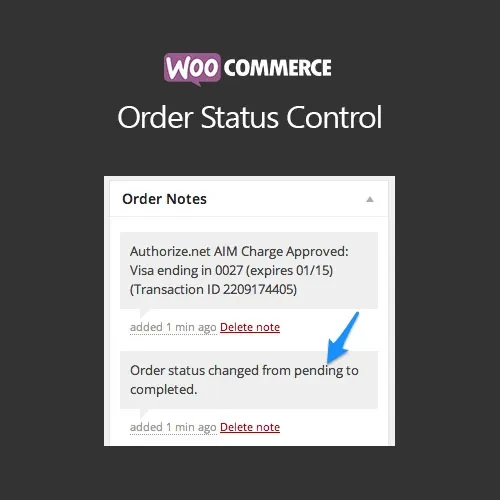
WooCommerce Order Status Control is a practical WooCommerce plugin that automates order status updates after successful payments. It helps store owners automatically move eligible orders from Processing to Completed, reducing manual administration and speeding up fulfillment for digital and eligible products. With flexible rules based on payment gateways and product types, you can control exactly which orders should be completed automatically.
WooCommerce Order Status Control (GPL) WooCommerce Order Status Control is a practical WooCommerce plugin that automates order status updates after successful payments. It helps store owners automatically move eligible orders from Processing to Completed, reducing manual administration and speeding up fulfillment for digital and eligible products. With flexible rules based on payment gateways and product types, you can control exactly which orders should be completed automatically. Feature Highlights ⚙️ Automatic Order Completion — Automatically mark eligible paid orders as Completed. 💳 Gateway-Based Rules — Choose which payment gateways can trigger automatic completion. 🧾 Product-Type Controls — Apply rules to virtual, downloadable, or all products. 📦 Skip Processing Status — Move qualifying orders directly to Completed when appropriate. 📈 Reduced Manual Work — Minimize repetitive order management and fulfillment delays. 🔔 Status Notifications — Support optional admin or customer notifications when order status changes. 🧩 WooCommerce Compatibility — Designed to work alongside common shipping, tax, invoice, and store extensions. 🔓 GPL Licensing — Flexible GPL usage with updates and support as provided by the distributor. Detailed Overview Managing WooCommerce orders manually can become time-consuming, particularly for stores selling digital products, subscriptions, downloads, or other items that do not require physical fulfillment. WooCommerce Order Status Control helps automate this process by changing eligible orders to Completed after successful payment. Instead of reviewing every paid order manually, store administrators can create rules that determine which orders qualify. For example, you can configure automatic completion for virtual or downloadable products while leaving physical orders in the normal processing workflow. You can also control the behavior based on the payment gateway being used. This makes the plugin useful for digital stores, online services, software shops, membership businesses, and other WooCommerce websites that want a more efficient post-payment workflow. Comparison Table Capability WooCommerce Order Status Control Default WooCommerce Automatic Paid Order Completion ✅ Rule-based ⚠️ Limited/default behavior Payment Gateway Rules ✅ Configure by gateway ❌ Limited Product-Type Rules ✅ Virtual, downloadable, or all ⚠️ Requires customization Skip Processing for Eligible Orders ✅ Supported ❌ Not generally configurable Status Notifications ✅ Optional workflow support ⚠️ Standard notifications Reduced Manual Administration ✅ Yes ⚠️ More manual management GPL Usage ✅ Flexible GPL usage — Installation Guide Download WooCommerce Order Status Control (GPL) from 5ivecode.com. Log in to your WordPress administrator dashboard. Go to Plugins → Add New → Upload Plugin. Upload the plugin ZIP file. Click Install Now. Activate the plugin after installation. Open the plugin's settings under the WooCommerce administration area. Select the payment gateways that should trigger automatic completion. Choose the applicable product types, such as virtual or downloadable products. Save your settings and place a test order to verify the workflow.
Get Support
Please Sign In to contact our support.