🎃 Halloween Sale — Scary Good Deals, Up to 20% OFF! Don't be spooked by these prices — grab them before they disappear at midnight.
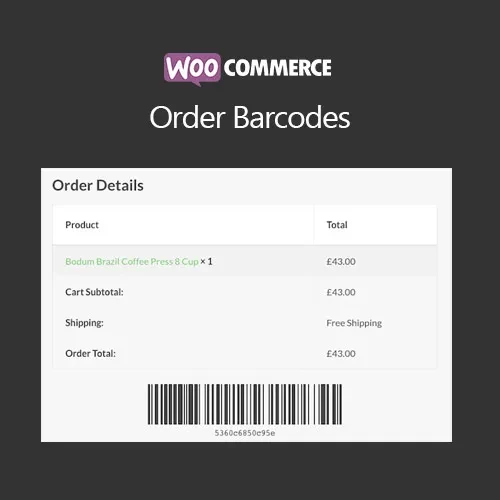
WooCommerce Order Barcodes adds barcode functionality to WooCommerce orders, making it easier for store owners and staff to identify and verify orders. A unique barcode can be generated for an order and used as a convenient reference during fulfillment, customer pickup, event check-in, ticket verification, or other order-management workflows. Customers or staff can scan the barcode using compatible mobile devices or barcode scanners, reducing the need to manually search for order numbers. This can make order verification faster and help minimize mistakes during busy periods.
WooCommerce Order Barcodes (GPL) Feature Highlights 📦 Automatically generate unique barcodes for WooCommerce orders 🔎 Support QR codes and compatible 1D/2D barcode formats 📱 Scan order barcodes using smartphones, tablets, or handheld scanners ⚡ Speed up order verification and processing 🎟️ Useful for events, ticketing, retail stores, pickup services, and warehouses 📧 Add barcode information to customer order emails and documents where supported 🛠️ Easy to configure through the WordPress dashboard 🧩 Designed to integrate with WooCommerce order workflows 📱 Suitable for desktop and mobile-based order verification 🔓 GPL licensed with unlimited website usage and lifetime free updates Detailed Overview WooCommerce Order Barcodes adds barcode functionality to WooCommerce orders, making it easier for store owners and staff to identify and verify orders. A unique barcode can be generated for an order and used as a convenient reference during fulfillment, customer pickup, event check-in, ticket verification, or other order-management workflows. Customers or staff can scan the barcode using compatible mobile devices or barcode scanners, reducing the need to manually search for order numbers. This can make order verification faster and help minimize mistakes during busy periods. The plugin can be particularly useful for businesses selling event tickets, managing local pickup orders, operating retail locations, or handling large numbers of WooCommerce orders in warehouses and fulfillment environments. Comparison Table Feature WooCommerce Order Barcodes Without Plugin Automatic Barcode Generation ✔️ Generated for eligible orders ❌ Not available by default QR Code Support ✔️ Supported where configured ❌ Not included 1D/2D Barcode Support ✔️ Compatible formats depending on configuration ❌ Not available Order Identification ✔️ Quick barcode-based identification ⚠️ Usually manual Mobile Scanning ✔️ Compatible scanners and mobile apps can be used ⚠️ Requires separate setup Email/Document Integration ✔️ Can be displayed in supported order communications ❌ Manual implementation Event & Pickup Workflows ✔️ Useful for verification and check-in ⚠️ Requires custom development GPL Usage ✔️ Unlimited site usage ❌ Not applicable Installation Guide Obtain the WooCommerce Order Barcodes (GPL) ZIP package from 5ivecode.com. Log in to your WordPress administration dashboard. Go to Plugins → Add New → Upload Plugin. Select the WooCommerce Order Barcodes ZIP file. Click Install Now. Activate the plugin after installation. Navigate to the plugin's WooCommerce → Settings → Order Barcodes section, if available. Configure the barcode format and display options. Place a test order to verify that the barcode is generated correctly. Test the barcode using your preferred mobile scanner or barcode-reading device
Get Support
Please Sign In to contact our support.