Exclusive Coupon — Use Code SAVE10 for Instant Savings! Apply at checkout for your special discount. Limited uses — grab it while you can.
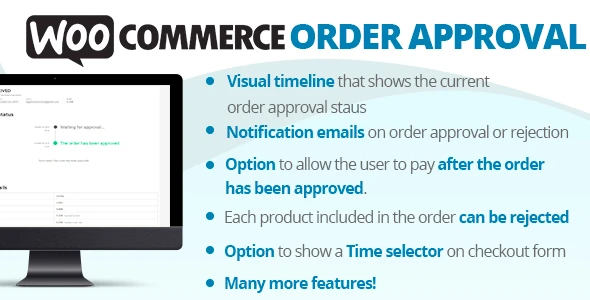
WooCommerce Order Approval is a useful WooCommerce plugin for businesses that need to review customer orders before accepting or processing them. Instead of allowing every order to move directly through the normal purchasing workflow, store administrators can introduce an approval stage where orders can be reviewed and either accepted or declined. This workflow can be especially useful for B2B stores, wholesalers, custom-product businesses, made-to-order shops, high-value products, and service-based businesses where orders may require manual verification, pricing confirmation, stock checks, or customer review before payment or fulfillment
WooCommerce Order Approval – Review Orders Before Processing WooCommerce Order Approval is a useful WooCommerce plugin for businesses that need to review customer orders before accepting or processing them. Instead of allowing every order to move directly through the normal purchasing workflow, store administrators can introduce an approval stage where orders can be reviewed and either accepted or declined. This workflow can be especially useful for B2B stores, wholesalers, custom-product businesses, made-to-order shops, high-value products, and service-based businesses where orders may require manual verification, pricing confirmation, stock checks, or customer review before payment or fulfillment. Distributed by 5ivecode.com under applicable GPL licensing terms, the package includes lifetime access to available updates and limited email support. 🛍️ Feature Highlights ✅ Order Review & Approval Workflow – Add an approval step before qualifying orders continue through the configured purchasing process. 📧 Customer Email Notifications – Keep customers informed when an order is approved, rejected, or requires further action. ⚙️ Flexible Approval Rules – Configure approval requirements for all orders or selected products and categories where supported. 💳 Controlled Payment Workflow – Configure the order process so payment can be requested after approval where supported by the plugin and payment setup. 📝 Custom Approval Messages – Provide customers with personalized information when approving or declining an order. 📊 Order Management – Review and manage orders that are waiting for administrative action from the WooCommerce dashboard. 🌍 Multilingual-Friendly – Suitable for multilingual WooCommerce environments, depending on the translation setup and plugin compatibility. 📦 WooCommerce Integration – Designed to work within the existing WooCommerce order-management workflow. 🔍 Manual Verification – Useful when an order needs additional checking before the store commits to fulfillment or payment processing. 📖 Detailed Overview Standard WooCommerce checkout workflows are designed to make purchasing quick and straightforward. However, some businesses need an additional review stage before an order can be accepted. For example, a wholesale customer may submit a large order that requires stock verification. A custom-product business may need to confirm specifications. A service provider may need to review project requirements before accepting the request. WooCommerce Order Approval introduces a controlled approval workflow for these scenarios. Depending on the configured setup, an order can enter an approval stage where the store administrator reviews the submitted information. The administrator can then: Review → Approve or Reject → Notify Customer → Continue the Appropriate Order Process This gives businesses greater control over orders that require manual attention. 🔍 Review Orders Before Processing Not every WooCommerce order needs the same level of review. The plugin can be useful for situations where you need to check: Product availability Customer information Bulk quantities Custom requirements Special pricing Wholesale orders High-value purchases Service requirements Shipping details Product specifications Once the required checks have been completed, the administrator can take the appropriate action from the WooCommerce order-management area. ⚙️ Apply Approval Rules Where Required For stores that only need approval for particular orders, supported configuration options can be used to target specific products or categories. For example: Regular Products → Normal WooCommerce workflow Custom Products → Manual approval required Wholesale Category → Review before proceeding High-Value Order → Administrative verification The exact rule options depend on the plugin version and available configuration settings. 📧 Keep Customers Informed An approval workflow works best when customers know what is happening with their order. The plugin can provide email notifications for relevant approval-related events, helping customers understand whether their order has: Been received Been approved Been rejected Requires additional action You can also configure suitable messages to provide additional information to customers. This can make a manual-review process feel more structured and transparent. 📝 Custom Approval & Rejection Messages Different orders may require different responses. For example, an administrator might approve an order with a message confirming that the requested specifications are available. If an order cannot be accepted, the store can provide an appropriate explanation or further instructions where supported. Custom messaging can be useful for: Product availability confirmation Custom-order requirements Wholesale verification Pricing confirmation Stock limitations Service-area restrictions Additional customer instructions 💳 Payment Workflow Control Businesses sometimes want to review an order before requesting payment. Where supported by the plugin's configured workflow and compatible payment setup, orders can be held for approval before customers are directed to complete payment. This can be useful when the final order needs to be confirmed before a payment commitment is made. Important: Payment behavior can vary according to the selected payment gateway, WooCommerce configuration, order status, and plugin version. Test the complete approval-to-payment workflow with your gateway before using it on a live store.
Get Support
Please Sign In to contact our support.