🎃 Halloween Sale — Scary Good Deals, Up to 20% OFF! Don't be spooked by these prices — grab them before they disappear at midnight.
WooCommerce New Zealand Post is a shipping integration plugin for WooCommerce stores that need to connect their online shop with New Zealand Post (NZ Post) shipping services. It can help display shipping options and calculate delivery charges based on relevant order and destination information. For New Zealand-based eCommerce businesses, integrating a postal carrier into the WooCommerce checkout can make shipping management more convenient and give customers clearer delivery choices before completing an order.
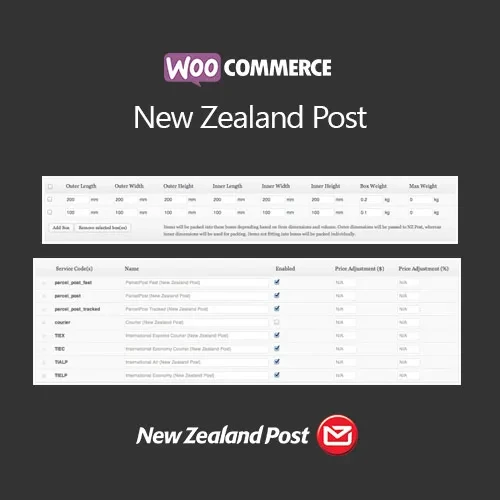
WooCommerce New Zealand Post – Shipping Integration Plugin WooCommerce New Zealand Post is a shipping integration plugin for WooCommerce stores that need to connect their online shop with New Zealand Post (NZ Post) shipping services. It can help display shipping options and calculate delivery charges based on relevant order and destination information. For New Zealand-based eCommerce businesses, integrating a postal carrier into the WooCommerce checkout can make shipping management more convenient and give customers clearer delivery choices before completing an order. 5ivecode.com provides the product under GPL terms, with lifetime free updates and limited email assistance according to the included service terms. 📦 Key Features ✔️ Display shipping rates from supported NZ Post services ✔️ Support for domestic and international delivery options ✔️ Calculate shipping charges using relevant package and destination data ✔️ Integrate shipping methods into the WooCommerce checkout ✔️ Configure shipping options through WooCommerce shipping zones ✔️ Suitable for stores using customized WordPress themes and extensions ✔️ Responsive checkout experience across different devices ✔️ Lifetime free updates included according to the product offering 📑 Detailed Overview WooCommerce New Zealand Post is designed for online stores that want to incorporate NZ Post shipping services into their WooCommerce checkout workflow. When properly configured with the required carrier/API credentials, the plugin can retrieve applicable shipping information based on factors such as destination, package weight, dimensions, and available delivery services. This can be useful for businesses shipping products throughout New Zealand as well as merchants who send orders to international destinations. Instead of manually maintaining every shipping price, store administrators can use the supported carrier integration to provide shipping options within the WooCommerce environment. The plugin can also be configured alongside WooCommerce shipping zones, allowing store owners to organize delivery methods according to their business requirements and customer locations. Before activating live shipping calculations, administrators should verify their NZ Post account, API credentials, service availability, package settings, and WooCommerce shipping configuration. 📊 Comparison Feature WooCommerce New Zealand Post Generic Shipping Solutions NZ Post Integration ✅ Designed for NZ Post services ⚠️ May not support NZ Post Shipping Rates ✅ Carrier-based rate support ⚠️ May rely on fixed rates Domestic Delivery ✅ Suitable for New Zealand shipping ✅ Depends on the solution International Delivery ✅ Supported where available ⚠️ Varies by plugin Package Information ✅ Can use weight and dimensions ⚠️ May offer limited calculations WooCommerce Shipping Zones ✅ Works within WooCommerce shipping configuration ⚠️ Depends on integration Checkout Integration ✅ Shipping options can appear during checkout ⚠️ Configuration varies API Connectivity ✅ Supports required carrier/API connection ⚠️ Depends on provider 🛠 Installation Guide Download the WooCommerce New Zealand Post ZIP package. Log in to your WordPress Dashboard. Navigate to Plugins → Add New. Select Upload Plugin. Choose the downloaded ZIP file. Click Install Now and activate the plugin. Go to WooCommerce → Settings → Shipping. Add or configure the appropriate shipping zone. Enable the NZ Post shipping method where available. Enter the required NZ Post/API credentials. Configure package dimensions, weight, services, and other available options. Save the settings. Test the checkout with different destinations and order values before making the shipping method available to customers.
Get Support
Please Sign In to contact our support.