Exclusive Coupon — Use Code SAVE10 for Instant Savings! Apply at checkout for your special discount. Limited uses — grab it while you can.
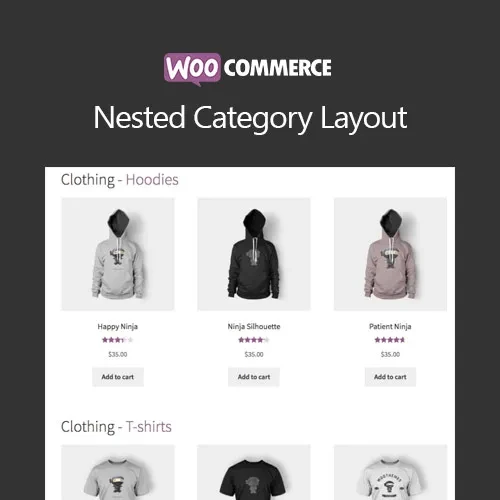
WooCommerce Nested Category Layout helps organize WooCommerce shop pages into a structured hierarchy of parent categories and subcategories. Instead of presenting a large product catalog as one continuous listing, the extension allows shoppers to begin with broader product categories and navigate through subcategories until they reach the products they are looking for. This approach can be particularly useful for WooCommerce stores with extensive product catalogs where clear category navigation is important.
WooCommerce Nested Category Layout – Hierarchical Shop Navigation
WooCommerce Nested Category Layout helps organize WooCommerce shop pages into a structured hierarchy of parent categories and subcategories.
Instead of presenting a large product catalog as one continuous listing, the extension allows shoppers to begin with broader product categories and navigate through subcategories until they reach the products they are looking for.
This approach can be particularly useful for WooCommerce stores with extensive product catalogs where clear category navigation is important.
The extension is distributed under the GNU General Public License (GPL) with lifetime updates included in the package and limited email support from 5ivecode.com.
Hierarchical Category Navigation — Present parent categories together with their related child categories.
Organized Shop Layout — Give large product catalogs a more structured browsing experience.
Step-by-Step Product Discovery — Allow customers to move from main categories into more specific subcategories.
WooCommerce Theme Compatibility — Designed to work with WooCommerce-compatible themes, although exact styling can vary by theme.
Responsive Display — Suitable for browsing across desktop, tablet, and mobile screen sizes.
Improved Catalog Organization — Make extensive product collections easier to explore.
Simple Configuration — Set up the category layout through the available WooCommerce options.
GPL Licensing & Lifetime Updates — Use the package according to applicable GPL terms with lifetime updates included.
As a WooCommerce catalog grows, displaying every product together can make it harder for customers to identify the section they need. A structured category system provides another way to organize the shopping experience.
WooCommerce Nested Category Layout changes the way shop categories are presented by allowing visitors to navigate through a hierarchy rather than immediately browsing one large product collection.
For example, a store can organize products into a structure such as:
Electronics → Computers → Laptops → Gaming Laptops
Customers can begin with the main category and progressively move toward a more specific product group.
Display product categories in a parent-and-child relationship so shoppers can understand how different product groups are organized.
Visitors can move from a broad category into its associated subcategories before reaching the products within that section.
Stores with numerous products and multiple category levels can use a hierarchical layout to provide a more organized alternative to a large product grid.
Depending on the available configuration, you can choose how categories and products are presented within the shop experience.
The layout is intended for different screen sizes, allowing customers to browse category structures on desktop and mobile devices.
The extension works within the existing WooCommerce environment rather than requiring a completely separate catalog system.
Get Support
Please Sign In to contact our support.