🎃 Halloween Sale — Scary Good Deals, Up to 20% OFF! Don't be spooked by these prices — grab them before they disappear at midnight.
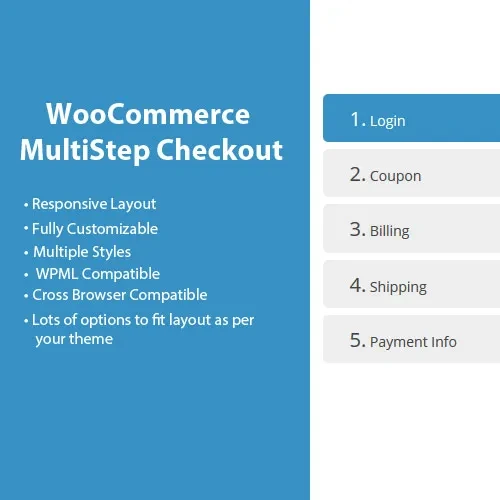
WooCommerce MultiStep Checkout Wizard transforms the traditional WooCommerce checkout into a structured, step-by-step shopping experience. Instead of presenting customers with one long checkout form, the extension can divide important information into separate stages such as customer details, shipping, payment, and order review. A clearly organized checkout can make the purchasing process easier to understand, particularly for stores with multiple checkout fields or customers shopping from mobile devices. Progress indicators and customizable step layouts can also help shoppers understand where they are in the ordering process.
WooCommerce MultiStep Checkout Wizard (GPL) WooCommerce MultiStep Checkout Wizard transforms the traditional WooCommerce checkout into a structured, step-by-step shopping experience. Instead of presenting customers with one long checkout form, the extension can divide important information into separate stages such as customer details, shipping, payment, and order review. A clearly organized checkout can make the purchasing process easier to understand, particularly for stores with multiple checkout fields or customers shopping from mobile devices. Progress indicators and customizable step layouts can also help shoppers understand where they are in the ordering process. The package available through 5ivecode.com is distributed under the GNU General Public License (GPL) and includes lifetime free updates and limited email support, subject to the applicable offering terms. ✨ Feature Highlights ✔️ Convert the standard WooCommerce checkout into a multi-step workflow ✔️ Organize billing, shipping, payment, and review into separate stages ✔️ Customize step names and available visual settings ✔️ Add progress indicators to show checkout status ✔️ Create a more structured checkout experience for customers ✔️ Responsive layout for desktop, tablet, and mobile shoppers ✔️ Designed to work with WooCommerce-compatible checkout environments ✔️ Works with supported WooCommerce payment methods ✔️ Helps reduce checkout complexity by separating lengthy forms ✔️ GPL-licensed software with rights governed by the applicable GPL terms 📖 Detailed Overview Convert a Long Checkout Into Multiple Steps The default WooCommerce checkout can contain a substantial amount of information on a single page. For some stores, this can make the checkout appear crowded or difficult to navigate. WooCommerce MultiStep Checkout Wizard divides the checkout experience into logical sections. Customers can complete one group of fields before moving to the next stage. A typical structure may include: 👤 Customer or billing information 📦 Shipping information 💳 Payment selection 🧾 Order review ✅ Order completion The exact steps available can depend on your WooCommerce configuration and the extension's settings. Progress Indicator A visual progress indicator gives shoppers a clearer understanding of their position within the checkout process. Instead of wondering how many fields remain, customers can see the different stages and move through them in a more predictable sequence. Customizable Step Presentation Store owners can configure the appearance and labeling of checkout steps according to the available plugin settings. Step titles, icons, and other visual elements can be adjusted to better match the store's branding. This allows the checkout to feel more consistent with the rest of the website rather than appearing as a completely separate interface. Mobile-Friendly Checkout Many WooCommerce customers complete purchases using smartphones. A responsive multi-step layout can make a lengthy checkout easier to navigate on smaller screens by displaying a manageable amount of information at each stage. The final mobile experience can also depend on the active WordPress theme, WooCommerce version, custom checkout code, and other installed extensions. Payment Gateway Compatibility The wizard is designed to work around the WooCommerce checkout process rather than replace your payment provider. This means supported WooCommerce payment methods can continue to be used within the configured checkout workflow. However, compatibility should always be tested with your specific payment gateway, checkout customization, theme, and WooCommerce version before deployment. A More Organized Checkout Experience Breaking a complex checkout into logical stages can reduce the amount of information customers need to process at once. This may make the checkout easier to understand and navigate. While a multi-step checkout can improve usability for some stores, conversion results vary depending on the product, audience, checkout fields, traffic source, pricing, and overall customer experience.
Get Support
Please Sign In to contact our support.