Exclusive Coupon — Use Code SAVE10 for Instant Savings! Apply at checkout for your special discount. Limited uses — grab it while you can.
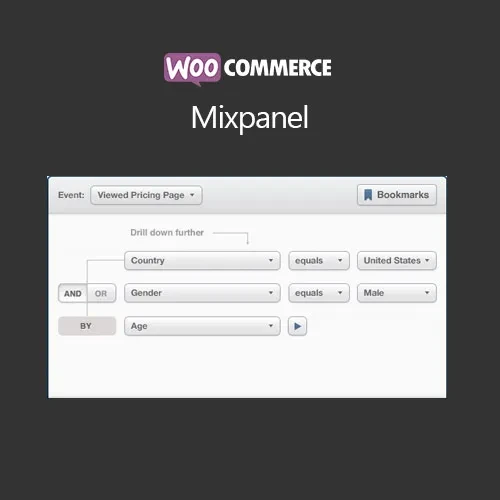
The WooCommerce Mixpanel Plugin connects your WooCommerce store with Mixpanel analytics, allowing store data and customer interactions to be measured through event-based analytics. Track important shopping activities such as product views, cart actions, checkout activity, and completed purchases, then analyze the collected data through Mixpanel's reporting capabilities. The integration can help store owners, marketers, and agencies understand customer journeys and evaluate different stages of the purchasing process. The GPL-licensed package is available from 5ivecode.com with lifetime free updates and limited email support.
WooCommerce Mixpanel – Customer Analytics & Event Tracking GPL Plugin
The WooCommerce Mixpanel Plugin connects your WooCommerce store with Mixpanel analytics, allowing store data and customer interactions to be measured through event-based analytics.
Track important shopping activities such as product views, cart actions, checkout activity, and completed purchases, then analyze the collected data through Mixpanel's reporting capabilities. The integration can help store owners, marketers, and agencies understand customer journeys and evaluate different stages of the purchasing process.
The GPL-licensed package is available from 5ivecode.com with lifetime free updates and limited email support.
Mixpanel Integration – Connect WooCommerce with your Mixpanel project for event-based store analytics.
WooCommerce Event Tracking – Track supported activities such as product views, cart additions, checkout events, and completed purchases.
Customer Journey Analysis – Examine how visitors interact with products and progress through different stages of the shopping journey.
Behavior Segmentation – Analyze collected events using Mixpanel's segmentation capabilities and available customer or purchase attributes.
Cohort & Retention Analysis – Use Mixpanel reporting to examine groups of users and their activity over time.
Conversion Funnel Tracking – Analyze defined shopping steps to identify where users continue or leave the purchasing process.
Custom Event Support – Configure additional tracking events based on the available plugin functionality and business requirements.
WooCommerce Integration – Connect analytics tracking with your existing WooCommerce store.
GPL Usage – Use the GPL-licensed software according to the applicable GPL terms across permitted personal or client projects.
Lifetime Free Updates – The package from 5ivecode.com includes lifetime updates as specified for the product.
Understanding what customers do before and during a purchase can provide useful information for improving an online store. The WooCommerce Mixpanel Plugin is designed to send supported WooCommerce activity to Mixpanel so merchants can analyze customer behavior using event-based analytics.
Once connected to a Mixpanel project, store activity such as product interactions, cart additions, checkout actions, and purchases can be tracked according to the configured events.
The collected information can then be explored using Mixpanel's analytics tools, including funnels, segmentation, cohorts, and retention analysis.
This makes the integration useful for eCommerce businesses, marketers, agencies, and store administrators who want to examine customer journeys using more detailed event data rather than relying only on order totals.
Feature | WooCommerce Mixpanel Integration | General Web Analytics |
|---|---|---|
Event-Based Tracking | ✔ Supported | Depends on the platform |
WooCommerce Events | ✔ Designed for store events | Requires suitable configuration |
Custom Events | ✔ Supported according to integration | Depends on the analytics platform |
Funnel Analysis | ✔ Available through Mixpanel | Varies by platform |
Cohort Analysis | ✔ Available through Mixpanel | Varies by platform |
Retention Analysis | ✔ Available through Mixpanel | Varies by platform |
Customer Segmentation | ✔ Supported through Mixpanel tools | Depends on the platform |
WooCommerce Integration | ✔ Plugin-based connection | Depends on the integration |
Obtain the WooCommerce Mixpanel GPL Plugin from 5ivecode.com.
Sign in to your WordPress administration dashboard.
Navigate to Plugins → Add New → Upload Plugin.
Upload the plugin ZIP package.
Click Install Now and activate the plugin.
Open the plugin's Mixpanel integration settings under the relevant WooCommerce configuration area.
Enter the required Mixpanel Project Token and other credentials or configuration values requested by the integration.
Select or configure the WooCommerce events you want to track.
Save the settings.
Place test interactions or orders on the website and verify that the expected events are being received in your Mixpanel project.
Get Support
Please Sign In to contact our support.