Exclusive Coupon — Use Code SAVE10 for Instant Savings! Apply at checkout for your special discount. Limited uses — grab it while you can.
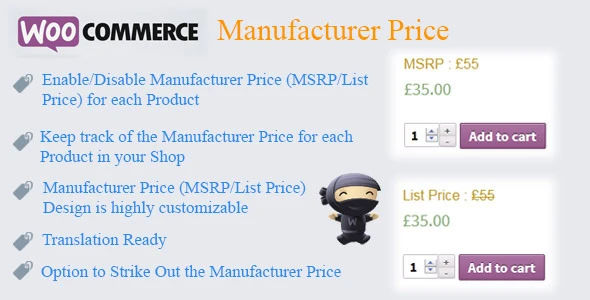
WooCommerce Manufacturer Price adds a dedicated Manufacturer’s Suggested Retail Price (MSRP) or compare-at price to WooCommerce products. It allows store owners to display a reference price alongside the current selling price, helping customers understand the potential savings associated with an offer. The manufacturer price can be configured separately from WooCommerce's standard regular and sale price fields. Depending on the available plugin settings, you can display MSRP information on product pages, shop/catalog listings, cart areas, mini-cart, and other supported storefront locations.
WooCommerce Manufacturer Price – MSRP & Compare-at Price Plugin WooCommerce Manufacturer Price adds a dedicated Manufacturer’s Suggested Retail Price (MSRP) or compare-at price to WooCommerce products. It allows store owners to display a reference price alongside the current selling price, helping customers understand the potential savings associated with an offer. The manufacturer price can be configured separately from WooCommerce's standard regular and sale price fields. Depending on the available plugin settings, you can display MSRP information on product pages, shop/catalog listings, cart areas, mini-cart, and other supported storefront locations. For stores selling products with multiple variations, manufacturer prices can also be configured at the variation level where supported. The plugin is distributed under the GPL license through 5ivecode.com, with lifetime updates and limited email support as offered. ✨ Key Features Dedicated MSRP Field – Add a separate manufacturer or reference price to eligible WooCommerce products. Compare-at Price Display – Show the reference price alongside the current selling price. Savings Indicator – Display potential savings as a percentage, amount, or supported combination. Global & Product-Level Controls – Configure general defaults and customize individual products where available. Variation-Level Pricing – Assign different manufacturer prices to individual product variations. Multiple Display Locations – Display MSRP information in supported product, catalog, cart, and mini-cart areas. Custom Labels – Change the text used for the manufacturer price or savings information. Flexible Styling – Adjust available presentation options such as colors, positioning, and formatting. SEO & Structured Data Options – Use available structured-data features where supported by the plugin configuration. WooCommerce Integration – Designed to integrate with WooCommerce product pricing workflows. Responsive Presentation – Suitable for storefronts viewed across desktop and mobile devices. GPL Licensed – Distributed under the GPL with lifetime updates as offered. 📖 Detailed Overview 💰 Add a Separate Manufacturer Price WooCommerce normally provides regular and sale price fields, but some stores also need to show a manufacturer's suggested retail price or another legitimate reference price. WooCommerce Manufacturer Price provides an additional field for this purpose, allowing you to keep the manufacturer/reference amount separate from the actual WooCommerce selling price. This makes it easier to present pricing information without replacing the store's standard product price structure. 🏷️ Highlight Potential Savings A reference price can make the difference between the original or suggested price and the current selling price easier to understand. Where supported, the plugin can calculate and display savings using: Percentage saved Fixed amount saved Custom savings labels Supported badge or price formats This can make promotional pricing more visible to shoppers. 🛍️ Display MSRP Across Your Store The manufacturer price can be displayed in different areas depending on your configuration. Supported contexts may include: Individual product pages Shop pages Product category archives Product loops Quick-view areas where supported Cart Mini-cart The exact display locations can depend on your plugin version, theme, and WooCommerce configuration. 🔄 Manufacturer Pricing for Product Variations Stores selling variable products often need different reference prices for different variations. For example, a product may have multiple sizes, colors, or configurations with different manufacturer prices. Where variation-level functionality is available, you can assign an appropriate MSRP to each variation rather than relying on a single product-level value. 🎨 Customize Labels and Presentation The plugin provides options for adjusting how manufacturer pricing is presented on your storefront. Depending on the available controls, you can customize: Manufacturer price label Savings label Price formatting Display position Available styling options Savings presentation This allows the MSRP section to better match the visual design of your WooCommerce theme. 🔎 Structured Data and SEO Where supported, structured-data functionality can help search engines understand additional product pricing information. However, structured data does not guarantee rich-result visibility or improved rankings. Search engines determine how and whether eligible product information is displayed in search results. Always ensure that any MSRP or reference price shown to customers is accurate and complies with applicable pricing rules.
Get Support
Please Sign In to contact our support.