🎃 Halloween Sale — Scary Good Deals, Up to 20% OFF! Don't be spooked by these prices — grab them before they disappear at midnight.
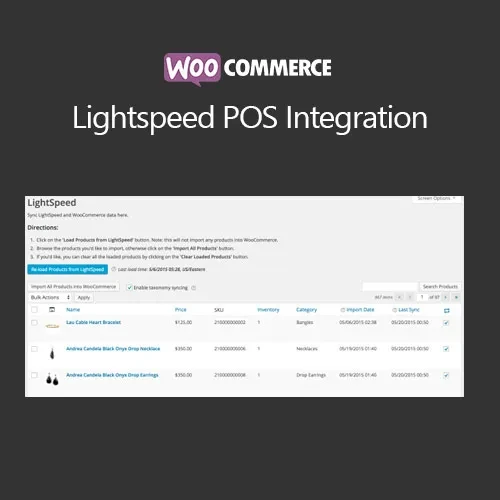
WooCommerce Lightspeed POS Integration helps connect your WooCommerce online store with the Lightspeed POS environment, making it easier to coordinate products, pricing, and inventory across physical and online sales channels. Instead of maintaining separate stock records, retailers can use the integration to reduce manual administration and keep store information more consistent. This solution is particularly useful for businesses operating both an eCommerce website and a physical retail location where inventory needs to remain synchronized.
WooCommerce Lightspeed POS Integration (GPL) WooCommerce Lightspeed POS Integration helps connect your WooCommerce online store with the Lightspeed POS environment, making it easier to coordinate products, pricing, and inventory across physical and online sales channels. Instead of maintaining separate stock records, retailers can use the integration to reduce manual administration and keep store information more consistent. This solution is particularly useful for businesses operating both an eCommerce website and a physical retail location where inventory needs to remain synchronized. ✨ Feature Highlights 🔄 Synchronize WooCommerce products and inventory with Lightspeed POS 📦 Keep stock information aligned between online and physical stores 📥 Import products from Lightspeed into WooCommerce 🗂️ Connect WooCommerce categories with corresponding Lightspeed categories 💰 Synchronize product pricing and relevant product information 🏪 Support workflows involving both retail and online sales 📱 Responsive functionality suitable for modern WooCommerce stores 🔧 Centralize product and inventory administration ♾️ GPL-based usage according to the applicable license terms 🔄 Lifetime free updates and limited email support as provided by 5ivecode.com 📖 Detailed Overview Managing inventory across a physical store and an online shop can become complicated when each platform maintains separate product and stock records. WooCommerce Lightspeed POS Integration is designed to simplify this process by connecting WooCommerce with Lightspeed POS. Once configured, store owners can work with synchronized product information rather than repeatedly entering the same data in different systems. 📦 Product Synchronization Products maintained in Lightspeed can be brought into WooCommerce, reducing the amount of repetitive product-entry work required when setting up an online catalog. 📊 Inventory Coordination Keeping inventory aligned is especially important for retailers selling the same products through multiple channels. Synchronization can help reduce discrepancies between website stock and physical-store inventory. 🗂️ Category Mapping Category mapping allows related product classifications in WooCommerce and Lightspeed to be associated with one another, helping maintain a more organized catalog structure. 💰 Product & Pricing Updates Where supported by the integration and configuration, changes to product information and pricing can be synchronized between the connected systems. 🏪 Unified Retail Workflow For businesses that sell through both a physical location and WooCommerce, connecting the two environments can reduce the need to maintain completely separate product and inventory workflows. Note: Actual synchronization timing, supported data fields, API functionality, and available features can depend on the Lightspeed product/version, account configuration, API access, and the specific extension version. ⚖️ WooCommerce Lightspeed POS Integration vs. Manual Management Feature With Lightspeed Integration Without Integration Inventory management 🔄 Synchronization can reduce manual stock updates 📝 Stock may need to be maintained separately Product importing 📥 Products can be imported from the connected POS ✍️ Products generally need manual creation Inventory consistency 📊 Helps coordinate online and retail stock ⚠️ Greater possibility of discrepancies Category organization 🗂️ Category relationships can be configured 🔧 Separate category management Product updates 💰 Supported product information can be synchronized 📝 Changes may need to be entered in multiple systems Retail + online workflow 🏪 Connected management approach 🔀 Separate operational processes 🛠️ Installation Guide Follow these general steps to install and configure the extension: Download the WooCommerce Lightspeed POS Integration ZIP package from 5ivecode.com. Log in to your WordPress administration dashboard. Go to Plugins → Add New → Upload Plugin. Select the downloaded ZIP file and choose Install Now. Activate the plugin after installation is complete. Confirm that WooCommerce is installed and active. Open the plugin's WooCommerce integration settings. Connect your Lightspeed account using the required API credentials or connection details. Configure product, category, inventory, and synchronization preferences. Test synchronization with a small selection of products before relying on the integration for your complete catalog.
Get Support
Please Sign In to contact our support.