🎃 Halloween Sale — Scary Good Deals, Up to 20% OFF! Don't be spooked by these prices — grab them before they disappear at midnight.
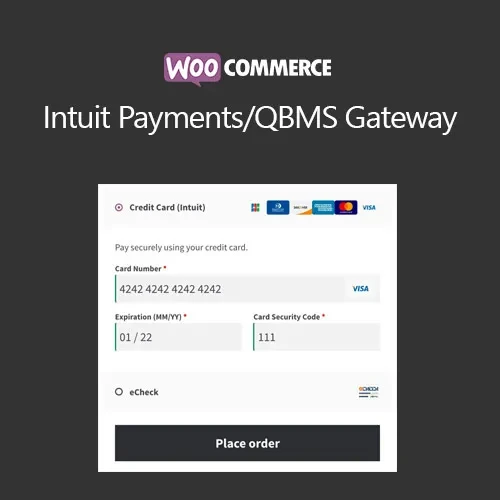
WooCommerce Intuit Payments / QBMS Gateway is a payment gateway extension designed for WooCommerce stores that use Intuit QuickBooks Merchant Services (QBMS) for card payment processing. It connects the WooCommerce checkout with the supported Intuit payment service, allowing customers to pay using credit and debit cards. The extension also provides features such as tokenized payment methods, refund management from WooCommerce, authorization and capture workflows, and additional transaction-security capabilities. For businesses already using QuickBooks Merchant Services, it can help create a more integrated payment workflow between the online store and payment system.
WooCommerce Intuit Payments / QBMS Gateway (GPL) WooCommerce Intuit Payments / QBMS Gateway is a payment gateway extension designed for WooCommerce stores that use Intuit QuickBooks Merchant Services (QBMS) for card payment processing. It connects the WooCommerce checkout with the supported Intuit payment service, allowing customers to pay using credit and debit cards. The extension also provides features such as tokenized payment methods, refund management from WooCommerce, authorization and capture workflows, and additional transaction-security capabilities. For businesses already using QuickBooks Merchant Services, it can help create a more integrated payment workflow between the online store and payment system. The package available through 5ivecode.com is distributed under the GNU General Public License (GPL) and includes lifetime free updates and limited email support, subject to the applicable offering terms. Compatibility note: Intuit/QuickBooks payment services, account requirements, API availability, and supported gateway features can change over time. Verify that your QBMS account and current service configuration support the required integration before deployment. ✨ Feature Highlights ✔️ Accept credit and debit card payments through supported Intuit QBMS services ✔️ Integrate payment processing into the WooCommerce checkout ✔️ Support tokenized payment methods for returning customers where supported ✔️ Manage eligible refunds from the WooCommerce administration area ✔️ Support authorization and capture transaction workflows ✔️ Provide additional fraud-prevention and transaction-security options ✔️ Use SSL/TLS-secured communication for payment-related data transmission ✔️ Reduce the need for manual payment management outside WooCommerce ✔️ Suitable for businesses already working with QuickBooks payment services ✔️ GPL-based usage across multiple websites, subject to applicable license terms 📖 Detailed Overview WooCommerce Intuit Payments / QBMS Gateway provides a bridge between WooCommerce and supported Intuit QuickBooks Merchant Services payment processing. For businesses already using Intuit's merchant-payment ecosystem, connecting the payment gateway to WooCommerce can simplify the checkout and order-management workflow. Customers can complete their card payment through the WooCommerce purchasing process while transaction information is handled through the configured payment service. WooCommerce Checkout Integration Connect your store's checkout with the configured Intuit payment gateway so customers can use supported card payment methods during the purchasing process. Tokenized Payment Methods Where supported by the gateway configuration, tokenization can be used to represent saved payment credentials without storing raw card numbers in your WooCommerce database. This can make repeat purchases and recurring billing workflows more convenient while reducing direct handling of sensitive card information. Refund Management Eligible refunds can be initiated from the WooCommerce order-management workflow, reducing the need to manually switch between different systems for routine refund operations. Authorization and Capture The gateway supports authorization and capture workflows where available. This can be useful for stores that need to authorize a transaction first and capture the payment at a later stage. Fraud and Security Features The extension includes security-oriented payment features intended to help protect transactions. Actual fraud screening, verification, and compliance depend on the gateway, merchant account, configuration, and payment provider. QuickBooks-Oriented Payment Workflow For merchants already using supported QuickBooks payment services, the gateway can provide a more convenient way to accept online WooCommerce payments through their existing payment infrastructure. ⚖️ WooCommerce Intuit Payments / QBMS Gateway vs Basic Payment Setup Feature Intuit Payments / QBMS Gateway Basic Payment Setup WooCommerce payment integration ✅ Designed for Intuit/QBMS integration ⚠️ Depends on gateway Credit card payments ✅ Supported through configured gateway ✅ Depends on provider Debit card payments ✅ Supported where enabled ✅ Depends on provider Tokenized payment methods ✅ Supported where available ⚠️ Provider dependent Refund management ✅ Available through WooCommerce where supported ⚠️ May require separate gateway access Authorization and capture ✅ Supported where available ⚠️ Depends on payment gateway Security features ✅ Payment-security options ⚠️ Depends on provider QuickBooks payment workflow ✅ Designed for supported Intuit services ❌ No dedicated integration Manual payment management 🔽 Reduced for supported workflows ⚠️ May require more manual steps GPL usage ✅ Subject to GPL terms — 🛠️ Installation Guide Obtain the WooCommerce Intuit Payments / QBMS Gateway ZIP package from 5ivecode.com. Log in to your WordPress administration dashboard. Go to Plugins → Add New → Upload Plugin. Select the plugin ZIP file. Click Install Now. After installation is completed, click Activate Plugin. Confirm that WooCommerce is installed and active. Navigate to WooCommerce → Settings → Payments. Locate and enable the relevant Intuit/QBMS payment gateway. Enter the required merchant/API credentials supplied through your supported payment-service account. Configure available transaction settings, checkout options, authorization/capture behavior, and security settings. Save the configuration. Test the payment process using the appropriate test/sandbox environment if available before accepting live transactions.
Get Support
Please Sign In to contact our support.