Exclusive Coupon — Use Code SAVE10 for Instant Savings! Apply at checkout for your special discount. Limited uses — grab it while you can.
WooCommerce Freshdesk connects your WooCommerce store with the Freshdesk customer support platform, giving customers a convenient way to create and follow support requests without leaving your website. By bringing order, customer, and product details into the support workflow, the plugin can help store owners and support teams handle WooCommerce-related inquiries more efficiently. Instead of requiring customers to search for separate support channels, you can provide ticket submission options directly within relevant areas of your WooCommerce store. Support staff can then manage requests through the connected Freshdesk environment while maintaining useful WooCommerce context.
WooCommerce Freshdesk – Freshdesk Support Ticket Integration for WooCommerce
WooCommerce Freshdesk connects your WooCommerce store with the Freshdesk customer support platform, giving customers a convenient way to create and follow support requests without leaving your website. By bringing order, customer, and product details into the support workflow, the plugin can help store owners and support teams handle WooCommerce-related inquiries more efficiently.
Instead of requiring customers to search for separate support channels, you can provide ticket submission options directly within relevant areas of your WooCommerce store. Support staff can then manage requests through the connected Freshdesk environment while maintaining useful WooCommerce context.
Freshdesk Integration – Connect your WooCommerce store with Freshdesk for centralized support management.
Store-Based Ticket Submission – Allow customers to submit support requests from your WooCommerce website.
Custom Ticket Form – Configure the ticket submission form according to your store's support requirements.
Agent Assignment – Assign tickets to particular support agents where supported by the integration.
Ticket Tags – Add relevant tags to help organize and categorize support requests.
Order Information – Include related WooCommerce order details with support tickets.
Customer Information – Pass useful customer details along with submitted requests.
Product Information – Associate relevant product details with customer support tickets.
File Attachments – Allow customers to include attachments with their support requests where supported.
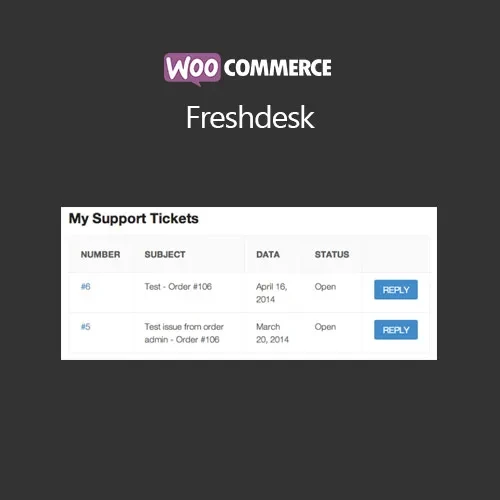
Ticket Status Tracking – Give customers a way to monitor the progress or status of their support requests.
New Ticket Notifications – Send email notifications when new tickets are created.
Ticket Update Notifications – Notify customers or relevant users when ticket information changes.
WordPress Dashboard Management – Access available ticket information from the WordPress administration area.
Freshdesk Dashboard Management – Continue managing support requests through the Freshdesk interface.
Customer Account Support Link – Add a support ticket option to the WooCommerce customer account area.
Order Confirmation Support Link – Provide support access from the order confirmation page.
Order Email Support Link – Include support ticket access within relevant WooCommerce order emails.
Custom Email Templates – Configure notification email content to better match your store's communication style.
Custom Ticket Fields – Configure available ticket information based on your support workflow.
Ticket Status Configuration – Use appropriate ticket status options for managing support requests.
Ticket Priority Options – Organize requests according to different support priorities.
The plugin is designed to connect your WooCommerce store with Freshdesk, allowing customer support requests generated from the store to be incorporated into your Freshdesk workflow.
This can reduce the need for customers to manually provide information that your support team may already have available through their WooCommerce account or order history.
Customers can submit support requests directly from designated areas of your WooCommerce website. Depending on your configuration, support access can be made available through customer account pages, order-related pages, or email notifications.
This provides customers with a more direct route to your support process.
When a customer needs help with a purchase, order information can be particularly useful to the support team. The integration can associate relevant order information with the ticket, depending on the configured integration and supported data fields.
This may help support agents understand the context of a request without asking customers to repeatedly provide basic order details.
Customer-related information can be included with support tickets, helping agents identify the customer associated with the request.
The exact information transferred depends on the plugin configuration, Freshdesk integration capabilities, and the fields supported by your setup.
Product-related support requests can be easier to process when the associated product is known. The plugin provides functionality for including relevant product information with tickets where supported.
This can be useful for questions involving product specifications, purchased items, technical issues, or other product-related requests.
Get Support
Please Sign In to contact our support.