Exclusive Coupon — Use Code SAVE10 for Instant Savings! Apply at checkout for your special discount. Limited uses — grab it while you can.
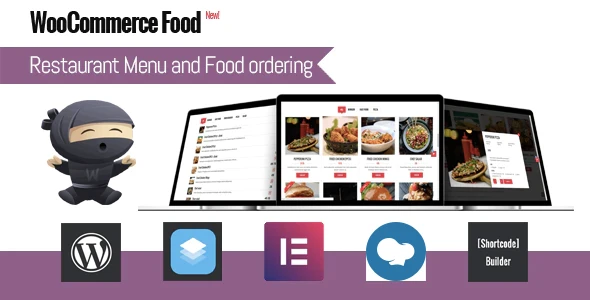
WooCommerce Food is a restaurant-focused WooCommerce solution that helps restaurants, cafes, takeaways, catering businesses, and food delivery services build online menus and accept orders through their websites. It combines menu presentation with WooCommerce ordering and payment functionality, while providing options for delivery, pickup, scheduling, and customer order instructions.
WooCommerce Food – Restaurant Menu & Food Ordering WooCommerce Food is a restaurant-focused WooCommerce solution that helps restaurants, cafes, takeaways, catering businesses, and food delivery services build online menus and accept orders through their websites. It combines menu presentation with WooCommerce ordering and payment functionality, while providing options for delivery, pickup, scheduling, and customer order instructions. Feature Highlights Interactive Online Menus: Create attractive food menus with product images, descriptions, prices, and other item details. WooCommerce Integration: Connect restaurant menus with WooCommerce shopping cart, ordering, and payment functionality. Mobile & Tablet Friendly: Provide customers with an accessible menu and ordering experience across different devices. Delivery & Pickup Options: Allow customers to select a preferred order fulfillment method based on your business setup. Order Scheduling: Give customers the option to request a preferred delivery or pickup time. Customizable Menu Layouts: Arrange menu items using different display styles to suit your restaurant's website. Special Instructions: Allow customers to include additional notes or preparation requests with their orders. Multilingual & RTL Support: Support websites serving customers using different languages and right-to-left writing systems. Detailed Overview WooCommerce Food provides a practical way for food businesses to bring their menus and ordering operations online. Restaurants can display food items with images, descriptions, prices, categories, and other relevant information to help customers browse the available menu. Customers can select food items, place them into the WooCommerce cart, and complete their orders through the store's configured checkout and payment methods. Delivery and pickup options can also be incorporated into the ordering process, making the solution suitable for takeaway and delivery-focused businesses. The menu presentation can be adapted to different website designs, while responsive layouts help customers browse and order from smartphones, tablets, and desktop computers. Comparison Table Feature WooCommerce Food Basic Menu Plugin WooCommerce Ordering Integration ✔ Supported ❌ Usually unavailable Online Food Menu ✔ Supported ✔ Supported Order Scheduling ✔ Supported ❌ Usually unavailable Delivery & Pickup Options ✔ Supported Limited Custom Menu Layouts ✔ Available Basic Special Order Instructions ✔ Supported Limited Responsive Menu Display ✔ Supported Varies Multilingual & RTL Support ✔ Supported Varies Installation Guide Download the WooCommerce Food plugin ZIP package. Log in to your WordPress administration dashboard. Navigate to Plugins → Add New → Upload Plugin. Select the plugin ZIP file and click Install Now. Activate the plugin after installation. Open the WooCommerce Food settings in your WordPress dashboard. Add your food categories and menu items with the required product information. Configure ordering, payment, delivery, pickup, and scheduling options according to your business requirements.
Get Support
Please Sign In to contact our support.