Exclusive Coupon — Use Code SAVE10 for Instant Savings! Apply at checkout for your special discount. Limited uses — grab it while you can.
WooCommerce Flat Rate Box Shipping is a WooCommerce shipping extension designed for stores that package products using predefined boxes or containers. Instead of calculating delivery charges solely by individual products or weight, you can create shipping rules around specific box sizes, dimensions, weight limits, and fixed shipping prices. The plugin is particularly useful for businesses that regularly ship products using standard packaging. You can define multiple box configurations and assign a flat shipping cost to each one. Where supported by the plugin configuration, products can be grouped into suitable boxes before the applicable shipping charge is calculated.
WooCommerce Flat Rate Box Shipping (GPL Plugin)
WooCommerce Flat Rate Box Shipping is a WooCommerce shipping extension designed for stores that package products using predefined boxes or containers. Instead of calculating delivery charges solely by individual products or weight, you can create shipping rules around specific box sizes, dimensions, weight limits, and fixed shipping prices.
The plugin is particularly useful for businesses that regularly ship products using standard packaging. You can define multiple box configurations and assign a flat shipping cost to each one. Where supported by the plugin configuration, products can be grouped into suitable boxes before the applicable shipping charge is calculated.
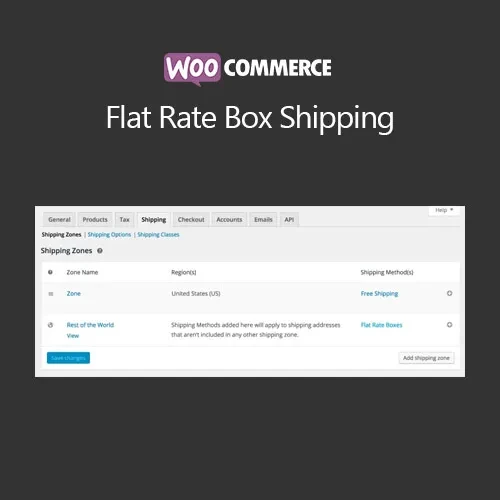
It also works with WooCommerce Shipping Zones, allowing you to configure where your box-based shipping method should be available.
The plugin is distributed under the GPL (General Public License). The package provided by 5ivecode.com includes lifetime free updates and limited email support according to the applicable package terms.
Create multiple predefined shipping box configurations
Set individual flat rates for different box sizes
Configure box length, width, height, and weight limits
Assign shipping costs based on selected box configurations
Support for multiple box definitions
Automatic product-to-box allocation where supported
Useful for stores using standardized packaging
Suitable for bulk and wholesale order workflows
Configure the shipping method through WooCommerce Shipping Zones
Reduce the need to create individual shipping rules for every product
Easy-to-manage box shipping configuration
GPL-licensed package for personal and client websites
Lifetime free updates included with the package from 5ivecode.com
Many WooCommerce stores don't ship every product individually. Instead, products are placed into standard boxes with known dimensions and shipping costs.
Traditional shipping rules based only on product count or weight may not reflect this type of fulfillment process.
WooCommerce Flat Rate Box Shipping provides a box-oriented approach. Store owners can define the packaging options they commonly use and associate a fixed shipping price with each configuration.
For example, a store could create:
Small Box — fixed shipping price
Medium Box — fixed shipping price
Large Box — fixed shipping price
Extra-Large Box — fixed shipping price
The exact number of boxes and available configuration options depend on the plugin version.
Each box can be configured with relevant physical characteristics, such as:
Length
Width
Height
Maximum weight
Shipping cost
These values help determine which box configuration can be used for an order.
Accurate dimensions and weight limits are important because the resulting shipping calculation depends on the information entered in your WooCommerce configuration.
Instead of assigning a separate delivery charge to every product, you can associate a predefined shipping price with a box.
This can make shipping management easier for businesses that already have standardized packaging and predictable fulfillment costs.
Different products may require different packaging. The plugin allows you to define multiple box sizes so that your shipping setup can represent the packaging options used by your business.
For example, you might configure separate boxes for:
Small products
Medium-sized products
Larger products
Lightweight items
Heavier products
Multi-item orders
Where the plugin's packing functionality supports the required order configuration, products can be evaluated against the available box definitions and assigned to an appropriate box.
The supplied configuration and product dimensions play an important role in this process. Store owners should test different combinations of products to confirm that the packing behavior matches their fulfillment workflow.
The box shipping method can be configured within WooCommerce Shipping Zones.
This allows you to determine the geographical regions where the box-based shipping method should be offered.
For example, you could configure different shipping methods for:
Local delivery areas
Domestic regions
Specific states or provinces
Country-wide shipping
International destinations
Actual zone behavior depends on your WooCommerce shipping configuration.
A typical workflow looks like this:
The customer adds products to the WooCommerce cart.
WooCommerce collects the products and relevant shipping information.
The plugin evaluates the order against the configured box options.
Suitable box configurations are considered based on the available product/package information.
The applicable box shipping charge is determined.
WooCommerce displays the shipping option during checkout.
The customer selects the available shipping method.
The shipping charge is included in the order total.
The actual packing result can depend on product dimensions, weights, quantities, box limits, and the plugin's configured packing rules.
Get Support
Please Sign In to contact our support.