Exclusive Coupon — Use Code SAVE10 for Instant Savings! Apply at checkout for your special discount. Limited uses — grab it while you can.
WooCommerce FedEx Shipping Method adds FedEx-based shipping rate calculation to WooCommerce, allowing store owners to offer shipping options based on customer location and shipment details. By connecting your store with FedEx services, the plugin can retrieve applicable shipping rates and present them during the WooCommerce checkout process. It is suitable for stores that need FedEx shipping options for domestic or international orders. The plugin is distributed under the GPL license, allowing use across personal, business, development, and client websites according to the applicable GPL terms.
WooCommerce FedEx Shipping Method (GPL Plugin)
WooCommerce FedEx Shipping Method adds FedEx-based shipping rate calculation to WooCommerce, allowing store owners to offer shipping options based on customer location and shipment details. By connecting your store with FedEx services, the plugin can retrieve applicable shipping rates and present them during the WooCommerce checkout process.
It is suitable for stores that need FedEx shipping options for domestic or international orders. The plugin is distributed under the GPL license, allowing use across personal, business, development, and client websites according to the applicable GPL terms.
Real-time FedEx shipping rate retrieval at checkout
Supports domestic and international shipping scenarios
Compatible with supported FedEx services such as Express and Ground
Shipping calculations based on destination and package information
Uses product weight and dimensions where supported
FedEx API credential integration
Works with WooCommerce shipping settings and checkout
Helps customers compare available FedEx shipping options
Suitable for single-site and multi-project WordPress installations
GPL-licensed software with flexible usage rights
Shipping charges can vary considerably depending on destination, package size, weight, and selected service. WooCommerce FedEx Shipping Method is designed to retrieve applicable FedEx rates so customers can see shipping costs while completing their WooCommerce order.
Instead of relying only on manually entered flat-rate charges, store owners can configure the integration to work with FedEx rate services and use shipment information supplied by WooCommerce.
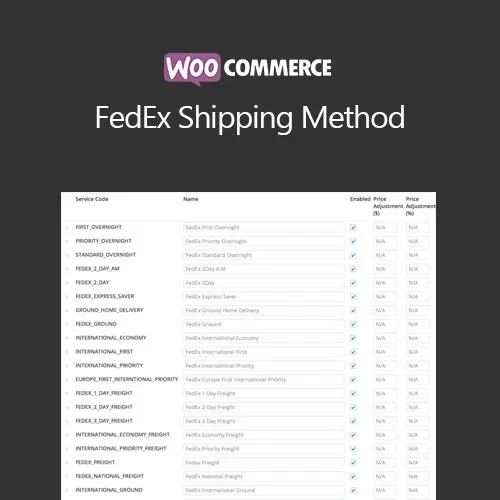
Depending on the plugin version, FedEx account, API configuration, and available services, you can provide customers with supported FedEx shipping methods such as:
FedEx Express
FedEx Ground
FedEx Freight
Other available FedEx services supported by the integration
The exact services and rates returned may depend on your FedEx account, origin address, destination, package details, and FedEx API availability.
The integration can be useful for stores serving customers within their home country as well as businesses that ship products internationally.
For international orders, the available shipping services and returned rates may depend on destination-country requirements, package information, FedEx account settings, and other shipment-related conditions.
Shipping rates can depend on the physical characteristics of an order. The plugin can use WooCommerce product and package information, including weight and dimensions where supported, when requesting rates from FedEx.
Accurate product data is therefore important when configuring shipping calculations.
To retrieve live shipping information, the plugin requires appropriate FedEx account and API credentials. After entering the required credentials, store administrators can configure the FedEx shipping method through the WooCommerce shipping settings.
API availability, authentication requirements, service names, and rate behavior can change over time, so always verify the current requirements with FedEx when setting up the integration.
A typical shipping workflow looks like this:
A customer adds products to the WooCommerce cart.
WooCommerce determines the order's shipping information.
The customer's destination is used for shipping-rate calculation.
Product weight, dimensions, and package information are considered where supported.
The plugin communicates with the configured FedEx API service.
Available FedEx shipping methods and applicable rates are returned.
WooCommerce displays the available shipping options during checkout.
The customer selects the preferred shipping service before completing the order.
This setup helps make shipping charges more closely reflect the actual FedEx service selected.
Before activating live FedEx rates, review the following settings:
FedEx account credentials
Store shipping origin
Currency and store location
Product weights
Product dimensions
WooCommerce shipping zones
Available FedEx services
Domestic or international shipping requirements
Packaging configuration, if applicable
API connectivity and authentication
It is recommended to place several test orders using different destinations and product combinations before making the shipping method available to customers.
Get Support
Please Sign In to contact our support.