Exclusive Coupon — Use Code SAVE10 for Instant Savings! Apply at checkout for your special discount. Limited uses — grab it while you can.
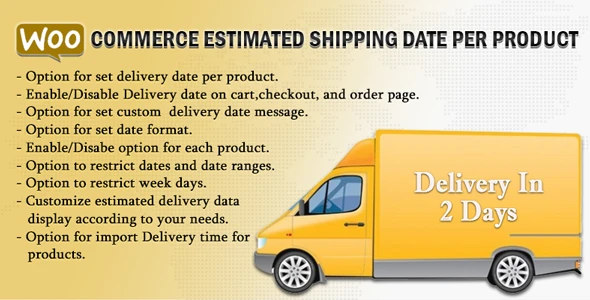
WooCommerce Estimated Delivery or Shipping Date Per Product helps WooCommerce store owners communicate expected shipping and delivery timelines directly to customers. Set different estimated delivery dates or shipping time information for individual products, categories, or broader store-level configurations, depending on your setup. Clear delivery information can make purchasing decisions easier, reduce uncertainty during checkout, and help customers understand when their products are expected to arrive.
WooCommerce Estimated Delivery or Shipping Date Per Product WooCommerce Estimated Delivery or Shipping Date Per Product helps WooCommerce store owners communicate expected shipping and delivery timelines directly to customers. Set different estimated delivery dates or shipping time information for individual products, categories, or broader store-level configurations, depending on your setup. Clear delivery information can make purchasing decisions easier, reduce uncertainty during checkout, and help customers understand when their products are expected to arrive. The plugin is available as a GPL-licensed WooCommerce solution through 5ivecode.com, with lifetime updates and limited email support as offered. ✨ Key Features Set estimated delivery dates for individual WooCommerce products Display shipping or delivery information on product pages Show estimated delivery details during cart and checkout workflows Configure different delivery expectations for different products Apply delivery settings based on product categories Control where delivery information is displayed Provide customers with clearer shipping expectations Designed to work with WooCommerce stores Mobile-friendly storefront presentation Lightweight configuration and straightforward setup GPL-licensed distribution Lifetime updates as offered by 5ivecode.com 📖 Detailed Overview Set Delivery Estimates for Individual Products Different products often require different fulfillment times. Some items may be ready for immediate shipment, while others may require additional preparation. With WooCommerce Estimated Delivery or Shipping Date Per Product, you can configure delivery information according to the needs of individual products, helping shoppers understand the expected timeline before completing their purchase. Improve Shipping Transparency Customers are more confident when they know approximately when their order is expected to arrive. Displaying delivery information directly within the shopping experience can reduce uncertainty and provide a clearer purchasing journey. Product and Category-Based Configuration Stores with a large catalog may have different fulfillment schedules across product groups. Where supported by the plugin configuration, delivery information can be managed at the product or category level, making it easier to organize different shipping expectations. Display Information Throughout the Shopping Journey Estimated delivery information can be presented in relevant WooCommerce areas such as: Product pages Cart pages Checkout pages The exact display locations and configuration options may depend on the installed plugin version and WooCommerce setup. Useful for Different Types of Stores The plugin can be useful for: Retail WooCommerce stores Wholesale websites Stores selling made-to-order products Businesses with different fulfillment times Stores managing products from multiple suppliers Seasonal or limited-stock product catalogs By communicating realistic delivery expectations, you can create a more transparent shopping experience and potentially reduce questions related to shipping timelines. ⚖️ WooCommerce Estimated Delivery Plugin Comparison Feature WooCommerce Estimated Delivery Plugin Basic/Typical Alternatives GPL Licensed ✔ Yes ✘ May be proprietary Lifetime Updates ✔ Included as offered ✘ Often subscription-based Per-Product Delivery Dates ✔ Supported △ May be limited Category-Based Delivery Configuration ✔ Supported △ Varies Product Page Delivery Information ✔ Supported △ Varies Cart & Checkout Display ✔ Supported △ Varies Flexible Delivery Messaging ✔ Available depending on configuration △ May require additional customization WooCommerce Integration ✔ Designed for WooCommerce ✔/△ Depends on solution ⚙️ Installation Guide Follow these general steps to install and configure the plugin: Download the WooCommerce Estimated Delivery or Shipping Date Per Product ZIP package from 5ivecode.com. Sign in to your WordPress administration dashboard. Navigate to Plugins → Add New → Upload Plugin. Select the downloaded ZIP file. Click Install Now. Activate the plugin after installation. Open the plugin's available WooCommerce settings. Configure delivery dates, display options, and applicable products or categories. Save your settings. Test the product, cart, and checkout pages to confirm that delivery information appears as expected.
Get Support
Please Sign In to contact our support.