🎃 Halloween Sale — Scary Good Deals, Up to 20% OFF! Don't be spooked by these prices — grab them before they disappear at midnight.
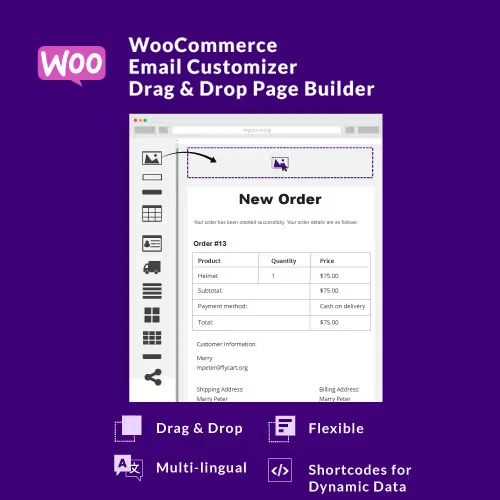
WooCommerce Email Customizer with Drag & Drop Email Builder is a visual email design solution that allows WooCommerce store owners to create and personalize transactional email templates without writing code. It helps businesses replace basic default WooCommerce emails with professionally designed messages that reflect their brand and provide a more consistent customer experience. Using a visual editor, you can customize emails such as order confirmations, invoices, processing notifications, shipping updates, and other WooCommerce-related communications. This makes it easier to maintain consistent branding throughout the customer journey.
WooCommerce Email Customizer with Drag & Drop Email Builder WooCommerce Email Customizer with Drag & Drop Email Builder is a visual email design solution that allows WooCommerce store owners to create and personalize transactional email templates without writing code. It helps businesses replace basic default WooCommerce emails with professionally designed messages that reflect their brand and provide a more consistent customer experience. Using a visual editor, you can customize emails such as order confirmations, invoices, processing notifications, shipping updates, and other WooCommerce-related communications.
This makes it easier to maintain consistent branding throughout the customer journey. 📧 Key Features ✔️ Visual drag-and-drop email editor with no coding required ✔️ Customize WooCommerce transactional email templates ✔️ Live preview while designing email layouts ✔️ Control logos, colors, fonts, spacing, and other branding elements ✔️ Ready-made templates for faster email creation ✔️ Responsive layouts for mobile, tablet, and desktop devices ✔️ Support for WooCommerce order and notification emails ✔️ Clean email structure designed for reliable delivery and presentation 📘 Detailed Overview WooCommerce Email Customizer gives store administrators greater control over the appearance and structure of their WooCommerce emails. Instead of relying solely on the standard email layouts, you can create designs that better match your website's branding and communication style. The drag-and-drop interface makes it possible to arrange email elements visually without requiring advanced HTML or coding knowledge.
Store owners can adjust the layout, add branding elements, customize typography, and organize WooCommerce-related information according to their requirements. The visual editor is useful for creating consistent communication across different stages of an order. You can customize messages related to purchases, order processing, shipping, invoices, and other supported WooCommerce notifications.
Responsive email layouts also help ensure that your messages remain readable across different screen sizes. A consistent and professional email presentation can help reinforce your brand identity and create a better post-purchase experience. 📊 Comparison Feature Email Customizer Default WooCommerce Emails Email Design ✅ Visual Drag & Drop Builder ⚠️ Basic Template Structure Customization ✅ Extensive Visual Controls ⚠️ Limited Built-in Options Branding ✅ Logo, Colors & Typography ⚠️ Basic Branding Design Experience ✅ Modern Custom Layouts ⚠️ Standard Appearance Responsive Layout ✅ Mobile-Friendly Designs ⚠️ Depends on Template Template Options ✅ Custom Templates & Layouts ⚠️ Standard Templates Coding Requirement ✅ No Coding Required ⚠️ Advanced Changes May Require Code
Get Support
Please Sign In to contact our support.