Exclusive Coupon — Use Code SAVE10 for Instant Savings! Apply at checkout for your special discount. Limited uses — grab it while you can.
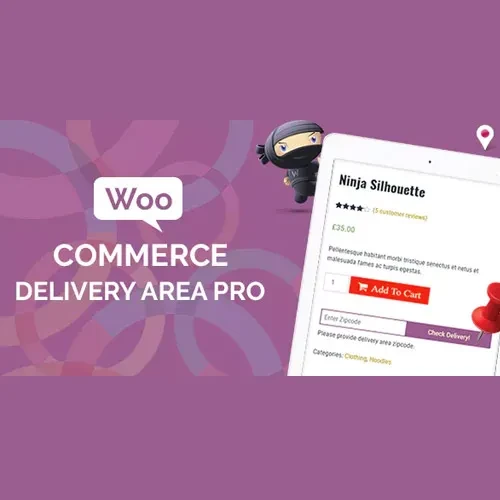
WooCommerce Delivery Area Pro is a powerful WooCommerce plugin that lets customers check whether their location is eligible for delivery before placing an order. Store owners can create and manage delivery zones using postal codes, map-based areas, circles, or custom polygons. With location-based delivery validation and Google Maps integration, the plugin is especially useful for restaurants, grocery stores, pharmacies, local retailers, and other businesses that serve specific geographic areas.
WooCommerce Delivery Area Pro (GPL) WooCommerce Delivery Area Pro is a powerful WooCommerce plugin that lets customers check whether their location is eligible for delivery before placing an order. Store owners can create and manage delivery zones using postal codes, map-based areas, circles, or custom polygons. With location-based delivery validation and Google Maps integration, the plugin is especially useful for restaurants, grocery stores, pharmacies, local retailers, and other businesses that serve specific geographic areas. 🗺️ Feature Highlights 🗺️ Let customers check delivery availability before purchasing 📍 Search delivery coverage using addresses, ZIP/postal codes, or map locations 🚚 Create multiple delivery areas using polygons, circles, or postal codes 🧭 Use Google Maps integration for location selection and address lookup ⚡ Provide address suggestions to make location entry faster 🔎 Show or restrict products based on delivery availability 📦 Prevent orders from locations outside your service area 🎯 Support multiple delivery zones for different service regions 📱 Provide a convenient experience across desktop and mobile devices 🔓 GPL licensed with unlimited site usage and lifetime free updates 📖 Detailed Overview WooCommerce Delivery Area Pro helps businesses control where they can deliver products and services. Instead of allowing customers to complete an order before discovering that their address is outside the delivery area, you can let them verify availability earlier in the shopping process. Store administrators can create delivery zones using postal codes, circles, or custom polygons on Google Maps. This provides greater flexibility for businesses that operate within specific neighborhoods, cities, districts, or service regions. Customers can enter an address or postal code to determine whether delivery is available. Google Maps integration can also make address selection easier through location-based suggestions. The plugin is particularly useful for local delivery stores, restaurants, grocery businesses, pharmacies, flower shops, bakeries, and regional retailers that need to manage serviceable areas. ⚖️ Comparison Table Feature WooCommerce Delivery Area Pro Without Plugin Delivery availability checker ✅ Address, postal code, and map-based checking ❌ Not available Custom delivery zones ✅ Polygons, circles, and postal codes ❌ Requires custom development Google Maps integration ✅ Supported ❌ Not included Address suggestions ✅ Available with supported map integration ❌ Manual entry Multiple delivery areas ✅ Supported ❌ Requires custom setup Product availability control ✅ Can restrict unavailable products ❌ Not available by default Location-based delivery rules ✅ Flexible configuration ⚠️ Limited GPL licensing ✅ Unlimited site usage — 🎯 Popular Use Cases 🍔 Restaurants & Food Delivery Define delivery zones around your restaurant and prevent customers outside the service area from placing unsuitable orders. 🛒 Grocery & Local Stores Allow customers to verify whether their neighborhood or postal code is covered before shopping. 💊 Pharmacies & Local Services Create geographic service areas for businesses that only deliver within selected regions. 🌸 Bakeries & Flower Shops Set delivery coverage based on postal codes or custom map boundaries. 📦 Regional Retailers Manage multiple delivery regions and provide different service coverage for different locations. 🛠️ Installation Guide Download WooCommerce Delivery Area Pro (GPL) from 5ivecode.com. Log in to your WordPress administration dashboard. Navigate to Plugins → Add New → Upload Plugin. Upload the plugin ZIP file. Click Install Now and activate the plugin. Open the WooCommerce Delivery Area Pro settings. Configure your delivery locations and available checking methods. Create delivery areas using postal codes, circles, or Google Maps polygons. Configure product availability or restrictions as required. Test the delivery checker from the customer-facing store.
Get Support
Please Sign In to contact our support.