Exclusive Coupon — Use Code SAVE10 for Instant Savings! Apply at checkout for your special discount. Limited uses — grab it while you can.
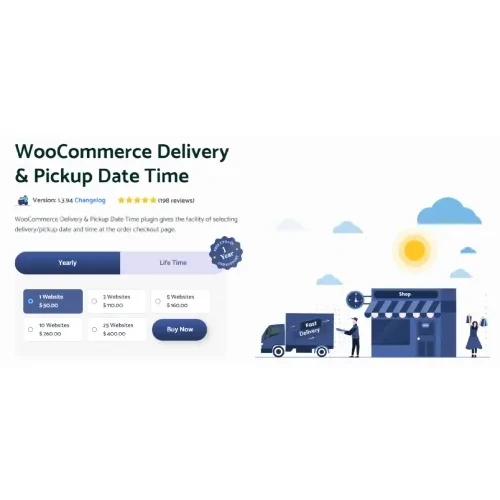
WooCommerce Delivery & Pickup Date Time Pro adds flexible scheduling capabilities to WooCommerce, allowing customers to select a suitable delivery or store-pickup date and time while placing an order. This type of scheduling functionality is particularly useful for restaurants, bakeries, grocery businesses, florists, food delivery services, and online retailers that prepare orders in advance or operate within specific delivery windows.
WooCommerce Delivery & Pickup Date Time Pro – GPL WooCommerce Delivery & Pickup Date Time Pro adds flexible scheduling capabilities to WooCommerce, allowing customers to select a suitable delivery or store-pickup date and time while placing an order. This type of scheduling functionality is particularly useful for restaurants, bakeries, grocery businesses, florists, food delivery services, and online retailers that prepare orders in advance or operate within specific delivery windows. Store administrators can configure available dates, time slots, preparation buffers, business hours, pickup locations, and scheduling restrictions to better organize incoming orders. The plugin is available through 5ivecode.com under the GNU GPL license, with lifetime free updates and limited email support. ✨ Key Features Delivery Date & Time Selection: Allow customers to select their preferred delivery date and available time slot during checkout. Store Pickup Scheduling: Give shoppers the option to collect their orders from a participating store or pickup location. Configurable Time Slots: Set working hours, slot duration, cutoff times, and other scheduling preferences. Preparation Time Buffer: Add additional preparation time between receiving an order and its scheduled delivery or pickup. Multiple Pickup Locations: Configure more than one collection point for businesses operating multiple branches. Date & Time Restrictions: Prevent customers from selecting unavailable dates or times based on holidays, working schedules, or business rules. Customer & Admin Notifications: Keep customers and store staff informed about scheduled orders through available email notifications. WooCommerce Checkout Integration: Add scheduling functionality directly to the WooCommerce ordering process. Flexible Scheduling: Configure delivery and pickup availability according to the operational requirements of your store. 📖 Detailed Overview The WooCommerce Delivery & Pickup Date Time Pro Plugin provides WooCommerce store owners with a practical way to organize scheduled orders. Instead of accepting orders without a specific fulfillment time, businesses can allow customers to select an available delivery or pickup slot during checkout. This makes the ordering process more predictable for both shoppers and store staff. Administrators can configure business operating hours, available time intervals, preparation buffers, blocked dates, holidays, and pickup locations. These controls can help businesses avoid accepting orders for periods when they are closed or unable to fulfill additional requests. The scheduling functionality can be especially useful for businesses where order preparation and fulfillment need to happen at specific times, such as restaurants, grocery stores, bakeries, florists, catering businesses, and local retailers. 📊 Delivery & Pickup Date Time Pro vs. Default WooCommerce Feature Delivery & Pickup Date Time Pro Default WooCommerce Delivery Date Selection Yes, customer-selectable dates Not included by default Delivery Time Slots Configurable time windows Not included by default Store Pickup Scheduling Supported Requires additional configuration/extensions Multiple Pickup Locations Supported Not a standard feature Business Hours Configurable scheduling hours Limited native scheduling controls Holiday Blocking Available Not provided as a dedicated feature Preparation Time Can be configured Not available as standard Customer Notifications Scheduling-related notifications Standard order notifications Admin Notifications Available for scheduled orders Standard WooCommerce notifications ⚙️ Installation Guide Follow these steps to install and configure the plugin: Download the WooCommerce Delivery & Pickup Date Time Pro GPL Plugin package from your 5ivecode.com account. Log in to your WordPress administration dashboard. Go to Plugins → Add New Plugin. Select Upload Plugin. Choose the downloaded plugin ZIP file. Click Install Now. After installation finishes, select Activate. Open the plugin's delivery and pickup configuration area under the relevant WooCommerce settings. Configure your delivery and pickup options. Set business hours, available time slots, preparation time, blocked dates, and pickup locations as required. Save your settings and place a test order to verify the scheduling workflow.
Get Support
Please Sign In to contact our support.