Exclusive Coupon — Use Code SAVE10 for Instant Savings! Apply at checkout for your special discount. Limited uses — grab it while you can.
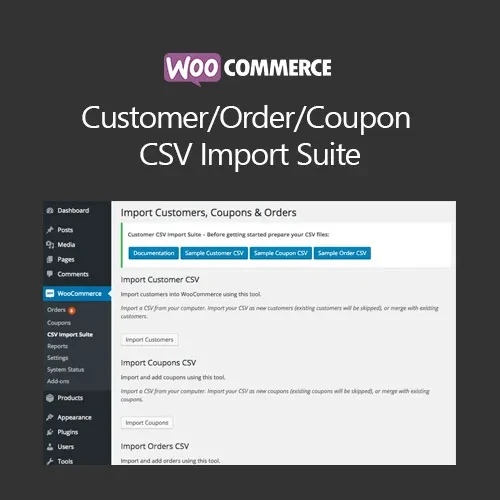
Manage WooCommerce data migrations more efficiently with the WooCommerce Customer / Order / Coupon CSV Import Suite. This plugin provides a structured way to import customer records, orders, and coupons from CSV files, making it useful for store migrations, bulk data setup, and large-scale record updates. With field mapping, custom metadata support, and options for adding or updating existing records, the suite helps reduce the need for repetitive manual data entry. The GPL-licensed package is available from 5ivecode.com with lifetime free updates and limited email support.
WooCommerce Customer / Order / Coupon CSV Import Suite – Bulk Data Import Plugin
Manage WooCommerce data migrations more efficiently with the WooCommerce Customer / Order / Coupon CSV Import Suite. This plugin provides a structured way to import customer records, orders, and coupons from CSV files, making it useful for store migrations, bulk data setup, and large-scale record updates.
With field mapping, custom metadata support, and options for adding or updating existing records, the suite helps reduce the need for repetitive manual data entry.
The GPL-licensed package is available from 5ivecode.com with lifetime free updates and limited email support.
Import WooCommerce customers, orders, and coupons from CSV files
Suitable for bulk data migration and store setup
Map CSV columns to corresponding WooCommerce fields
Support custom fields and metadata
Add new records or update existing records
Save field mappings for repeated imports
Designed to work with large and complex CSV datasets
Step-by-step import workflow
GPL licensing for personal and client projects
Lifetime free updates included with the package
Moving large amounts of customer, order, or coupon information into WooCommerce can be time-consuming when records need to be entered individually. The WooCommerce Customer / Order / Coupon CSV Import Suite provides a centralized CSV-based workflow for handling these data imports.
After uploading a CSV file, store administrators can map its columns to the relevant WooCommerce fields. This makes it possible to work with CSV files that use different column structures while maintaining control over how the imported information is assigned.
The plugin also supports custom fields and metadata, which can be useful when working with stores that contain additional customer or order information.
Existing records can be updated where supported, while new records can be imported as needed. Saved mappings can also simplify recurring import tasks by allowing commonly used field configurations to be reused.
The suite can be useful during platform migrations, WooCommerce store launches, customer-data transfers, bulk coupon preparation, and other situations involving large datasets.
Feature | CSV Import Suite | Manual Data Entry |
|---|---|---|
Customer Import | ✔ CSV-based import | Requires individual entry |
Order Import | ✔ CSV-based import | Requires manual processing |
Coupon Import | ✔ CSV-based import | Requires individual creation |
Field Mapping | ✔ Map CSV columns to WooCommerce fields | Manual field-by-field handling |
Custom Fields & Metadata | ✔ Supported | Requires manual handling |
Existing Records | ✔ Update existing records where supported | Manual editing required |
Saved Mappings | ✔ Available for reuse | Not applicable |
Bulk Processing | ✔ Designed for CSV-based bulk imports | Time-consuming for larger datasets |
GPL Licensing | ✔ GPL-distributed package | Depends on the software used |
Download the WooCommerce Customer / Order / Coupon CSV Import Suite GPL Plugin from 5ivecode.com.
Log in to your WordPress administration dashboard.
Navigate to Plugins → Add New → Upload Plugin.
Select the downloaded plugin ZIP file.
Click Install Now.
Activate the plugin.
Open the CSV Import Suite section available in your WooCommerce administration area.
Select the type of data you want to import.
Upload your CSV file.
Map the CSV columns to the appropriate WooCommerce fields.
Review the import configuration before starting the process.
Run the import and verify the imported records afterward.
Get Support
Please Sign In to contact our support.