🎃 Halloween Sale — Scary Good Deals, Up to 20% OFF! Don't be spooked by these prices — grab them before they disappear at midnight.
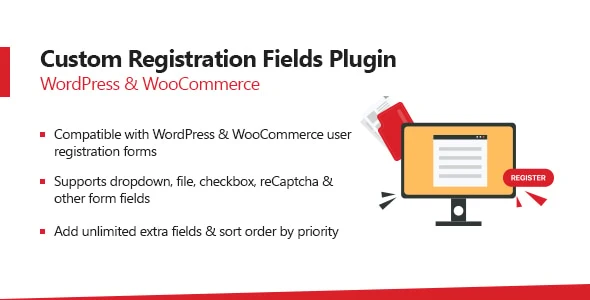
The WooCommerce Custom Registration Fields Plugin makes it easier to expand the standard WooCommerce registration form with additional customer information. Store owners can create extra fields for details such as phone numbers, business information, tax details, preferences, consent, and other customer-specific data. Instead of relying only on WooCommerce’s default registration fields, you can tailor the registration experience to match your business requirements. The plugin is available through 5ivecode.com under GPL distribution terms, with available updates and limited email support according to the applicable product terms.
WooCommerce Custom Registration Fields Plugin – GPL Download The WooCommerce Custom Registration Fields Plugin makes it easier to expand the standard WooCommerce registration form with additional customer information. Store owners can create extra fields for details such as phone numbers, business information, tax details, preferences, consent, and other customer-specific data. Instead of relying only on WooCommerce’s default registration fields, you can tailor the registration experience to match your business requirements.
The plugin is available through 5ivecode.com under GPL distribution terms, with available updates and limited email support according to the applicable product terms. ✨ Feature Highlights Create Additional Registration Fields – Add as many custom fields as your registration process requires. Multiple Field Formats – Use text inputs, select menus, checkboxes, radio buttons, and other supported field types. Registration & Checkout Fields – Display selected custom information during registration and checkout where supported.
Customer Data Management – Store submitted information with the relevant WordPress user profile for administration. Required Field Validation – Mark important fields as mandatory to help collect complete information. WooCommerce Integration – Built specifically to extend the WooCommerce customer registration workflow.
Simple Configuration – Manage field settings without unnecessary complexity. Privacy-Conscious Data Collection – Collect only the information your business actually needs and configure your privacy practices accordingly. 📖 Detailed Overview WooCommerce provides a basic registration experience, but many businesses need to collect additional information from customers. The WooCommerce Custom Registration Fields Plugin helps bridge that gap by allowing administrators to build a registration form around their specific requirements.
You can create fields for information such as: Company or business name Tax or VAT identification Phone numbers Customer preferences Additional contact information Customer-specific details Consent-related information Depending on the plugin configuration, selected fields can also be made available during the WooCommerce checkout process. Submitted values can be associated with the customer's WordPress account, making the information available to administrators through the appropriate user-management area. Flexible Registration Forms The plugin can be useful for stores that need more than the standard WooCommerce registration fields.
By selecting the appropriate field types and validation options, you can create a registration workflow that better matches your business model. For privacy-sensitive information, website owners should ensure that the fields they create, the information they retain, and their privacy notices comply with applicable data-protection requirements.
Feature Custom Registration Fields Plugin Basic Registration Solutions Custom Registration Fields
✅ Supported
⚠️ May be limited Multiple Field Types
✅ Available field formats
⚠️ Depends on solution WooCommerce Integration
✅ Designed for WooCommerce
⚠️ May require additional integration Customer Data in User Profile
✅ Supported
⚠️ Varies Required Fields
✅ Validation options
⚠️ Depends on plugin Registration Customization
✅ Flexible
⚠️ Often limited GPL Distribution
✅ Subject to applicable GPL terms
❌ Depends on product Ongoing Updates
✅ According to distributor terms
⚠️ Varies by provider
Get Support
Please Sign In to contact our support.