Exclusive Coupon — Use Code SAVE10 for Instant Savings! Apply at checkout for your special discount. Limited uses — grab it while you can.
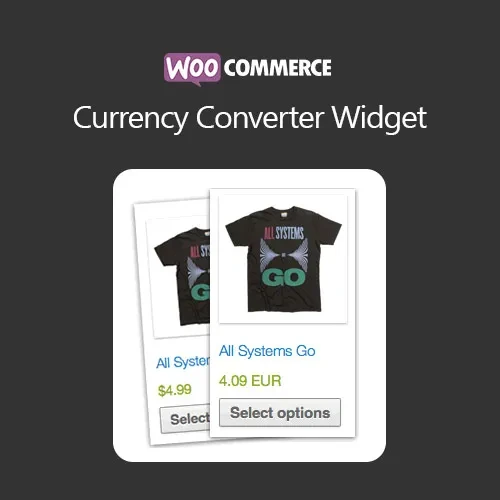
WooCommerce Currency Converter Widget is a practical WooCommerce extension for stores that serve customers from different countries. It allows shoppers to view product prices in their preferred currency, making it easier to understand costs without manually calculating exchange rates. The converter can be displayed through widgets or shortcodes and can be positioned in areas such as the sidebar, header, footer, product pages, cart, and checkout. Depending on the configured exchange-rate source and plugin settings, currency values can be updated automatically or managed manually.
WooCommerce Currency Converter Widget (GPL) WooCommerce Currency Converter Widget is a practical WooCommerce extension for stores that serve customers from different countries. It allows shoppers to view product prices in their preferred currency, making it easier to understand costs without manually calculating exchange rates. The converter can be displayed through widgets or shortcodes and can be positioned in areas such as the sidebar, header, footer, product pages, cart, and checkout. Depending on the configured exchange-rate source and plugin settings, currency values can be updated automatically or managed manually. Distributed by 5ivecode.com under GPL terms, the package includes the update and support provisions specified by the distributor. Feature Highlights Multi-Currency Price Display – Let shoppers view WooCommerce prices in different currencies. Exchange Rate Updates – Retrieve current exchange-rate data when supported by the configured rate provider. Automatic Currency Selection – Configure currency selection based on visitor location where supported. Manual Currency Switching – Allow customers to select their preferred currency themselves. Product, Cart & Checkout Display – Present converted prices throughout key stages of the shopping experience. Widget & Shortcode Support – Place the converter in widget areas or within content using a shortcode. Simple & Variable Products – Designed to work with common WooCommerce product configurations. Subscription Product Support – Can be used with compatible WooCommerce subscription setups, subject to the underlying subscription/payment configuration. Responsive Interface – Suitable for desktop, tablet, and mobile shopping experiences. Lightweight Integration – Designed to add currency conversion without unnecessarily complicating the storefront. GPL Licensing – Distributed under GPL terms, with distributor-specific updates and support provisions. Detailed Overview Make Your WooCommerce Store Easier to Shop Internationally When customers see prices in an unfamiliar currency, they may need to leave the store and calculate the approximate cost themselves. A currency converter can remove that extra step by presenting an estimated value in a currency they recognize. WooCommerce Currency Converter Widget provides a convenient way to introduce multi-currency price viewing to an existing WooCommerce store. Instead of asking customers to manually calculate exchange rates, you can provide a currency selector directly within your website. Real-Time Exchange Rate Conversion The plugin can use exchange-rate information from a supported external source to calculate converted values. Depending on the configured provider and plugin setup, exchange rates may be retrieved automatically. Manual rate configuration can also be useful when a store owner wants greater control over the conversion values displayed. Keep in mind that exchange-rate availability, update frequency, supported currencies, and API requirements depend on the selected exchange-rate service. Automatic or Manual Currency Selection Give customers control over how they view prices. You can configure the store to allow visitors to manually choose a currency from the available options. Where supported, automatic selection can use visitor location information to suggest an appropriate currency. This is particularly useful for international stores where visitors arrive from several different countries. Product Page Currency Conversion Customers can see converted values while browsing individual products. This gives shoppers a better understanding of the approximate cost before adding an item to the cart. For variable products, the displayed converted amount can work alongside the WooCommerce variation-selection experience, depending on the plugin and theme configuration. Cart and Checkout Price Display Currency information can also be presented further along the shopping journey. Displaying converted values in the cart and checkout areas helps customers review their expected costs before completing their purchase. Important: A displayed conversion does not necessarily mean that the actual payment is processed in that selected currency. The checkout/payment currency depends on your WooCommerce store configuration and payment gateway. Widget Placement The currency selector can be placed in supported widget locations such as: Sidebar Header Footer WooCommerce-related widget areas Other theme-supported widget locations This makes it easy to keep the currency selector visible while customers browse the store.
Get Support
Please Sign In to contact our support.