🎃 Halloween Sale — Scary Good Deals, Up to 20% OFF! Don't be spooked by these prices — grab them before they disappear at midnight.
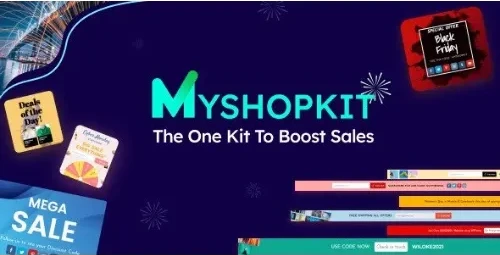
WooCommerce Coupon Popup, SmartBar & Slide In by MyShopKit is a promotional and customer-engagement plugin designed to help WooCommerce store owners present discounts, announcements, lead-capture messages, and special offers at strategic points throughout the shopping journey. Using a combination of coupon popups, sticky SmartBars, and slide-in notifications, you can communicate promotions without relying solely on banners or static website content. The plugin can be useful for campaigns such as discount offers, free-shipping announcements, seasonal promotions, email-list building, and cart-retention messages.
WooCommerce Coupon Popup, SmartBar & Slide In – MyShopKit WooCommerce Coupon Popup, SmartBar & Slide In by MyShopKit is a promotional and customer-engagement plugin designed to help WooCommerce store owners present discounts, announcements, lead-capture messages, and special offers at strategic points throughout the shopping journey. Using a combination of coupon popups, sticky SmartBars, and slide-in notifications, you can communicate promotions without relying solely on banners or static website content. The plugin can be useful for campaigns such as discount offers, free-shipping announcements, seasonal promotions, email-list building, and cart-retention messages.
Available through 5ivecode.com under applicable GPL terms, with access to available updates and limited email support. ✨ Feature Highlights 🎁 Coupon Popups – Present discount codes and promotional messages on selected pages or WooCommerce-related areas. 📢 SmartBar Announcements – Display persistent promotional bars for sales, offers, shipping notices, and important store messages. ➡️ Slide-In Notifications – Introduce promotional content through compact side-positioned messages. 🎨 Flexible Styling – Customize the appearance of promotional elements to better match your website design. 📱 Responsive Layouts – Designed for different screen sizes, including desktop and mobile devices. 🚪 Exit-Intent Campaigns – Create offers intended to engage visitors who appear ready to leave, where supported by the configuration. 📧 Email Marketing Connections – Connect supported email marketing services for lead-generation campaigns. 🛒 WooCommerce Integration – Built around WooCommerce shopping and promotional workflows. 🎯 Targeted Display Rules – Configure promotional messages for suitable pages, situations, or customer interactions. 📖 Detailed Overview Getting visitors to notice the right offer at the right moment can be an important part of an eCommerce marketing strategy. WooCommerce Coupon Popup, SmartBar & Slide In provides several display formats that can be used to communicate promotions throughout a WooCommerce store. Instead of placing every offer in the same location, store administrators can use different presentation styles depending on the campaign. 🎁 Coupon-Based Promotions Use popup messages to highlight discount codes, promotional campaigns, or special offers.
These can be useful for welcoming new visitors, encouraging customers to continue shopping, or promoting a limited-time campaign. 📢 SmartBar Promotions A SmartBar can keep an important announcement visible near the top or another configured area of your website. It can be used for messages such as: Limited-time discounts Free-shipping thresholds Seasonal sales New product announcements Store-wide promotions Important customer notices ➡️ Slide-In Campaigns Slide-in messages provide another way to display promotional content without taking over the entire page. Depending on your configuration, they can be used for coupon announcements, newsletter invitations, product promotions, or other customer messages. 🚪 Exit-Intent Engagement Exit-intent functionality can be used to present a final offer when a visitor appears to be leaving the website.
This can be particularly useful for campaigns aimed at recovering potentially abandoned browsing sessions. Actual trigger behavior can vary depending on the browser, device, plugin configuration, and detection method. 📧 Lead Generation If supported email services are configured, promotional forms can be incorporated into campaigns designed to collect visitor email addresses. This can help businesses build an audience for newsletters, product announcements, and future promotions.
Always ensure that your email collection and marketing practices comply with applicable privacy and consent requirements. 📊 MyShopKit Plugin vs. Generic Popup Tools Feature MyShopKit Popup Plugin Generic Popup Tools WooCommerce Integration ✅ Designed for WooCommerce workflows ⚠️ May require additional configuration Coupon Promotions ✅ Built-in promotional use cases ⚠️ Often requires manual setup SmartBar ✅ Included ⚠️ May require another extension Slide-In Messages ✅ Included ⚠️ Availability varies Exit-Intent Campaigns ✅ Supported where configured ⚠️ Depends on the tool Email Marketing ✅ Supported integrations ⚠️ May require paid extensions Responsive Display ✅ Designed for mobile and desktop ⚠️ Depends on implementation Store Promotions ✅ WooCommerce-focused ⚠️ General-purpose functionality Update Access ✅ Available according to distributor service ⚠️ Varies by provider
Get Support
Please Sign In to contact our support.