Exclusive Coupon — Use Code SAVE10 for Instant Savings! Apply at checkout for your special discount. Limited uses — grab it while you can.
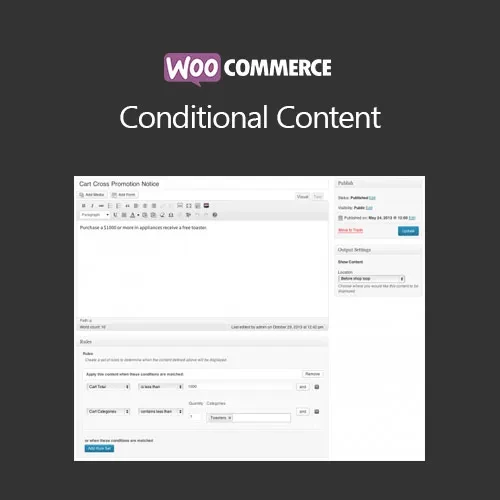
WooCommerce Conditional Content lets you display customized messages, promotional notices, and other content according to conditions defined for your WooCommerce store. Instead of showing identical information to every visitor, you can create rules based on factors such as products, categories, cart values, user roles, and stock availability. This makes the extension useful for promotions, upselling messages, shipping notices, customer-specific information, and other dynamic store content.
WooCommerce Conditional Content – Rule-Based Dynamic Store Messages
WooCommerce Conditional Content lets you display customized messages, promotional notices, and other content according to conditions defined for your WooCommerce store.
Instead of showing identical information to every visitor, you can create rules based on factors such as products, categories, cart values, user roles, and stock availability. This makes the extension useful for promotions, upselling messages, shipping notices, customer-specific information, and other dynamic store content.
Condition-Based Content Rules — Control when specific messages or content are displayed using configurable WooCommerce conditions.
Dynamic Promotional Messages — Present relevant offers, upsell notices, reminders, and promotional information when matching conditions are met.
Customer & User Targeting — Display different content for guests, logged-in customers, and applicable user roles.
Cart-Based Rules — Trigger messages according to cart contents, selected products, or cart value.
Product & Category Conditions — Show information based on the products or categories involved in the customer's shopping session.
Product Page, Cart & Checkout Placement — Display conditional content in supported areas of the WooCommerce store.
Stock-Based Notices — Create messages for low-stock or unavailable products where supported by the configured rules.
No Coding Required for Basic Rules — Configure conditions through the WordPress administration interface rather than manually developing each message.
GPL Licensed & Lifetime Updates — The package is distributed under GPL terms with lifetime updates.
Every customer does not necessarily need to see the same message. WooCommerce Conditional Content provides a way to make store messaging dependent on the circumstances of the shopper or their current cart.
For example, a store could display a promotional message when the cart reaches a particular value, show a reminder about an upcoming shipping deadline, or present additional information when a particular product is selected.
The extension allows you to establish rules that determine when, where, and to whom specific content should be displayed.
You can use conditional rules for a variety of common WooCommerce scenarios, including:
Cart-value promotions
Product-specific messages
Category-based offers
Customer or user-role notices
Upselling opportunities
Shipping reminders
Low-stock notifications
Out-of-stock information
Checkout instructions
Special customer messages
Cart-based conditions can be useful when you want to encourage customers to reach a particular order value.
For example, you could configure a message that informs shoppers about an available promotion when their cart reaches the required threshold.
Customer targeting can help you present appropriate messages based on whether a visitor is a guest, logged-in customer, or belongs to a particular user role.
This allows store administrators to create separate messaging rules rather than relying exclusively on one static notice across the entire website.
Stock conditions can also be used to display appropriate product information. Depending on your configured rules, you can show notices when inventory is low or when an item is unavailable.
The actual conditions and placement options depend on the plugin's available configuration and your WooCommerce setup.
Feature | WooCommerce Conditional Content | Static Store Content |
|---|---|---|
Rule-Based Messaging | ✔ Display content according to conditions | ✘ Same content for visitors |
Cart Conditions | ✔ Cart and item-based rules | ✘ No dynamic conditions |
User Role Targeting | ✔ Supported | ✘ Not available |
Product & Category Rules | ✔ Available | ✘ Static content |
Promotional Triggers | ✔ Condition-driven messages | ✘ Requires manual changes |
Stock-Based Messages | ✔ Supported conditions | ✘ Static only |
WooCommerce Integration | ✔ Designed for WooCommerce | Depends on the content system |
GPL Package | ✔ GPL-based usage with lifetime updates | Depends on the product/license |
Get Support
Please Sign In to contact our support.