🎃 Halloween Sale — Scary Good Deals, Up to 20% OFF! Don't be spooked by these prices — grab them before they disappear at midnight.
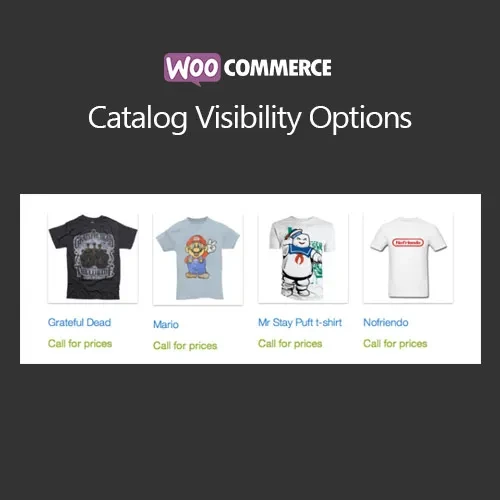
WooCommerce Catalog Visibility Options is a WooCommerce plugin designed to give store administrators greater control over how products, prices, and purchasing features appear to different visitors. You can configure your store to hide product prices, remove or restrict add-to-cart functionality, and apply catalog rules based on customer login status or user roles. These controls can be particularly useful for B2B stores, wholesale businesses, membership websites, private product catalogs, and businesses that require customer-specific purchasing rules.
WooCommerce Catalog Visibility Options (GPL) WooCommerce Catalog Visibility Options is a WooCommerce plugin designed to give store administrators greater control over how products, prices, and purchasing features appear to different visitors. You can configure your store to hide product prices, remove or restrict add-to-cart functionality, and apply catalog rules based on customer login status or user roles. These controls can be particularly useful for B2B stores, wholesale businesses, membership websites, private product catalogs, and businesses that require customer-specific purchasing rules.
The plugin is available through 5ivecode.com under GPL licensing, with lifetime free updates and limited email support. 👁️ Feature Highlights Hide Product Prices – Control whether product prices are visible to selected visitors or customer groups. Restrict Add-to-Cart – Remove or disable purchasing functionality when required. User Role Controls – Apply catalog visibility rules according to logged-in status or available user roles.
Catalog Mode – Present WooCommerce products as a catalog without requiring a conventional purchasing workflow. Wholesale Support – Configure different catalog experiences for retail customers and wholesale buyers. Flexible Visibility Rules – Apply settings globally or target specific products and categories where supported.
WooCommerce Admin Integration – Manage catalog visibility settings from the WordPress/WooCommerce administration area. Multiple Website Usage – Use the GPL software according to the permissions and conditions of the applicable GPL license. 📖 Detailed Overview WooCommerce Catalog Visibility Options provides additional control over the way products are presented to customers in a WooCommerce store. A standard WooCommerce setup generally displays product information together with purchasing options.
However, some businesses need a different approach. For example, a wholesale company may want visitors to browse products while hiding prices until they log in, or a private store may want to restrict purchasing to approved customer accounts. Using configurable visibility rules, administrators can manage the display of prices, add-to-cart controls, and catalog functionality according to their business requirements.
The plugin can be useful for B2B businesses, wholesalers, private stores, membership websites, product showcases, distributors, and businesses with restricted purchasing workflows. 📊 Comparison: With vs. Without Catalog Visibility Options Feature With Catalog Visibility Options Standard WooCommerce Setup Hide product prices ✔ Configurable visibility ✖ Not normally role-based Disable add-to-cart ✔ Flexible controls ✖ Requires additional configuration User-role-based rules ✔ Supported ✖ Limited by default Wholesale catalog support ✔ Suitable for wholesale workflows ✖ Requires customization Catalog-only presentation ✔ Available where configured ✖ Additional setup may be required Category/product restrictions ✔ Flexible configuration ✖ Limited standard controls
Get Support
Please Sign In to contact our support.