Exclusive Coupon — Use Code SAVE10 for Instant Savings! Apply at checkout for your special discount. Limited uses — grab it while you can.
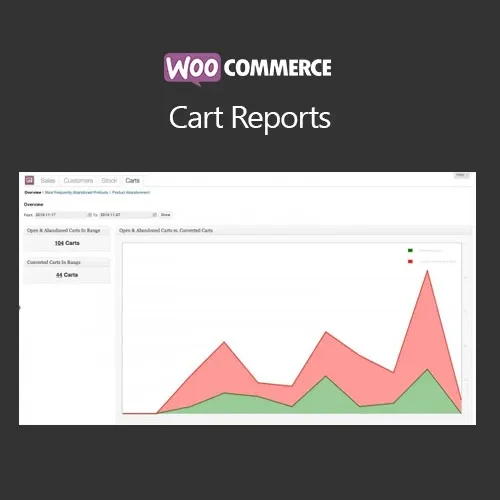
WooCommerce Cart Reports is a reporting and analytics extension designed to help WooCommerce store administrators examine shopping-cart activity and understand customer purchasing behavior. By providing information about active, abandoned, and completed carts, the plugin can help store owners identify shopping patterns and areas where the checkout experience may need improvement. Store managers, e-commerce agencies, developers, and business owners can use cart-related reports to review product activity, analyze trends, investigate abandoned carts, and export information for additional analysis.
WooCommerce Cart Reports (GPL Plugin)
WooCommerce Cart Reports is a reporting and analytics extension designed to help WooCommerce store administrators examine shopping-cart activity and understand customer purchasing behavior. By providing information about active, abandoned, and completed carts, the plugin can help store owners identify shopping patterns and areas where the checkout experience may need improvement.
Store managers, e-commerce agencies, developers, and business owners can use cart-related reports to review product activity, analyze trends, investigate abandoned carts, and export information for additional analysis.
The plugin is distributed under the GPL (General Public License). The package available from 5ivecode.com includes lifetime free updates and limited email support according to the site's package terms.
Monitor available active and abandoned cart information
Review cart activity using date-based reporting
Analyze cart data by product and customer where supported
Filter reports using relevant cart information
Export available report data for external analysis
Identify recurring cart and purchasing patterns
Review cart activity alongside WooCommerce store operations
Useful for store owners, agencies, and developers
GPL-licensed for flexible project usage
Lifetime free updates included with the 5ivecode.com package
A WooCommerce store can generate valuable information before an order is completed. Cart activity can show which products customers are adding, which carts remain incomplete, and how shopping behavior changes over time.
WooCommerce Cart Reports brings this information into a reporting interface so administrators can examine available cart records and identify useful patterns.
Abandoned carts can provide useful information about incomplete purchasing journeys. By reviewing available abandoned-cart records, store administrators can investigate which products or periods are associated with incomplete orders.
The reports can be used as a starting point for deciding whether additional actions, such as checkout improvements, customer follow-ups, promotions, or cart-recovery campaigns, may be appropriate.
The plugin itself should not be considered a guarantee that abandoned-cart analysis will increase sales or recover a specific percentage of orders.
Depending on the plugin version and configuration, administrators can review cart activity that has not yet resulted in a completed order.
This can help provide additional visibility into current shopping behavior and product interest beyond completed WooCommerce orders.
Cart information can be examined using available product, customer, and date-related details. This can help store managers investigate questions such as:
Which products appear frequently in carts?
Which products are associated with incomplete carts?
How does cart activity change over different periods?
Are particular products receiving significant shopping interest?
Which customer records are associated with available cart information?
The exact customer information displayed depends on the data available to WooCommerce and the plugin's supported reporting functionality.
Export functionality allows available cart-report information to be moved outside the WordPress dashboard for further examination.
Depending on the plugin version, supported export formats may include CSV and Excel-compatible formats. Exported data can be useful for internal reporting, spreadsheets, business analysis, or sharing information with an e-commerce team.
Historical cart information can help store owners compare shopping activity across different periods.
For example, administrators may use reports to examine:
Changes in cart activity
Product-level cart trends
Periods with unusually high cart activity
Abandoned-cart patterns
Seasonal shopping behavior
Campaign-related cart activity
These reports provide data that can support business decisions, but the conclusions will depend on the quality and completeness of the available store data.
When a store contains a large amount of cart information, filters can make it easier to focus on a particular group of records.
Depending on the available features, administrators may be able to narrow reports using criteria such as:
Date range
Cart status
Product
Customer
Other available cart-related fields
Filtering can make routine reporting and investigation more manageable.
Get Support
Please Sign In to contact our support.