Exclusive Coupon — Use Code SAVE10 for Instant Savings! Apply at checkout for your special discount. Limited uses — grab it while you can.
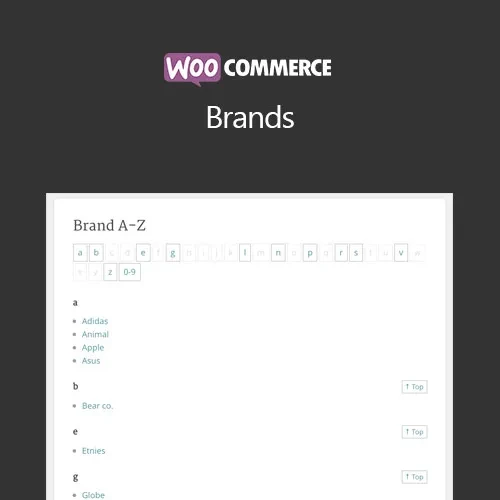
WooCommerce Brands is a dedicated extension that helps store owners organize, display, and promote product brands within a WooCommerce store. It allows you to create brand profiles, add logos and descriptions, connect brands with products, and provide customers with convenient ways to browse products by manufacturer or label. Brand-focused navigation can be especially valuable for fashion stores, electronics retailers, beauty and cosmetics shops, footwear stores, marketplaces, and other ecommerce websites where customers frequently search for specific brands
WooCommerce Brands (GPL) WooCommerce Brands is a dedicated extension that helps store owners organize, display, and promote product brands within a WooCommerce store. It allows you to create brand profiles, add logos and descriptions, connect brands with products, and provide customers with convenient ways to browse products by manufacturer or label. Brand-focused navigation can be especially valuable for fashion stores, electronics retailers, beauty and cosmetics shops, footwear stores, marketplaces, and other ecommerce websites where customers frequently search for specific brands. The plugin package available through 5ivecode.com is distributed under the GNU General Public License (GPL) and includes lifetime free updates with limited email support, subject to the applicable offering terms. ✨ Feature Highlights Unlimited Brand Creation – Create and manage multiple brands with names, logos, descriptions, and links. Product-to-Brand Assignment – Associate products with the appropriate brand for easier catalog organization. Dedicated Brand Pages – Give each brand its own archive page containing relevant information and associated products. Brand Logos – Display recognizable brand logos throughout your store. Brand-Based Product Filtering – Allow shoppers to narrow product results according to their preferred brands. Shortcodes & Widgets – Present brand collections using lists, grids, carousels, and other available display options. Flexible Store Placement – Feature brands in sidebars, navigation areas, product pages, and other supported locations. WooCommerce Integration – Designed to work within the WooCommerce product catalog and shopping experience. SEO-Friendly Brand Structure – Brand archive pages can provide dedicated URLs and organized content for search visibility. GPL Usage Flexibility – Use the GPL-licensed software according to the applicable license terms. 📖 Detailed Overview WooCommerce Brands adds a dedicated brand management layer to your WooCommerce catalog. Instead of treating brands as ordinary product information, you can create structured brand profiles and connect them with the products they represent. Each brand can contain details such as a name, logo, description, and associated products. Customers can then browse a particular brand and discover all products connected to it. This approach can make product discovery easier, especially when shoppers already know which manufacturer or label they prefer. Useful for: Fashion and clothing stores Electronics and technology retailers Cosmetics and beauty websites Sports and footwear stores Furniture and home-product shops Multi-brand ecommerce stores Wholesale and supplier catalogs Online marketplaces Brand information can also be displayed using widgets, shortcodes, grids, and carousels, giving store owners flexibility over where and how brands appear on their website. ⚖️ WooCommerce Brands vs Default WooCommerce Feature WooCommerce Brands Default WooCommerce Brand Management ✔ Dedicated brand organization ✖ Not available as a dedicated feature Brand Profiles ✔ Names, logos, descriptions, and links ✖ Requires custom setup Dedicated Brand Pages ✔ Supported ✖ Not included by default Brand Logos ✔ Can be displayed throughout the store ✖ No dedicated brand-logo system Filter Products by Brand ✔ Brand-based filtering ✖ Requires additional configuration Brand Widgets & Shortcodes ✔ Supported ✖ Not available by default Brand Carousels / Grids ✔ Supported through available display tools ✖ Requires customization GPL Usage ✔ Subject to GPL terms Depends on the individual software/license 🛠️ Installation Guide Obtain the WooCommerce Brands GPL Plugin package from 5ivecode.com. Log in to your WordPress administration dashboard. Navigate to Plugins → Add New → Upload Plugin. Select the WooCommerce Brands ZIP file. Click Install Now. Once installation is complete, click Activate Plugin. Confirm that WooCommerce is installed and active. Open the available Brands management section. Create your brand entries and add names, descriptions, logos, and other relevant information. Assign brands to the appropriate WooCommerce products. Configure widgets, shortcodes, or other display options to showcase your brands. Visit the storefront and verify the brand pages, product assignments, and filtering functionality.
Get Support
Please Sign In to contact our support.