Exclusive Coupon — Use Code SAVE10 for Instant Savings! Apply at checkout for your special discount. Limited uses — grab it while you can.
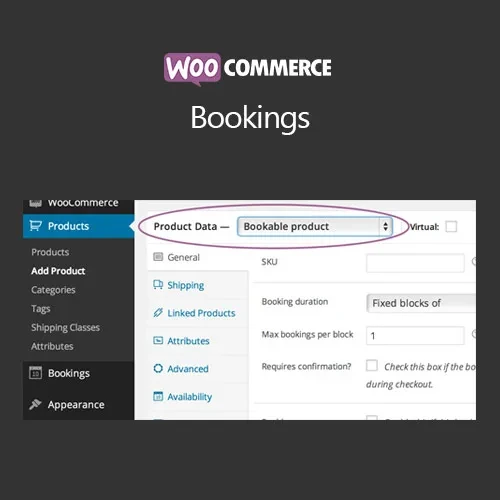
WooCommerce Bookings is a WooCommerce extension designed to help businesses turn their online store into a booking and reservation platform. It allows customers to schedule appointments, reserve services, select available time slots, and book eligible products directly through a WooCommerce-powered website. The extension is suitable for businesses that need to manage appointments, reservations, scheduled services, rental periods, or other time-based bookings while keeping booking and payment processes connected to their online store.
WooCommerce Bookings – Online Booking & Appointment Scheduling WooCommerce Bookings is a WooCommerce extension designed to help businesses turn their online store into a booking and reservation platform. It allows customers to schedule appointments, reserve services, select available time slots, and book eligible products directly through a WooCommerce-powered website. The extension is suitable for businesses that need to manage appointments, reservations, scheduled services, rental periods, or other time-based bookings while keeping booking and payment processes connected to their online store. 🚀 Feature Highlights Online Booking Management – Manage customer reservations and scheduled bookings from your WooCommerce environment. Appointment Scheduling – Allow customers to select suitable dates and available appointment times. Bookable Products & Services – Convert eligible products or services into reservable offerings. Flexible Availability Rules – Define when specific services, products, or resources can be booked. Customer Booking Management – Review and manage customer reservations through the store administration area. Calendar-Based Reservations – Organize appointments and reservations using date-oriented scheduling tools. Booking Confirmation Notifications – Keep customers informed about their booking status and confirmation details. Booking Duration Controls – Configure the length of appointments, services, or other bookable periods. Resource Management – Coordinate resources associated with scheduled bookings. WooCommerce Payment Integration – Connect bookings with WooCommerce's supported payment workflow. 📖 Detailed Overview WooCommerce Bookings provides a practical way to add reservation and appointment functionality to a WooCommerce store. Instead of limiting a store to conventional product purchases, businesses can offer services or products that require customers to select a date, time, or booking period. This makes the extension useful for many service-oriented businesses and organizations. Customers can browse available booking options and select an appropriate time based on the configured availability rules. Store administrators can define booking durations and manage availability according to their operational requirements. The calendar-based reservation functionality makes it easier to organize scheduled activities and review upcoming appointments. Businesses can also manage customer reservations and associated resources from their WooCommerce environment. Booking confirmation notifications help provide customers with important information about their reservations, while WooCommerce payment integration allows businesses to connect booking transactions with their existing online payment process. 🏢 Suitable Business Types WooCommerce Bookings can be adapted for a variety of businesses and services, including: Appointment-based businesses Consulting services Professional services Classes and training sessions Workshops Events and scheduled activities Rental services Beauty and wellness services Photography sessions Equipment reservations Service-based businesses ⚙️ How WooCommerce Bookings Works Install and activate the WooCommerce Bookings extension. Create a product or service that customers can book. Configure the available dates and times. Define booking duration and availability rules. Configure any required resources. Publish the bookable product on your WooCommerce store. Customers select their preferred booking date and available time. The customer completes the booking and payment process. The reservation is recorded in WooCommerce. Booking notifications provide customers with confirmation information. Store administrators can review and manage upcoming reservations.
Get Support
Please Sign In to contact our support.