Exclusive Coupon — Use Code SAVE10 for Instant Savings! Apply at checkout for your special discount. Limited uses — grab it while you can.
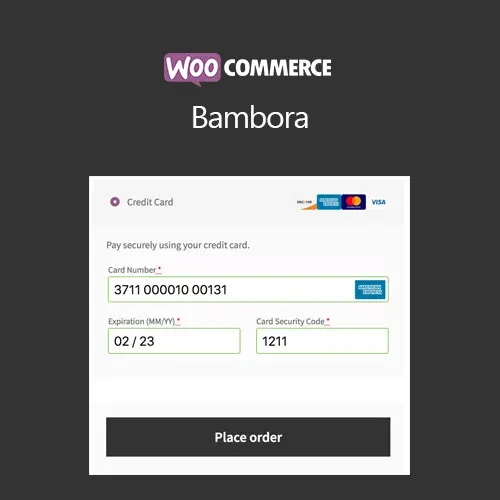
WooCommerce Bambora (Beanstream) provides a convenient payment gateway solution for WooCommerce stores that want to accept credit and debit card transactions through Bambora, formerly known as Beanstream. It integrates the payment process directly into your online store, giving customers a familiar checkout experience without unnecessary external redirects. The plugin can help store administrators manage payments and refunds from within the WooCommerce environment. Distributed under the GPL (General Public License), it can be used across multiple personal or client websites. 5ivecode.com provides lifetime free updates with the package.
WooCommerce Bambora (Beanstream) (GPL Plugin)
WooCommerce Bambora (Beanstream) provides a convenient payment gateway solution for WooCommerce stores that want to accept credit and debit card transactions through Bambora, formerly known as Beanstream. It integrates the payment process directly into your online store, giving customers a familiar checkout experience without unnecessary external redirects.
The plugin can help store administrators manage payments and refunds from within the WooCommerce environment. Distributed under the GPL (General Public License), it can be used across multiple personal or client websites. 5ivecode.com provides lifetime free updates with the package.
✅ Accept credit and debit card payments through Bambora
✅ Keep customers within your website throughout the checkout process
✅ Designed to work with secure SSL-enabled WooCommerce stores
✅ Process eligible full and partial refunds through WooCommerce
✅ Manage payment-related orders directly from the WordPress dashboard
✅ Built for dependable WooCommerce payment processing
✅ Configure the gateway using your Bambora API credentials
✅ GPL licensed for use across unlimited websites
WooCommerce Bambora (Beanstream) connects your WooCommerce store with Bambora's payment processing services, allowing customers to complete card payments directly through your store's checkout.
A checkout experience that does not unnecessarily send customers to another website can help create a more consistent shopping journey and maintain customer confidence. Once configured, store administrators can handle payment-related operations and refunds from the familiar WooCommerce administration area.
The plugin is particularly useful for WooCommerce businesses that already have a Bambora merchant account and want to integrate Bambora payments into their existing online store.
For continued maintenance, 5ivecode.com includes lifetime free updates and limited email support with the package.
Feature | WooCommerce Bambora | Other Payment Solutions |
|---|---|---|
On-Site Checkout | ✔ Supported | ✘ May redirect customers |
WooCommerce Refund Management | ✔ Available | ✘ May require external processing |
GPL License | ✔ Unlimited website usage | ✘ Often restricted by license |
Lifetime Updates | ✔ Included | ✘ May require recurring payments |
Secure Payment Integration | ✔ Designed for secure processing | ✘ Features vary by provider |
Download WooCommerce Bambora (Beanstream) from 5ivecode.com.
Sign in to your WordPress administrator dashboard.
Open Plugins → Add New → Upload Plugin.
Select the plugin ZIP package and click Install Now.
Activate the plugin after installation.
Go to WooCommerce → Settings → Payments.
Locate and enable the Bambora payment method.
Enter the required Bambora API credentials.
Save the configuration and test the payment gateway before accepting live transactions.
WooCommerce Bambora (Beanstream) is distributed under the GPL (General Public License). This allows the plugin to be installed and used across multiple personal and client websites, subject to the applicable GPL terms.
The package available through 5ivecode.com includes lifetime free updates and limited email support, helping store owners maintain their WooCommerce payment integration over time.
Get Support
Please Sign In to contact our support.