Exclusive Coupon — Use Code SAVE10 for Instant Savings! Apply at checkout for your special discount. Limited uses — grab it while you can.
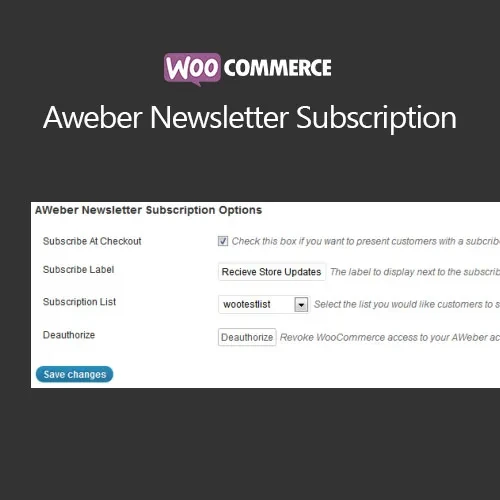
WooCommerce AWeber Newsletter Subscription connects your WooCommerce store with AWeber, allowing customer subscription data to be passed to your email marketing lists based on your configured settings. Use checkout-based newsletter opt-ins to build an email audience, organize subscribers into different lists, and create more targeted marketing campaigns based on customer purchases. It can be useful for online stores that want to combine WooCommerce sales with ongoing email communication. The GPL-licensed distribution is available from 5ivecode.com with lifetime updates and limited email support according to the applicable distribution terms.
WooCommerce AWeber Newsletter Subscription – Email Marketing Integration Plugin
WooCommerce AWeber Newsletter Subscription connects your WooCommerce store with AWeber, allowing customer subscription data to be passed to your email marketing lists based on your configured settings.
Use checkout-based newsletter opt-ins to build an email audience, organize subscribers into different lists, and create more targeted marketing campaigns based on customer purchases. It can be useful for online stores that want to combine WooCommerce sales with ongoing email communication.
The GPL-licensed distribution is available from 5ivecode.com with lifetime updates and limited email support according to the applicable distribution terms.
Connect WooCommerce with your AWeber email marketing account
Add customers to selected AWeber lists through the checkout workflow
Provide an optional newsletter opt-in checkbox
Organize subscribers into different lists based on purchased products
Support product-based subscriber segmentation
Work with WooCommerce-compatible themes and extensions
Build more targeted email campaigns using organized subscriber lists
Lightweight configuration designed for straightforward setup
Use the GPL distribution across personal and client websites according to applicable GPL terms
Receive lifetime updates through the supplied GPL distribution
Building an email subscriber list can help WooCommerce store owners maintain communication with existing customers after a purchase. WooCommerce AWeber Newsletter Subscription provides an integration between WooCommerce and AWeber so customers can be added to configured mailing lists through the store's checkout process.
Depending on your configuration, customers can be subscribed automatically or presented with an opt-in option before joining a newsletter list. This gives store administrators flexibility when designing their subscription workflow.
The plugin can also help organize subscribers according to products purchased. For example, customers purchasing different product types can be directed to corresponding AWeber lists, making it easier to organize audiences for relevant email campaigns.
Once subscribers are available in AWeber, store owners can use their AWeber account to manage newsletters, promotions, product announcements, and other email marketing activities.
Feature | WooCommerce AWeber Integration | Manual Email Collection |
|---|---|---|
Checkout Subscription | Available through WooCommerce | Requires a separate manual process |
AWeber Integration | Direct integration with AWeber | No direct connection |
Opt-In Option | Configurable checkout opt-in | Requires separate implementation |
List Organization | Can use product-based list assignment | Usually requires manual organization |
Subscriber Management | Handled through AWeber after synchronization | Manual collection and processing |
Campaign Segmentation | Supports organized AWeber lists | Depends on the manual workflow |
Setup | Configure once and manage settings | Repeated manual processes may be required |
Updates | Lifetime updates with the supplied GPL distribution | Not applicable |
Download the WooCommerce AWeber Newsletter Subscription GPL Plugin from 5ivecode.com.
Sign in to your WordPress administrator dashboard.
Navigate to Plugins → Add New → Upload Plugin.
Select the downloaded ZIP package.
Click Install Now and wait for the installation to complete.
Activate the plugin.
Open the relevant WooCommerce → Settings → Integrations section.
Enter the required AWeber connection or API credentials.
Select your subscription and list-assignment preferences.
Save the configuration and test the checkout subscription workflow.
Get Support
Please Sign In to contact our support.