Exclusive Coupon — Use Code SAVE10 for Instant Savings! Apply at checkout for your special discount. Limited uses — grab it while you can.
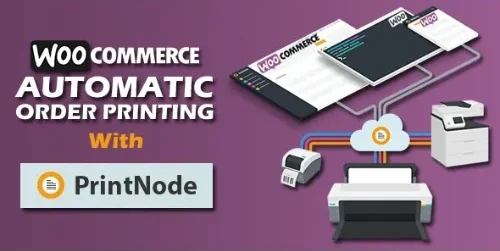
WooCommerce Automatic Order Printing, formerly known as WooCommerce Google Cloud Print, is a convenient printing solution that automatically sends WooCommerce orders to configured printers. It is especially useful for restaurants, cafés, takeaways, retail businesses, warehouses, and online stores where printed order information needs to reach staff quickly. By automating the printing process, the plugin can reduce manual work and help teams begin preparing or fulfilling orders sooner.
WooCommerce Automatic Order Printing (Formerly WooCommerce Google Cloud Print) WooCommerce Automatic Order Printing, formerly known as WooCommerce Google Cloud Print, is a convenient printing solution that automatically sends WooCommerce orders to configured printers. It is especially useful for restaurants, cafés, takeaways, retail businesses, warehouses, and online stores where printed order information needs to reach staff quickly. By automating the printing process, the plugin can reduce manual work and help teams begin preparing or fulfilling orders sooner. With support for configurable print templates, multiple printers, and order-status-based printing rules, it provides a flexible way to connect WooCommerce order management with your physical fulfillment workflow. 100% GPL licensed with lifetime free updates and limited email support from 5ivecode.com. 🖨️ Key Features ⚡ Automatic Order Printing – Automatically send eligible WooCommerce orders to configured printers based on your selected rules. 📄 Customizable Print Templates – Configure printed order information such as order details, receipts, or invoices according to the available template options. 🖨️ Multiple Printer Support – Connect different printers for separate departments, locations, or operational requirements where supported. 🍽️ Restaurant & Café Friendly – Useful for kitchen tickets, takeaway orders, preparation workflows, and other food-service operations. 🏪 Retail & Warehouse Workflows – Print order information for packing, fulfillment, dispatch, or in-store processing. 🔌 WooCommerce Integration – Works with the WooCommerce order workflow to automate printing without manually checking the dashboard for every order. 🌐 Flexible Printing Setup – Supports compatible local or cloud-based printer configurations depending on your environment. 📦 Print by Order Status – Configure printing behavior around statuses such as processing, paid, completed, or other supported statuses. 🔄 Automated Fulfillment Workflow – Reduce repetitive manual printing steps and get order information to the appropriate team faster. 📖 Detailed Overview Processing online orders manually can create unnecessary delays, especially for businesses receiving a high volume of purchases throughout the day. WooCommerce Automatic Order Printing helps automate this part of the workflow by sending eligible orders directly to configured printers. Instead of employees repeatedly checking email notifications or opening the WooCommerce dashboard, order information can be printed automatically according to the configured rules. This makes the plugin particularly useful in environments where printed order tickets or packing information are an important part of daily operations. ⚡ Automate Order Printing Configure the plugin to automatically print eligible orders when they reach the selected trigger or order status. This can reduce the need for staff to manually initiate every print job. 🍽️ Support Restaurant & Food-Service Operations Restaurants, cafés, takeaway businesses, and similar stores can use automatic printing to deliver order information to kitchen or preparation areas more efficiently. 📦 Simplify Packing & Fulfillment For retail and warehouse operations, printed order information can be useful for picking, packing, dispatching, and organizing physical shipments. 🖨️ Manage Multiple Printers Where supported by the configured setup, multiple printers can be used for different departments or locations. For example, one printer could handle kitchen orders while another handles receipts or fulfillment documentation. 📄 Customize Printed Information Use available print-template options to determine what information appears on printed documents, helping ensure that staff receive the details they need to process an order. 📋 Control Which Orders Are Printed Printing rules can help prevent unnecessary print jobs by allowing merchants to determine which order statuses or events should trigger printing. ⚖️ Automatic Order Printing vs Typical Alternatives Feature WooCommerce Automatic Order Printing Typical Alternatives Automatic Order Printing ✅ Automated workflow ❌ Often requires manual printing Multiple Printers ✅ Supported configurations ⚠️ May be limited Custom Print Templates ✅ Available options ⚠️ May require additional tools Print by Order Status ✅ Configurable rules ⚠️ Limited or unavailable Restaurant & Retail Workflows ✅ Suitable for physical fulfillment ⚠️ May require separate systems WooCommerce Integration ✅ Designed for WooCommerce ⚠️ May need additional setup GPL Distribution ✅ GPL licensed ❌ May use proprietary licensing Updates ✅ Lifetime updates through GPL distribution ❌ May require recurring fees 🛠️ Installation Guide Follow these general steps to install and configure WooCommerce Automatic Order Printing: Download the WooCommerce Automatic Order Printing ZIP package from your 5ivecode.com account. Log in to your WordPress administrator dashboard. Go to Plugins → Add New. Select Upload Plugin. Choose the downloaded ZIP file. Click Install Now. Activate the plugin after installation. Open the plugin's available settings and configure your printer connection. Select the printer or printers you want to use. Configure the available print template options. Define which order statuses or events should trigger printing. Save your settings. Place a test order and confirm that the expected document is printed correctly.
Get Support
Please Sign In to contact our support.