🎃 Halloween Sale — Scary Good Deals, Up to 20% OFF! Don't be spooked by these prices — grab them before they disappear at midnight.
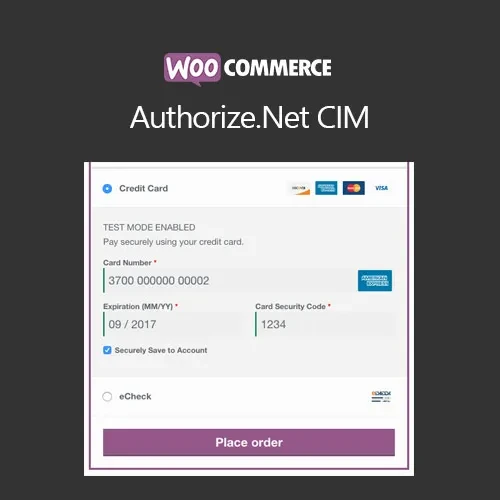
Give returning customers a more convenient payment experience with Authorize.Net CIM integration for WooCommerce. This extension connects WooCommerce with the Authorize.Net Customer Information Manager (CIM), allowing supported payment information to be securely tokenized and reused for future transactions. It can be particularly useful for stores handling repeat purchases, subscriptions, recurring payments, and pre-orders, while helping reduce the need for customers to repeatedly enter their payment information.
WooCommerce Authorize.Net CIM (GPL) Give returning customers a more convenient payment experience with Authorize.Net CIM integration for WooCommerce. This extension connects WooCommerce with the Authorize.Net Customer Information Manager (CIM), allowing supported payment information to be securely tokenized and reused for future transactions. It can be particularly useful for stores handling repeat purchases, subscriptions, recurring payments, and pre-orders, while helping reduce the need for customers to repeatedly enter their payment information. Distributed by 5ivecode.com under GPL terms. Review the current package details for information about updates and support. Not affiliated with the original developer. Feature Highlights 💳 Secure Payment Method Storage – Connect WooCommerce with Authorize.Net CIM to manage tokenized customer payment methods. ⚡ Convenient Repeat Checkout – Returning customers can use eligible saved payment methods instead of entering payment details again. 🔐 Tokenized Payment Data – Payment information is handled through the Authorize.Net platform and tokenization mechanisms rather than being stored as raw card data on your WooCommerce server. 🔄 Recurring Payment Support – Designed to work with recurring payment workflows where supported by the gateway and compatible WooCommerce extensions. 🛍️ Subscriptions & Pre-Orders – Supports relevant WooCommerce payment scenarios when the required extensions and gateway configuration are compatible. 🌍 Multiple Payment Methods – Supports payment methods made available through Authorize.Net and the configured account. 📊 WooCommerce Checkout Integration – Adds the payment gateway functionality to the normal WooCommerce checkout process. 🔒 GPL Distribution – Distributed under applicable GPL terms, with package-specific information available from 5ivecode.com. Detailed Overview WooCommerce Authorize.Net CIM connects a WooCommerce store with the Authorize.Net Customer Information Manager, providing a way to handle eligible customer payment information through tokenized payment methods. For returning customers, saved payment methods can make repeat purchases more convenient because they may not need to manually enter their payment details for every transaction. The integration can also be useful for WooCommerce businesses that operate subscription services, membership products, recurring billing programs, or pre-order campaigns. Using tokenized payment information can reduce the need for a store to directly handle sensitive card information. However, merchants should still follow the applicable PCI DSS requirements, Authorize.Net policies, WooCommerce security practices, and payment-provider documentation for their particular setup. Comparison Table Feature WooCommerce Authorize.Net CIM Standard Payment Gateway Saved Payment Methods ✔️ Supported through CIM/tokenization ❌ May not support saved methods Repeat Checkout ✔️ Convenient for returning customers ✔️ Depends on gateway Recurring Payments ✔️ Supported where compatible ❌ May require additional tools Tokenized Payment Data ✔️ Uses gateway-based tokenization ❌ Depends on provider WooCommerce Subscriptions ✔️ Supported when properly configured ❌ Compatibility varies Pre-Orders ✔️ Supported where compatible ❌ May have limitations GPL Distribution ✔️ GPL-based distribution ❌ License varies by provider Installation Guide Download the WooCommerce Authorize.Net CIM (GPL) ZIP package from your 5ivecode.com account. Log in to your WordPress administration dashboard. Navigate to Plugins → Add New Plugin → Upload Plugin. Select the downloaded ZIP file. Click Install Now. After installation is completed, click Activate. Go to WooCommerce → Settings → Payments. Locate the Authorize.Net CIM payment method. Enter the required Authorize.Net API credentials and configuration details. Configure the available payment, transaction, and customer payment settings. Test the checkout process before enabling the gateway for live transactions.
Get Support
Please Sign In to contact our support.