Exclusive Coupon — Use Code SAVE10 for Instant Savings! Apply at checkout for your special discount. Limited uses — grab it while you can.
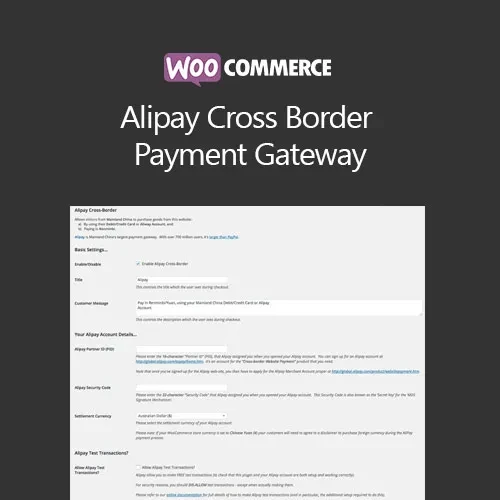
The WooCommerce Alipay Cross Border Payment Gateway connects your WooCommerce store with Alipay, providing a payment option for customers who prefer Alipay when shopping online. It is designed for merchants serving international customers and businesses looking to support transactions involving the Chinese market. The gateway integrates with the WooCommerce payment workflow and can provide a familiar Alipay payment option during checkout, subject to merchant account eligibility and the payment provider's supported regions and currencies. The GPL-licensed package is available from 5ivecode.com with lifetime free updates and limited email support.
WooCommerce Alipay Cross Border Payment Gateway – GPL Payment Plugin
The WooCommerce Alipay Cross Border Payment Gateway connects your WooCommerce store with Alipay, providing a payment option for customers who prefer Alipay when shopping online. It is designed for merchants serving international customers and businesses looking to support transactions involving the Chinese market.
The gateway integrates with the WooCommerce payment workflow and can provide a familiar Alipay payment option during checkout, subject to merchant account eligibility and the payment provider's supported regions and currencies.
The GPL-licensed package is available from 5ivecode.com with lifetime free updates and limited email support.
Alipay Payment Integration – Add Alipay as a payment method within your WooCommerce checkout.
Cross-Border Payment Support – Designed for eligible international merchants handling supported cross-border transactions.
Alipay-Based Processing – Connect WooCommerce with the applicable Alipay payment service and merchant account.
WooCommerce Checkout Integration – Present the payment option as part of your store's checkout workflow.
International Customer Support – Provide an additional payment method for customers familiar with Alipay.
Responsive Payment Experience – Designed to work within responsive WooCommerce storefronts and checkout layouts.
GPL Licensing – Use the GPL-licensed software according to the rights and conditions of the applicable GPL license.
Lifetime Free Updates – The package from 5ivecode.com includes lifetime updates as specified for the product.
International customers may prefer payment methods that they already use and recognize in their local markets. The WooCommerce Alipay Cross Border Payment Gateway is designed to give eligible WooCommerce merchants an option for accepting payments through Alipay.
After the gateway is configured with the required payment-provider credentials and merchant settings, Alipay can be offered as part of the WooCommerce payment process. This can be particularly relevant to businesses that sell products or services to customers in markets where Alipay is commonly used.
The plugin focuses on connecting the WooCommerce checkout, merchant payment configuration, and Alipay payment workflow in a single integration.
Actual availability of cross-border processing, supported currencies, countries, settlement options, and account requirements depends on the merchant's Alipay service arrangement and applicable provider terms.
Feature | WooCommerce Alipay Gateway | Other Payment Options |
|---|---|---|
Alipay Integration | ✔ Supported | Depends on the provider |
Cross-Border Payments | Supported where enabled by the merchant account | Varies by gateway |
WooCommerce Integration | ✔ Designed for WooCommerce | Depends on the integration |
Chinese Customer Payment Option | ✔ Alipay available | Depends on the payment method |
Multiple Websites | Subject to applicable GPL terms | Depends on the software license |
Updates | Lifetime updates included with the 5ivecode.com package | Depends on the provider or seller |
Merchant Account Required | ✔ Yes | Usually required |
Obtain the WooCommerce Alipay Cross Border Payment Gateway GPL Plugin from 5ivecode.com.
Sign in to your WordPress administration dashboard.
Navigate to Plugins → Add New → Upload Plugin.
Upload the plugin ZIP package.
Click Install Now and wait for the installation to finish.
Activate the plugin.
Go to WooCommerce → Settings → Payments.
Locate the Alipay payment method and open its configuration settings.
Enter the required Alipay merchant/API credentials and configure the available payment options.
Save the settings and perform appropriate test transactions before enabling live payments.
Get Support
Please Sign In to contact our support.