Exclusive Coupon — Use Code SAVE10 for Instant Savings! Apply at checkout for your special discount. Limited uses — grab it while you can.
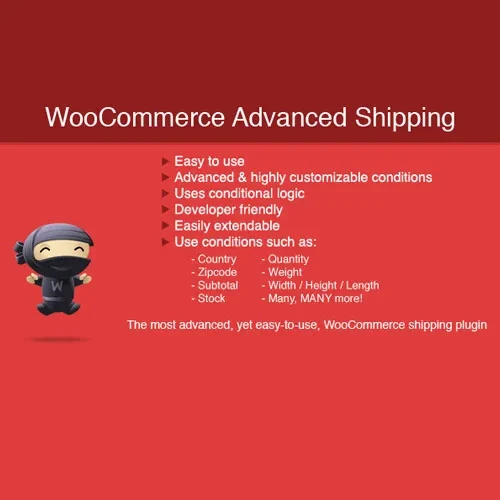
WooCommerce Advanced Shipping is a flexible shipping solution that gives store owners complete control over how shipping rates are calculated. Create custom shipping methods and apply advanced rules based on order weight, subtotal, quantity, product category, shipping class, customer role, destination, and more. With an intuitive rule-based interface, you can build complex shipping strategies without writing code. It is ideal for WooCommerce stores that need flexible domestic, international, wholesale, B2B, or product-specific shipping options.
WooCommerce Advanced Shipping (GPL) WooCommerce Advanced Shipping is a flexible shipping solution that gives store owners complete control over how shipping rates are calculated. Create custom shipping methods and apply advanced rules based on order weight, subtotal, quantity, product category, shipping class, customer role, destination, and more. With an intuitive rule-based interface, you can build complex shipping strategies without writing code. It is ideal for WooCommerce stores that need flexible domestic, international, wholesale, B2B, or product-specific shipping options. 🚀 Feature Highlights 📦 Create unlimited custom shipping methods and rates ⚙️ Set rules based on weight, subtotal, quantity, shipping class, category, and more 🌍 Create location-based shipping rules by country, state, city, postal code, or zone 👥 Apply special shipping rates based on customer or user roles 💰 Add handling fees, surcharges, or additional shipping costs 🎯 Combine multiple conditions to create precise shipping rules 🛠️ Easy rule-builder interface with no coding required 🚚 Support flexible free-shipping and conditional shipping strategies 🔗 Works with WooCommerce shipping zones 🔓 GPL licensed with unlimited site usage and lifetime free updates 📖 Detailed Overview WooCommerce Advanced Shipping helps you create customized shipping rules that go beyond the standard WooCommerce shipping options. You can determine exactly when a shipping method should appear and how much customers should pay. For example, you can offer free shipping when an order reaches a specific subtotal, charge additional fees for heavy products, or create special rates for wholesale customers. The plugin supports multiple conditions, allowing you to combine factors such as destination, order value, product weight, quantity, shipping class, category, and customer role. This makes it suitable for stores with complex shipping requirements. Whether you operate a retail store, wholesale business, B2B marketplace, or international WooCommerce shop, Advanced Shipping gives you the flexibility to create shipping rules around your business model. ⚖️ Comparison Table Capability WooCommerce Advanced Shipping Standard WooCommerce Custom shipping rules ✔️ Advanced rule builder ⚠️ Limited options Multiple conditions ✔️ Supported ⚠️ Basic Weight-based shipping ✔️ Flexible rules ⚠️ Requires configuration Location-based rules ✔️ Country, state, city, postcode, zone ✔️ Basic zone support User-role shipping ✔️ Supported ❌ Not built in Product/category conditions ✔️ Supported ⚠️ Limited Handling fees & surcharges ✔️ Conditional ⚠️ Limited Unlimited custom methods ✔️ Supported ❌ Not available by default GPL licensing ✔️ Unlimited site usage — 🎯 Use Case Examples 🚚 Free Shipping by Order Value Offer free shipping when customers spend above a specific amount, such as $100. 🌍 Location-Based Shipping Create different shipping prices for individual countries, states, cities, or postal-code regions. 📊 Weight-Based Shipping Charge different rates depending on the total weight of products in the customer's cart. 👥 Wholesale & VIP Shipping Create discounted or special shipping rates for wholesale, VIP, subscriber, or other customer roles. 🛍️ Product-Specific Shipping Apply additional shipping charges to specific products, categories, or shipping classes. 💰 Conditional Surcharges Add handling fees or shipping surcharges when specific conditions are met. 🛠️ Installation Guide Download WooCommerce Advanced Shipping (GPL) from 5ivecode.com. Log in to your WordPress administration dashboard. Navigate to Plugins → Add New → Upload Plugin. Upload the WooCommerce Advanced Shipping ZIP file. Click Install Now and then Activate the plugin. Go to WooCommerce → Settings → Shipping. Configure your shipping methods, conditions, and costs. Save your settings and test the checkout process with different products and destinations.
Get Support
Please Sign In to contact our support.