🎃 Halloween Sale — Scary Good Deals, Up to 20% OFF! Don't be spooked by these prices — grab them before they disappear at midnight.
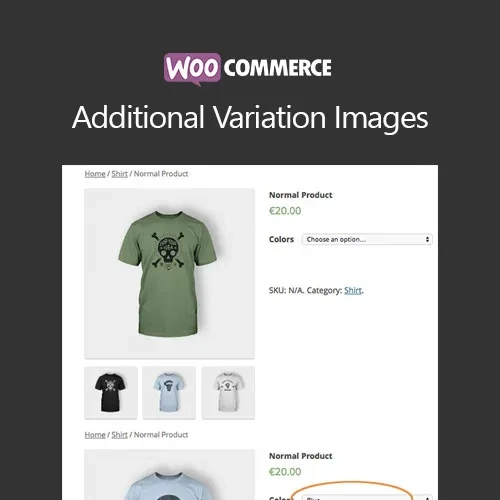
WooCommerce Additional Variation Images enhances WooCommerce product pages by allowing you to add multiple images to individual product variations. Instead of displaying just one image for each variation, you can create a richer visual gallery that helps customers understand different colors, sizes, styles, materials, and product details before purchasing. It is especially useful for fashion stores, electronics shops, furniture stores, accessories, and any WooCommerce business where product variations need detailed visual presentation.
WooCommerce Additional Variation Images (GPL) WooCommerce Additional Variation Images enhances WooCommerce product pages by allowing you to add multiple images to individual product variations. Instead of displaying just one image for each variation, you can create a richer visual gallery that helps customers understand different colors, sizes, styles, materials, and product details before purchasing. It is especially useful for fashion stores, electronics shops, furniture stores, accessories, and any WooCommerce business where product variations need detailed visual presentation. Feature Highlights 🖼️ Multiple Images per Variation — Add multiple images to individual WooCommerce product variations. 📱 Responsive Variation Galleries — Provide a smooth image-viewing experience across desktop, tablet, and mobile devices. 🔍 Zoom & Lightbox Support — Let customers inspect product details with convenient image viewing features. 🎨 Better Variation Presentation — Showcase different colors, styles, sizes, designs, and product details more effectively. 🛠️ Easy Variation Management — Manage additional images directly from WooCommerce product variation settings. ⚡ Performance-Focused Experience — Designed to provide an efficient gallery experience without unnecessary complexity. 🔌 Theme Compatibility — Works with many WooCommerce-compatible themes and store layouts. 🔓 GPL Licensing — Flexible GPL usage with updates and support as provided by the distributor. Detailed Overview WooCommerce normally allows a product variation to have its own primary image, but many products require multiple images to properly communicate their appearance and features. WooCommerce Additional Variation Images solves this limitation by allowing store administrators to associate multiple images with individual variations. For example, a clothing store can display several images for each color option, while an electronics store can show different angles of a specific model. Customers can browse the images using gallery navigation, zoom, or lightbox functionality before selecting the variation they want. The additional images are managed through the WooCommerce product editing interface, making the plugin convenient for store owners, developers, and content managers. Comparison Table Capability WooCommerce Additional Variation Images Default WooCommerce Multiple Images per Variation ✅ Multiple images supported ⚠️ Typically one primary variation image Variation-Specific Galleries ✅ Supported ❌ Not available by default Zoom Support ✅ Supported ⚠️ Theme-dependent Lightbox Viewing ✅ Supported ⚠️ Theme-dependent Responsive Gallery ✅ Mobile-friendly ⚠️ Theme-dependent Easy Variation Management ✅ Integrated with product variations ✅ Standard variation management Theme Compatibility ✅ Works with many WooCommerce themes ✅ WooCommerce themes GPL Licensing ✅ Flexible GPL usage — Installation Guide Download WooCommerce Additional Variation Images (GPL) from 5ivecode.com. Log in to your WordPress administrator dashboard. Navigate to Plugins → Add New → Upload Plugin. Upload the plugin ZIP file. Click Install Now and activate the plugin. Open a WooCommerce product and navigate to Product Data → Variations. Select the variation you want to edit. Add the additional variation images using the available image controls. Save the product and update the variations. Preview the product page and test the gallery on desktop and mobile devices.
Get Support
Please Sign In to contact our support.