🎃 Halloween Sale — Scary Good Deals, Up to 20% OFF! Don't be spooked by these prices — grab them before they disappear at midnight.
Usernoise Pro is a WordPress feedback plugin designed to make communication between website owners and visitors easier. It adds a convenient modal feedback and contact form, allowing users to share suggestions, report issues, or submit inquiries without navigating away from the current page. Whether you manage a business website, blog, online service, or customer portal, Usernoise Pro can help you collect visitor feedback through a simple and accessible interface.
Usernoise Pro – Modal Feedback & Contact Form for WordPress
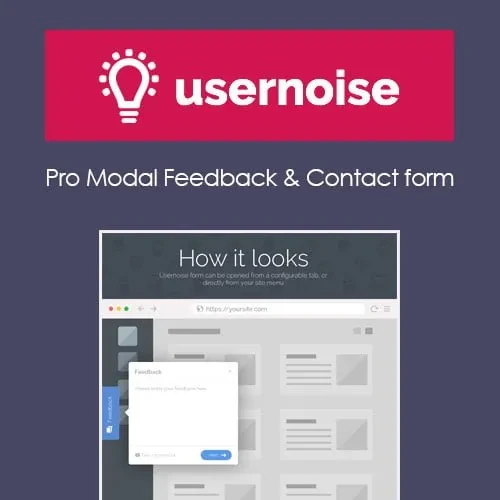
Usernoise Pro is a WordPress feedback plugin designed to make communication between website owners and visitors easier. It adds a convenient modal feedback and contact form, allowing users to share suggestions, report issues, or submit inquiries without navigating away from the current page.
Whether you manage a business website, blog, online service, or customer portal, Usernoise Pro can help you collect visitor feedback through a simple and accessible interface.
Modal Feedback Form: Provide visitors with a convenient popup interface for submitting feedback.
Customizable Form Fields: Adapt available fields to collect information relevant to your website.
AJAX-Based Submission: Support a smoother submission experience without requiring a full-page reload.
Theme Integration: Designed to work with WordPress websites using a range of themes.
Lightweight Design: Offers a focused feedback solution without requiring a large, complex feedback platform.
Multiple Feedback Types: Organize visitor responses according to the options supported by the plugin.
Translation Support: Translation-ready functionality can help support multilingual website projects.
GPL Licensing: GPL licensing may allow use across personal and client websites, subject to the applicable license terms.
Usernoise Pro provides a modal interface that visitors can open when they want to communicate with your website. This approach makes it easier to collect comments and suggestions while users continue browsing your pages.
Different websites need different types of feedback. Depending on the plugin's available settings, you can customize form fields to gather relevant details, such as visitor comments, questions, or issue descriptions.
AJAX-based submission helps reduce interruptions by sending form information without a conventional full-page refresh. This can make feedback collection feel more convenient for visitors.
Usernoise Pro may suit a variety of WordPress projects, including:
Business and corporate websites
Blogs and content publishing platforms
Software and SaaS websites
Service-provider websites
Customer support and feedback portals
Websites seeking suggestions and bug reports
A modal feedback form can give visitors a consistent way to contact a website owner across different screen sizes. Confirm the plugin's current responsive behavior and compatibility with your theme before deploying it on a production website.
Feature | Usernoise Pro | General Feedback Plugins |
|---|---|---|
Feedback interface | Modal-style form | Varies by plugin |
Form customization | Based on available settings | Varies |
AJAX submission | Supported as described | Depends on the plugin |
Theme compatibility | Designed for WordPress | Depends on the plugin |
Multilingual readiness | Translation support | Varies |
Licensing and updates | Check the distributor's terms | Depends on the provider |
Obtain the Usernoise Pro plugin ZIP file from your chosen legitimate source.
Sign in to your WordPress administration dashboard.
Navigate to Plugins → Add New Plugin → Upload Plugin.
Select the downloaded ZIP file and click Install Now.
Once installation finishes, click Activate Plugin.
Open the Usernoise settings, if available, and configure the feedback form.
Test the form on desktop and mobile devices to confirm that submissions work as expected.
Get Support
Please Sign In to contact our support.