Exclusive Coupon — Use Code SAVE10 for Instant Savings! Apply at checkout for your special discount. Limited uses — grab it while you can.
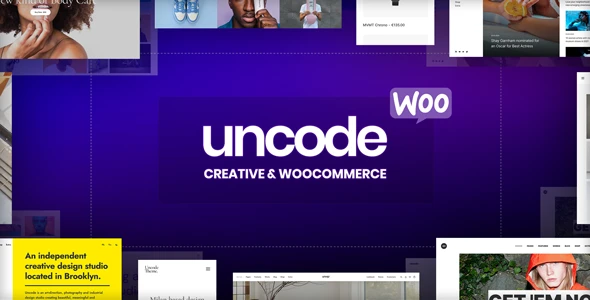
Uncode is a premium-style WordPress theme designed for creative professionals, agencies, freelancers, design studios, photographers, portfolios, startups, and WooCommerce-powered online stores. Its modern design framework combines visual creativity with business-focused functionality, making it suitable for a wide variety of personal and commercial websites. Whether you're creating an agency website, showcasing creative projects, publishing a professional portfolio, or launching an online shop, Uncode offers a flexible foundation that can be customized to match your brand and business goals.
Uncode – Creative & WooCommerce WordPress Theme Build Creative Websites and Professional WooCommerce Stores Uncode is a premium-style WordPress theme designed for creative professionals, agencies, freelancers, design studios, photographers, portfolios, startups, and WooCommerce-powered online stores. Its modern design framework combines visual creativity with business-focused functionality, making it suitable for a wide variety of personal and commercial websites. Whether you're creating an agency website, showcasing creative projects, publishing a professional portfolio, or launching an online shop, Uncode offers a flexible foundation that can be customized to match your brand and business goals. Key Features 🎨 Creative Website Design – Create visually engaging websites for agencies, freelancers, designers, photographers, studios, startups, and creative businesses. 🛒 WooCommerce Compatible – Build fully functional online stores with WooCommerce integration for products, shopping carts, and secure checkout. 🧩 Flexible Page Layouts – Design custom landing pages, portfolios, service pages, project showcases, blogs, and product collections. 📱 Responsive & Mobile Friendly – Ensure an optimized browsing experience across desktops, tablets, and smartphones. 🖼️ Portfolio & Media Showcase – Display photography, artwork, videos, case studies, client projects, and visual content with attractive layouts. ⚡ Performance-Oriented Structure – Works well with image optimization, caching solutions, quality hosting, and performance optimization plugins. 🔍 SEO-Ready Foundation – Built with a clean structure that works seamlessly with popular WordPress SEO plugins and optimization strategies. 🔄 Lifetime Free Updates – Receive future product updates through 5ivecode.com along with limited email support. Theme Overview Uncode is a versatile WordPress theme developed for businesses and professionals that require a visually impressive website without sacrificing functionality. Its adaptable design makes it suitable for creative portfolios, business websites, digital agencies, online stores, blogs, and corporate projects. Creative professionals can build attractive portfolio pages, client showcases, service sections, testimonials, team profiles, and project galleries, while businesses can create modern websites that effectively communicate their products and services. For WooCommerce users, Uncode provides a solid foundation for creating branded online stores with professionally designed product pages, shopping experiences, customer accounts, order management, and checkout functionality. Its flexible layout system also makes it suitable for: Creative Agencies Freelancers Graphic Designers Photographers Architects Interior Designers Marketing Agencies Startups Consultants Corporate Businesses Fashion Brands Lifestyle Stores Portfolio Websites Rather than beginning with a generic website template, Uncode provides a creative-first framework that can easily be adapted to suit different industries and business objectives. For optimal performance, pair the theme with optimized images, reliable web hosting, caching plugins, accessibility improvements, and a well-planned SEO strategy. Comparison Feature Uncode Standard WordPress Theme Custom Website Development Creative Website Design ✅ Theme Dependent ✅ WooCommerce Integration ✅ Varies ✅ Portfolio & Project Showcase ✅ Varies ✅ Flexible Page Building ✅ Limited ✅ Responsive Layout ✅ ✅ ✅ Ready-to-Use Design ✅ ✅ ❌ Agency & Client Projects ✅ ✅ ✅ Lifetime Updates via 5ivecode.com ✅ Varies ❌ Actual features and compatibility depend on the installed WordPress version, WooCommerce version, plugins, hosting environment, and project configuration. Installation Guide Create a complete backup of your WordPress website. Verify your hosting environment meets the latest WordPress and PHP requirements. Navigate to Appearance → Themes → Add New → Upload Theme. Upload the Uncode theme ZIP package. Install and activate the theme. Install recommended plugins if prompted. Import available demo content or starter templates if included. Configure WooCommerce settings if you're building an online store. Replace demo content with your own branding, images, products, portfolio items, and website content. Test responsiveness, navigation, forms, WooCommerce checkout, and third-party integrations before launching. Developer Tip: Use a staging website when testing theme updates, WooCommerce configurations, or major design changes before applying them to your live website.
Get Support
Please Sign In to contact our support.