🎃 Halloween Sale — Scary Good Deals, Up to 20% OFF! Don't be spooked by these prices — grab them before they disappear at midnight.
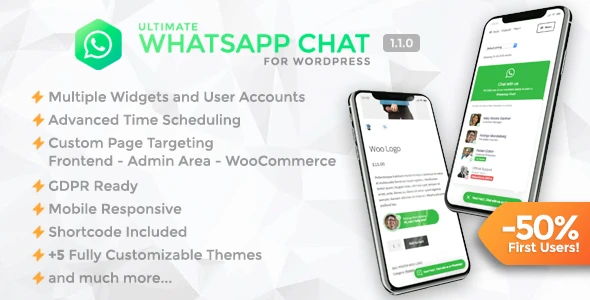
Ultimate WhatsApp Chat for WordPress helps businesses connect with website visitors through WhatsApp. By adding a convenient WhatsApp chat button to your website, you can make it easier for customers to ask questions, request product information, and contact your support team directly. Designed for WooCommerce stores, service providers, freelancers, and digital agencies, this plugin offers features such as multiple support agents, customizable chat buttons, welcome messages, business-hour scheduling, and product-specific communication options. It can help streamline customer interactions and create a more accessible support experience.
Ultimate WhatsApp Chat – WordPress WhatsApp Chat Support Plugin (GPL)
Ultimate WhatsApp Chat for WordPress helps businesses connect with website visitors through WhatsApp. By adding a convenient WhatsApp chat button to your website, you can make it easier for customers to ask questions, request product information, and contact your support team directly.
Designed for WooCommerce stores, service providers, freelancers, and digital agencies, this plugin offers features such as multiple support agents, customizable chat buttons, welcome messages, business-hour scheduling, and product-specific communication options. It can help streamline customer interactions and create a more accessible support experience.
WhatsApp Chat Button: Add a WhatsApp contact button to your WordPress website.
Multiple Support Agents: Configure different agents or departments with their own WhatsApp contact details, depending on the plugin's supported options.
Welcome Messages: Set predefined greetings to help visitors start a conversation.
Customizable Appearance: Adjust the button's style, design, and position to match your website.
Display Scheduling: Configure when the chat button appears based on available scheduling options.
Page and Device Visibility: Control where the button is displayed across supported pages and devices.
WooCommerce Integration: Provide customers with product-specific WhatsApp contact options when supported by your version.
Mobile-Friendly Design: Offer convenient access to WhatsApp on mobile devices and desktop browsers.
Business Communication: Give customers a direct alternative to traditional contact forms.
GPL Licensing: Review the applicable GPL terms and the seller's specific update and support policy before purchasing.
Make it simple for visitors to contact your business without searching for your phone number or completing a lengthy contact form. A WhatsApp button provides a convenient starting point for product questions, service enquiries, and general customer support.
Businesses with different departments or support representatives may benefit from assigning separate WhatsApp numbers to different agents. This can help direct enquiries to the appropriate team and organize customer communication more effectively.
Create a more welcoming experience with predefined greetings or introductory messages. These messages can encourage visitors to explain their requirements and help them begin a conversation with your business.
Adapt the chat button to your website's appearance by configuring supported design settings, including its placement and visual style. Thoughtful placement can make the contact option easy to find without distracting visitors from your main content.
Configure the chat button's visibility according to the scheduling and display controls available in the plugin. Where supported, these options can help you manage expectations when your team is available only during specific business hours.
For online stores, product-related WhatsApp contact options can give shoppers a convenient way to ask about product details, availability, or purchasing questions. This can complement your existing product pages and customer support workflow.
Check the installed version's WooCommerce integration features before relying on specific product-level functionality.
A responsive chat interface helps visitors access your WhatsApp contact option from different screen sizes. Depending on their device and browser, visitors can continue the conversation through WhatsApp's supported mobile or web experience.
Feature | Ultimate WhatsApp Chat | Traditional Contact Forms |
|---|---|---|
Communication | Opens a WhatsApp conversation | Submits information through a form |
Response workflow | Supports direct messaging | Often requires a separate reply |
Multiple agents | May support multiple contact numbers | Depends on form and support integrations |
Mobile access | Connects with WhatsApp where available | Depends on the form's mobile design |
Product enquiries | Can provide product-specific contact options if supported | Requires suitable form fields or integration |
Customization | Chat button and message settings | Form fields and layout |
Best suited for | Customers who prefer messaging | Structured enquiries and information collection |
Get Support
Please Sign In to contact our support.