🎃 Halloween Sale — Scary Good Deals, Up to 20% OFF! Don't be spooked by these prices — grab them before they disappear at midnight.
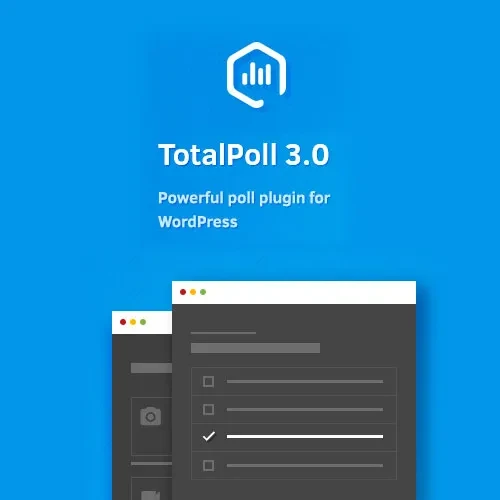
TotalPoll Pro is a WordPress polling plugin designed to help website owners create interactive polls, collect visitor opinions, and display voting results through customizable poll layouts. It provides tools for configuring poll questions, managing voting permissions, scheduling polls, and reviewing participation statistics. Whether you manage a blog, business website, online community, educational platform, or content publishing site, TotalPoll Pro can help you encourage audience participation and gather feedback directly through your WordPress website.
TotalPoll Pro – Advanced WordPress Polling Plugin
TotalPoll Pro is a WordPress polling plugin designed to help website owners create interactive polls, collect visitor opinions, and display voting results through customizable poll layouts. It provides tools for configuring poll questions, managing voting permissions, scheduling polls, and reviewing participation statistics.
Whether you manage a blog, business website, online community, educational platform, or content publishing site, TotalPoll Pro can help you encourage audience participation and gather feedback directly through your WordPress website.
Responsive Poll Design – Display polls in layouts suited to desktop computers, tablets, and mobile devices.
Customizable Poll Templates – Adjust the appearance of polls to complement your website design.
Multiple Question Types – Create different poll formats using the supported question types.
Unlimited Poll Creation – Create multiple polls for different topics and audience engagement goals, subject to applicable product terms.
Advanced Voting Restrictions – Configure available voting controls to manage participation.
Real-Time Poll Results – Display updated voting results according to the plugin's settings and supported functionality.
Poll Scheduling – Configure poll timing and availability using supported scheduling options.
Custom CSS Support – Apply additional styling to customize the presentation of polls.
Shortcode and Widget Support – Embed polls in supported WordPress content areas.
Detailed Voting Statistics – Review available voting data to understand audience preferences and participation.
Create polls that adapt to different screen sizes and browsing environments. Responsive layouts help visitors participate conveniently whether they access your website from a desktop computer, tablet, or smartphone.
A mobile-friendly polling experience can make it easier for audiences to interact with your content.
Customize the visual presentation of polls to suit your website's branding and layout. Depending on the available template options, you can adjust the appearance of poll elements to create a more consistent experience across your pages.
Build polls around different topics and feedback requirements using supported question formats. Different question types can help you collect opinions, compare preferences, or gather responses to specific questions.
Check the plugin documentation for the exact question types available in your installed version.
Create polls for different articles, campaigns, product ideas, or community discussions. Maintaining separate polls for different subjects can help you organize feedback and evaluate audience interest across multiple areas of your website.
Confirm any applicable licensing or usage limits before deploying polls across a large website.
Voting controls can help you manage how visitors participate in polls. Depending on the supported configuration, restrictions may help reduce repeated submissions and establish rules for who can vote.
For important surveys or sensitive decisions, remember that ordinary website polling should not automatically be treated as a secure or independently verified voting system.
Display voting results as responses are recorded when supported by the plugin's configuration. Showing current results can make polls more engaging and help visitors understand how responses are distributed.
You can review the available settings to determine when and how results are presented to participants.
Organize polls around campaigns, events, announcements, or time-sensitive topics using available scheduling functionality. Scheduling helps you coordinate when a poll should be available and manage participation periods more effectively.
Verify the scheduling options supported by your installed version before configuring time-dependent campaigns.
Use custom CSS to refine poll styling and align it with your website's visual identity. Developers can use additional styling to adjust supported visual elements and improve consistency with existing page layouts.
Test CSS changes across different screen sizes to ensure that poll controls remain easy to use.
Place polls in supported areas of your WordPress website using the available embedding options. Shortcodes and widgets can make it easier to add polls to posts, pages, sidebars, and other compatible content areas.
This flexibility helps you position polls where they are most relevant to your audience.
Review available voting statistics to understand participation and response patterns. These insights can help website owners identify popular choices, evaluate audience preferences, and plan future content or engagement activities.
The precise metrics and reporting options depend on the plugin version and its configuration.
Get Support
Please Sign In to contact our support.