🎃 Halloween Sale — Scary Good Deals, Up to 20% OFF! Don't be spooked by these prices — grab them before they disappear at midnight.
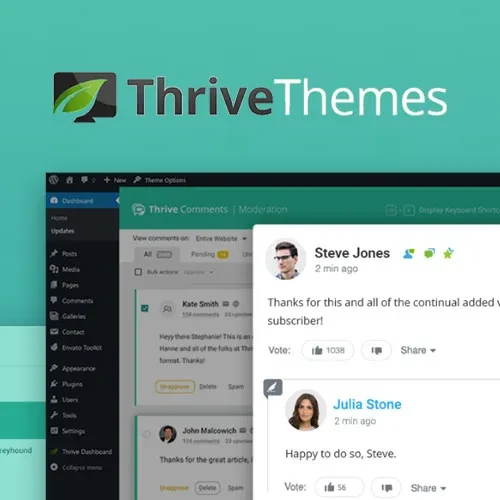
Thrive Comments is a WordPress commenting solution designed to improve website discussions and encourage greater audience participation. It enhances the commenting experience with interactive features, discussion tools, moderation options, and engagement-focused functionality that helps turn ordinary comment sections into more active community spaces. Whether you manage a blog, content website, online publication, or business website, Thrive Comments can help you create a more engaging environment where readers can share opinions, respond to content, and participate in meaningful discussions.
Thrive Comments – WordPress Commenting and Audience Engagement Plugin
Thrive Comments is a WordPress commenting solution designed to improve website discussions and encourage greater audience participation. It enhances the commenting experience with interactive features, discussion tools, moderation options, and engagement-focused functionality that helps turn ordinary comment sections into more active community spaces.
Whether you manage a blog, content website, online publication, or business website, Thrive Comments can help you create a more engaging environment where readers can share opinions, respond to content, and participate in meaningful discussions.
WordPress Comment Management: Manage website comments and organize discussions through a more engagement-focused commenting experience.
Enhanced Commenting System: Improve the standard WordPress commenting experience with additional interactive features.
Audience Engagement: Encourage readers to participate in discussions and interact with published content.
Interactive Comment Sections: Create more dynamic comment areas that support visitor participation.
Comment Voting: Allow visitors to express their preferences through supported comment voting functionality.
Comment Discussions: Encourage conversations through replies and threaded discussion features.
User Engagement Tools: Use available engagement features to motivate visitors to participate in website discussions.
Comment Moderation: Help website administrators review and manage comments to maintain a constructive discussion environment.
Social Sharing Support: Encourage content distribution through supported social sharing options.
Responsive Comment Interface: Provide a commenting experience designed to work across desktop computers, tablets, and mobile devices.
Comments can help website owners understand their audience, gather feedback, and encourage conversations around published content. Thrive Comments builds on the familiar WordPress commenting system by introducing engagement-focused features designed to make participation more interactive.
A well-organized comment section can give readers an opportunity to ask questions, exchange ideas, and contribute additional perspectives to an article.
An active comment section can help visitors feel more involved with a website. Thrive Comments provides engagement tools intended to encourage readers to respond to content and participate in ongoing discussions.
These features can be useful for blogs, educational websites, online publications, and businesses that value direct interaction with their audiences.
Comment voting gives visitors a way to express their preferences about contributions from other readers, where the feature is supported and enabled.
Threaded replies can also help organize conversations by keeping responses connected to the relevant comments. Together, these tools can make longer discussions easier to follow and help highlight useful contributions.
Maintaining a constructive discussion environment requires effective comment management. Moderation tools help administrators review submissions and manage conversations according to their website policies.
By establishing clear commenting guidelines and reviewing potentially inappropriate contributions, site owners can encourage respectful discussions while reducing unwanted content.
Engaged readers may want to share useful articles and discussions with others. Supported social sharing functionality can help visitors distribute content through available sharing options.
When combined with informative articles and an active comment section, these features can contribute to a more interactive content experience.
Visitors may access a website from smartphones, tablets, or desktop computers. A responsive commenting interface helps keep discussion areas usable across different screen sizes.
Website owners should still test comment forms, reply controls, voting elements, and other interactive components on their chosen theme and devices.
Get Support
Please Sign In to contact our support.