🎃 Halloween Sale — Scary Good Deals, Up to 20% OFF! Don't be spooked by these prices — grab them before they disappear at midnight.
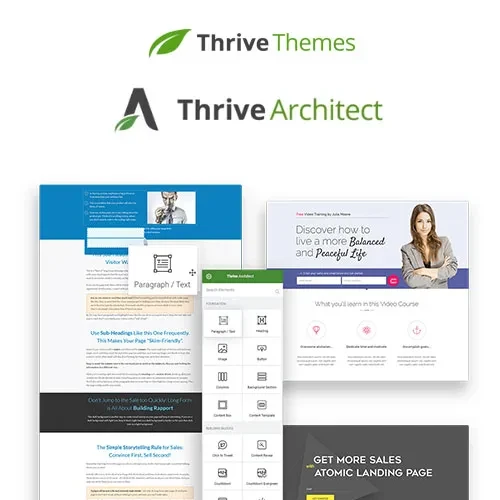
Thrive Architect is a visual drag-and-drop page builder for WordPress designed to help website owners create attractive, conversion-focused pages without writing code. It provides a visual editing experience for building landing pages, sales pages, lead generation pages, and other website content with greater design flexibility. Whether you are creating a business website, promoting a product, launching a marketing campaign, or building pages for an online business, Thrive Architect helps you customize page layouts and organize content to support your website goals. Its visual editing approach allows you to work with page elements and see design changes as you build.
Thrive Architect – WordPress Visual Page Builder Plugin
Thrive Architect is a visual drag-and-drop page builder for WordPress designed to help website owners create attractive, conversion-focused pages without writing code. It provides a visual editing experience for building landing pages, sales pages, lead generation pages, and other website content with greater design flexibility.
Whether you are creating a business website, promoting a product, launching a marketing campaign, or building pages for an online business, Thrive Architect helps you customize page layouts and organize content to support your website goals. Its visual editing approach allows you to work with page elements and see design changes as you build.
Visual Drag-and-Drop Editor – Build and customize page layouts visually without requiring manual coding.
Conversion-Focused Page Design – Create pages designed to guide visitors toward actions such as signing up, requesting information, or exploring an offer.
Landing Page Builder – Design dedicated landing pages for marketing campaigns, services, products, and promotions.
Sales Page Creation – Arrange content and page sections to present products, explain benefits, and communicate offers clearly.
Visual Content Editing – Edit page content and layout through an interactive visual interface.
Customizable Page Elements – Arrange and style supported content elements to match your website's branding and requirements.
Flexible Page Layouts – Organize headings, text, images, and other supported elements into structured page designs.
No-Code Page Building – Create and edit pages without needing to write HTML, CSS, or JavaScript for routine design tasks.
Marketing-Oriented Design – Build pages for lead generation, product promotion, service presentations, and other business objectives.
WordPress Integration – Use the page builder within a compatible WordPress website to create and manage page content.
Thrive Architect makes visual page creation more accessible to website owners who want greater control over their content presentation. Its drag-and-drop workflow helps you position page elements and customize the layout without depending entirely on a developer.
Use the page builder to develop dedicated pages for products, services, promotional campaigns, and special offers. A well-organized page can communicate your message clearly and make the next step easier for visitors to understand.
Adjust page structure, text, images, and supported design elements to create a consistent appearance across your marketing pages. The visual editor helps you review the page while making changes, making it easier to refine the overall presentation.
Thrive Architect may be useful for:
Business and corporate websites
Sales and product promotion pages
Landing pages and lead generation campaigns
Freelancer and agency websites
Service presentation pages
Digital marketing projects
Entrepreneurs and online business owners
WordPress designers and content creators
Log in to your WordPress administration dashboard.
Navigate to Plugins → Add New Plugin.
Search for Thrive Architect if it is available through your installation source, or upload the plugin package obtained from the official provider.
Install and activate the plugin.
Follow the provider's setup and account-connection instructions, if required.
Open a compatible page and launch the visual editor.
Add and customize page elements, arrange the layout, and preview the result before publishing.
Installation, licensing, and activation requirements may vary according to the version and subscription you use.
Get Support
Please Sign In to contact our support.